New updates every Monday.
Every feature, fix and improvement we ship for the businesses on Flyra, week by week.
Read the latest update, November 9, 2026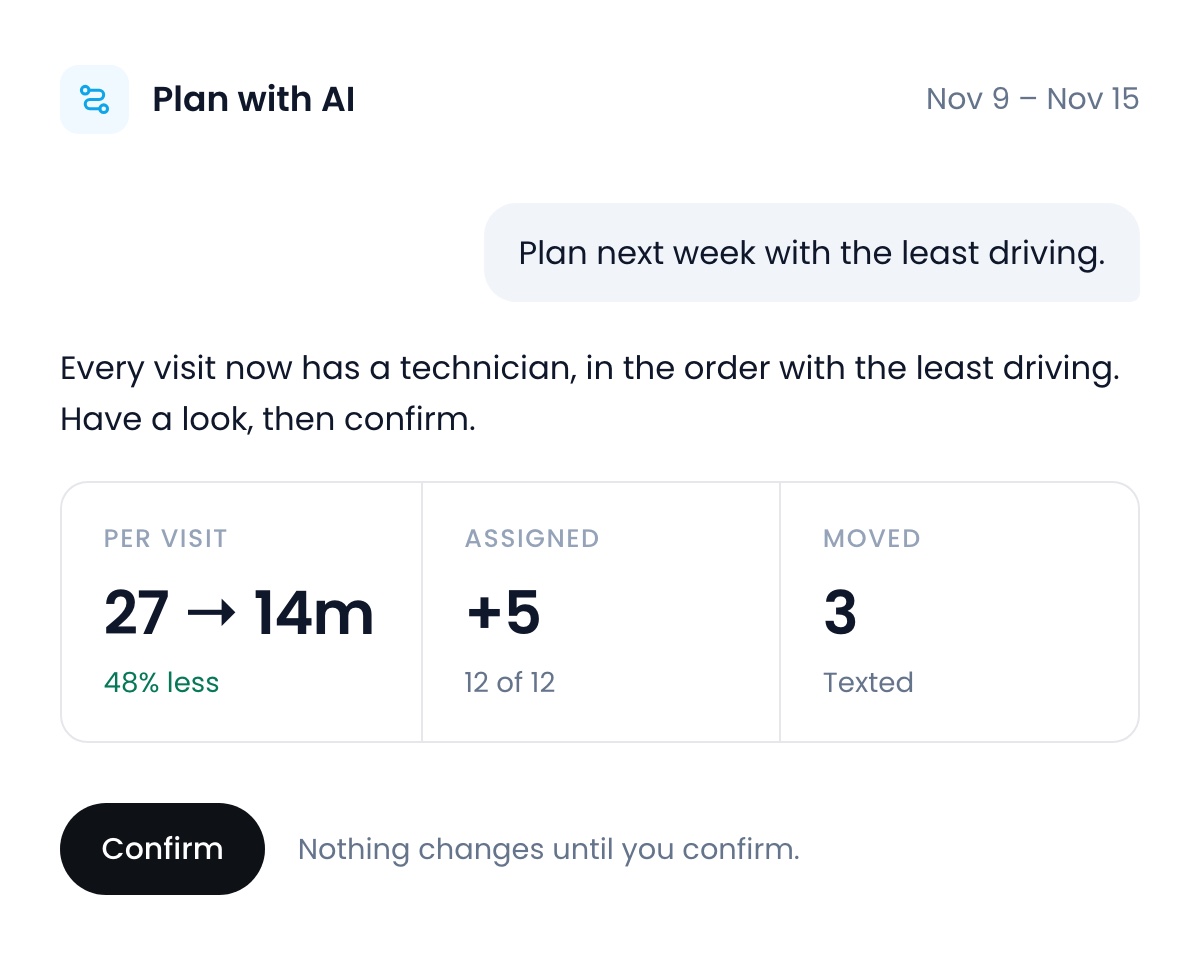
Plan your schedule with AI, and onboard every hire
Plan your schedule with AI
Tell Flyra what you need. It gives every visit a technician, puts each day in the order with the least driving, and texts only the customers who reschedule. The Plan with AI button shows how optimized your days are, and how many visits have nobody on them. Ask for tomorrow, a week or a month, see the routes on a map, and nothing changes until you confirm.
November 9, 2026Learn more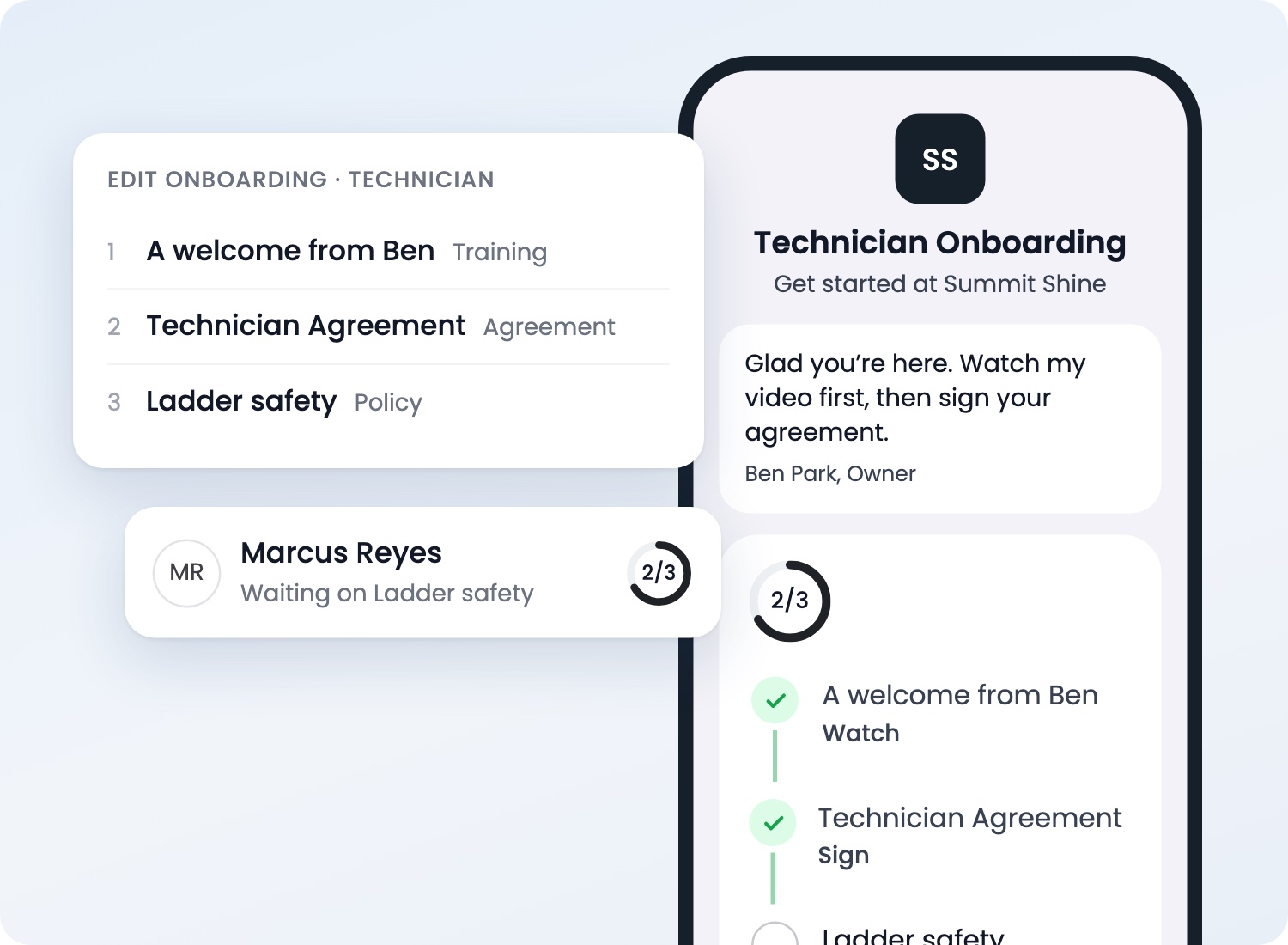
Onboard every hire
Invite someone like you do today, and they get a checklist on their phone: sign a contract, watch training videos, read guidelines. Upload the contract you already use, add your videos, and the phone next to your steps shows exactly what a new hire will see. Set activation goals for each role and see how far every new hire gets in their first 30 days.
November 9, 2026Learn more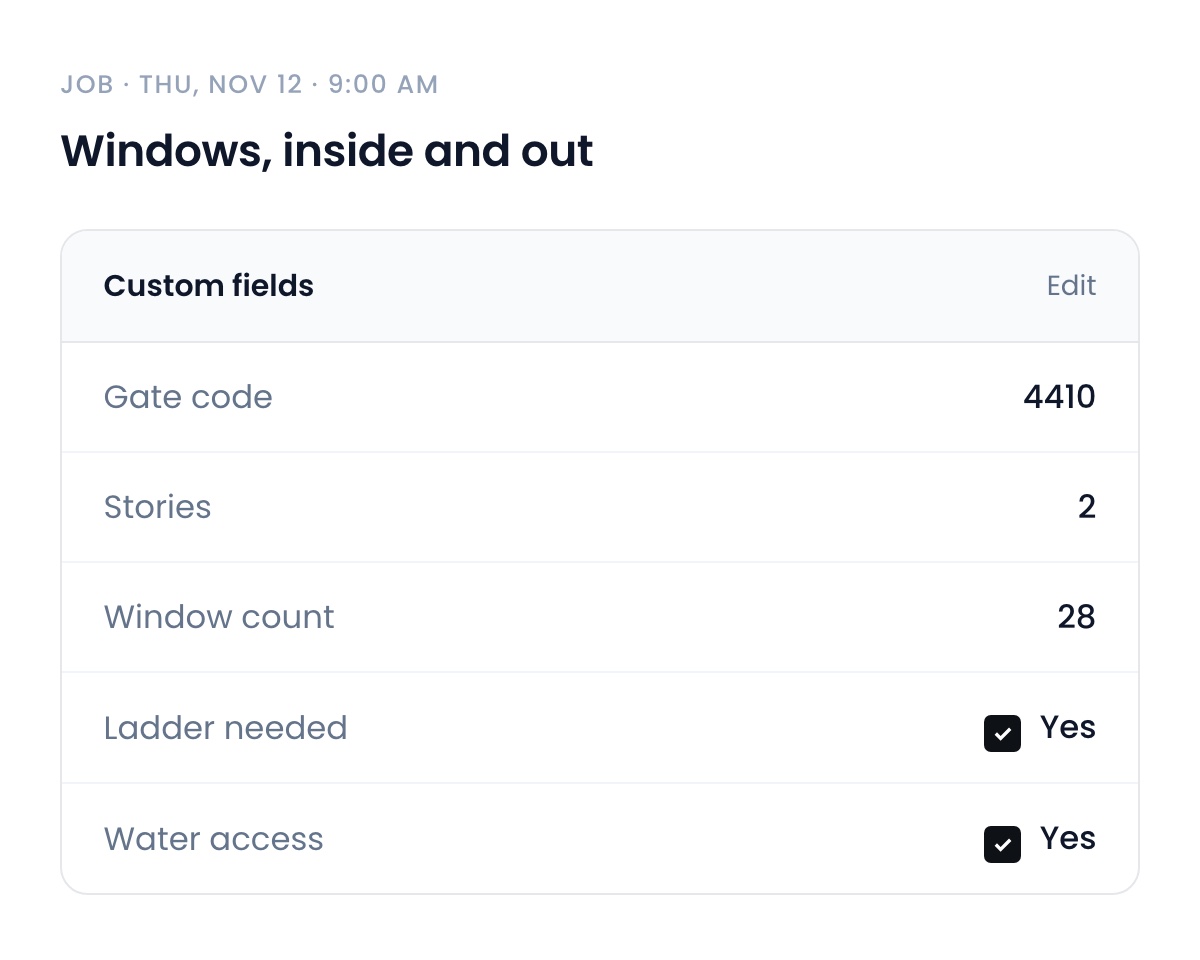
Custom fields on jobs and estimates
Add your own fields to jobs and estimates, like a gate code or the number of windows, and fill them in from the web or the job sheet on iPhone.
November 9, 2026Learn more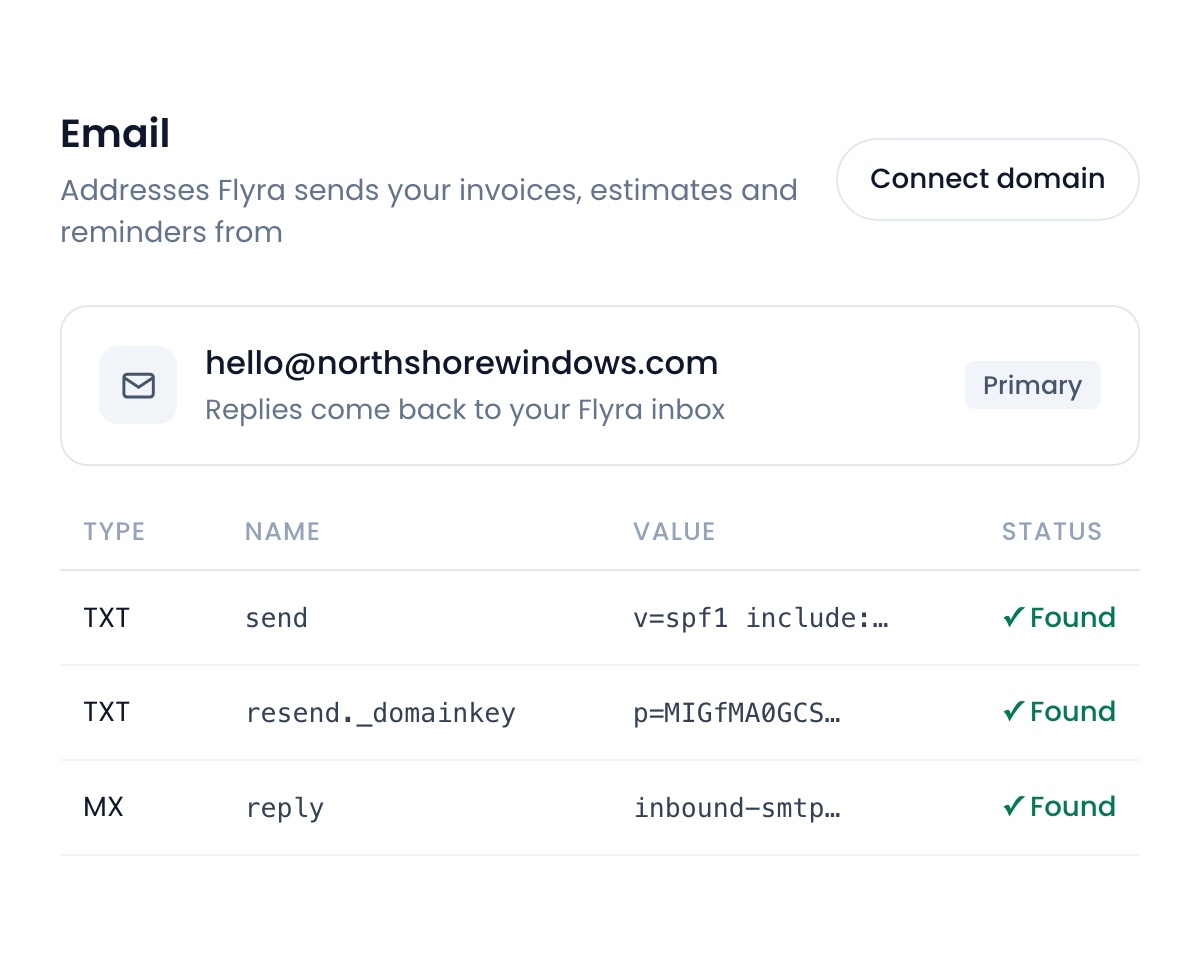
Email from your own domain
Send and receive customer email from your own domain. Flyra sets up the sending domain and a reply address for you, and your own Gmail or Outlook mail is never touched.
November 9, 2026Learn more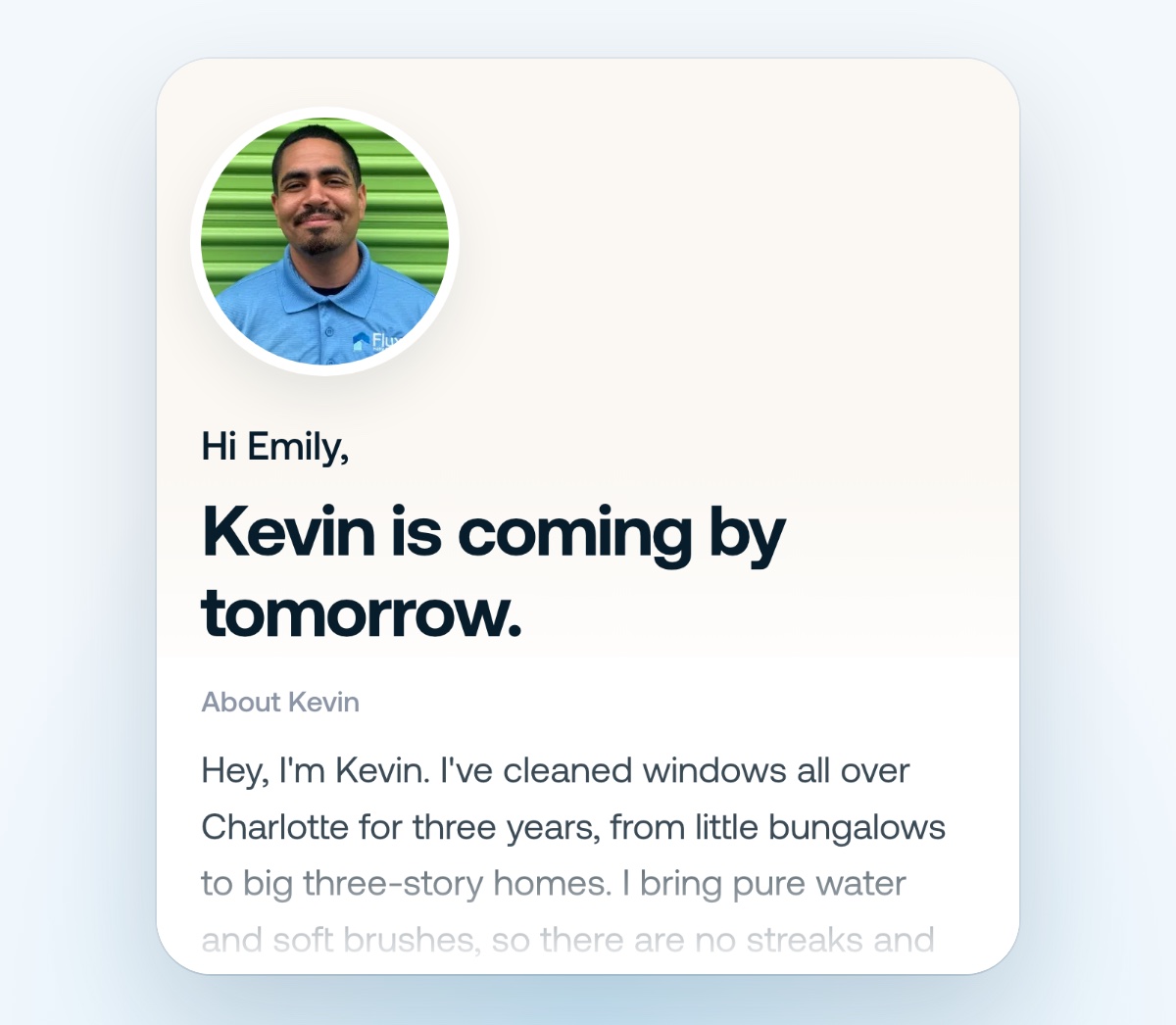
Meet your technician
The day before, your customer sees exactly who’s coming: your technician’s face, their About me and your Google rating. They can say what matters most, and it lands on the job. Switch it on in Automations, then add an About me for each technician in Settings → Team.
November 2, 2026Learn more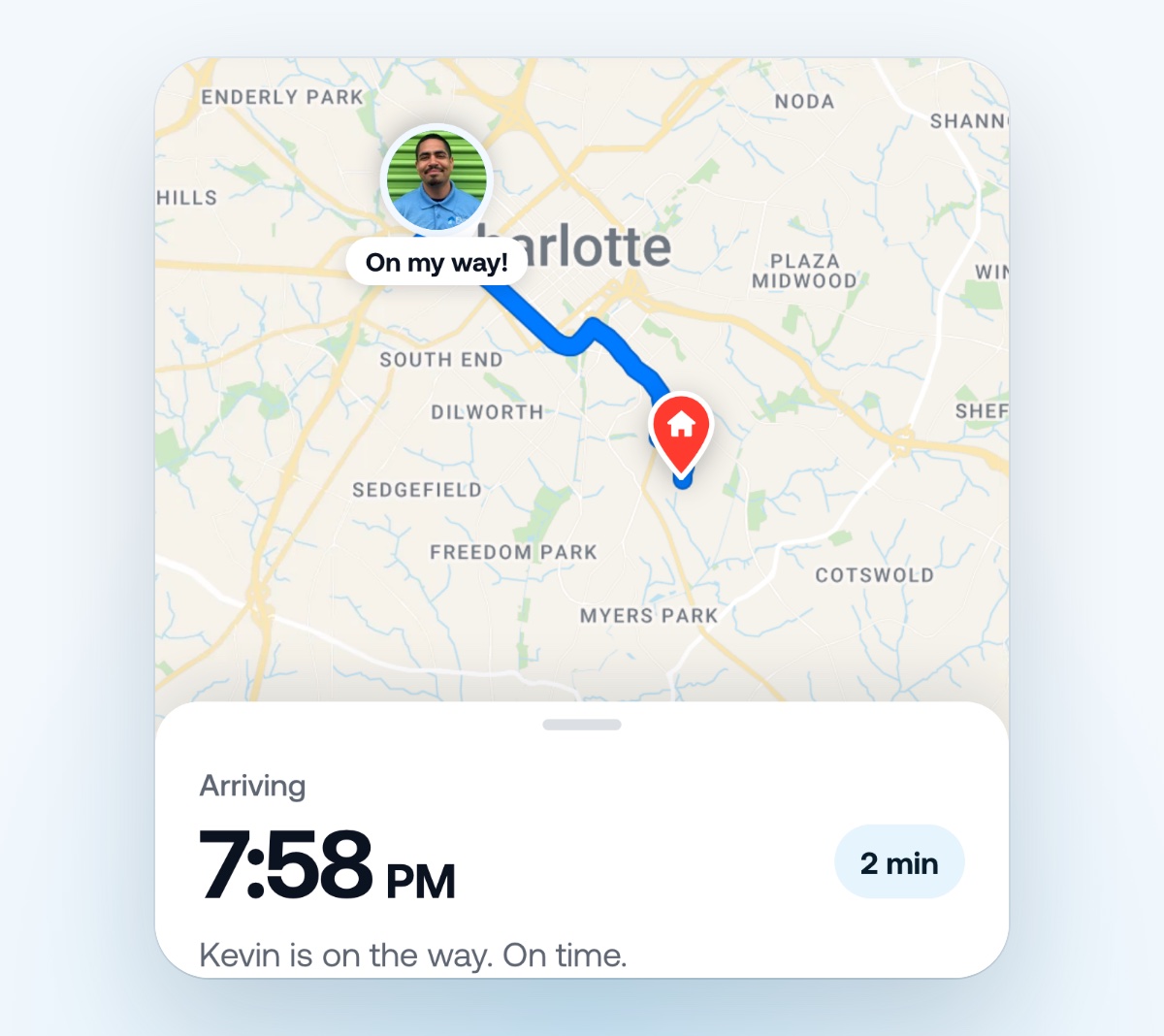
Live tracking
When your technician taps On my way, your customer gets a text with a link. It opens a live map of your technician on the way, with an arrival time that updates with traffic. Sharing stops the moment they arrive. Your technicians need the latest Flyra app and location on.
November 2, 2026Learn more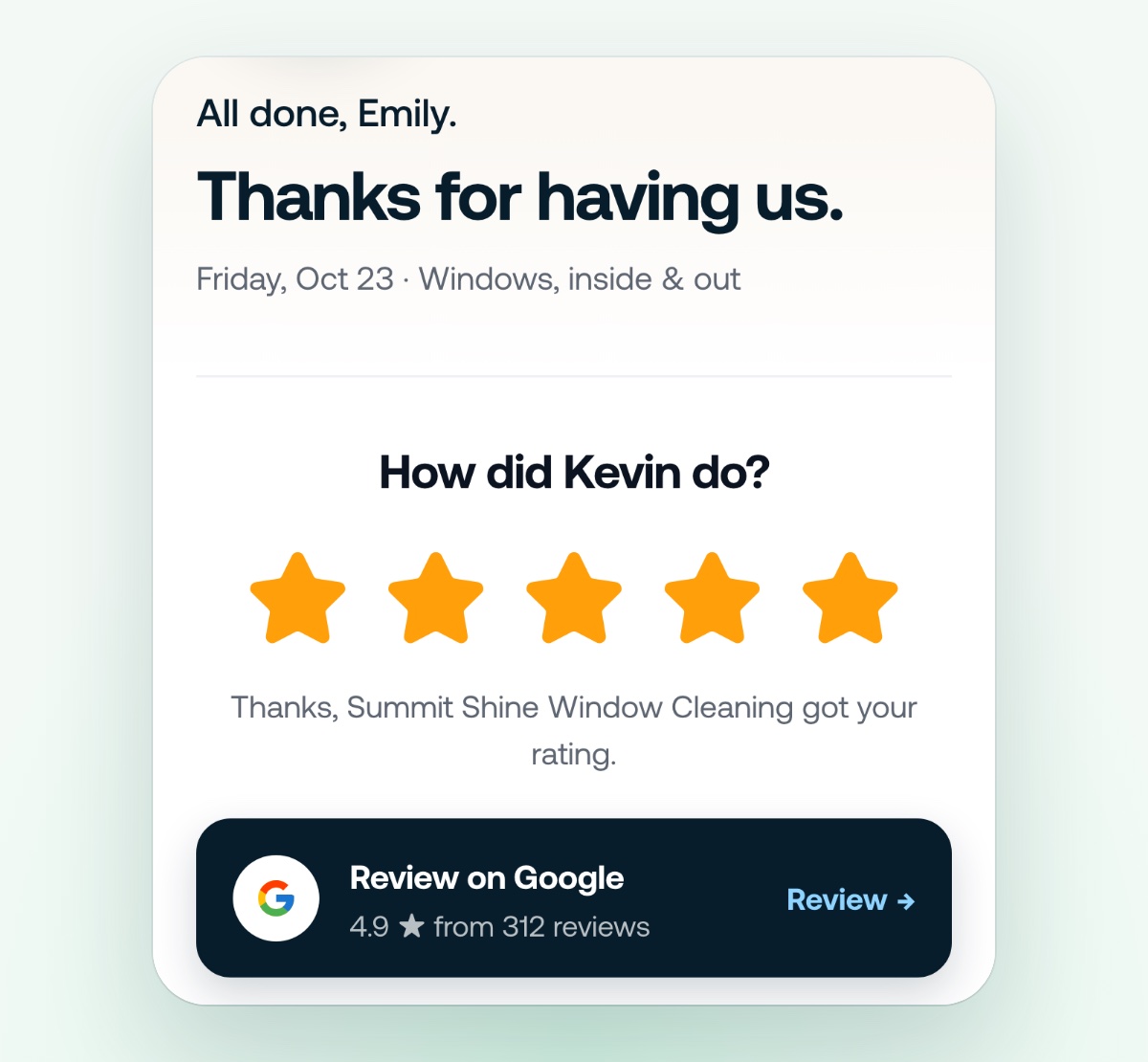
Running late, and thanks for having us
Running behind? Your customer gets the new arrival time before they have to ask, and the On my way sheet writes the text for your technician. When the job is done, your customer rates the visit in one tap and goes straight to your Google review, with a tip button if you take tips through Flyra.
November 2, 2026Learn more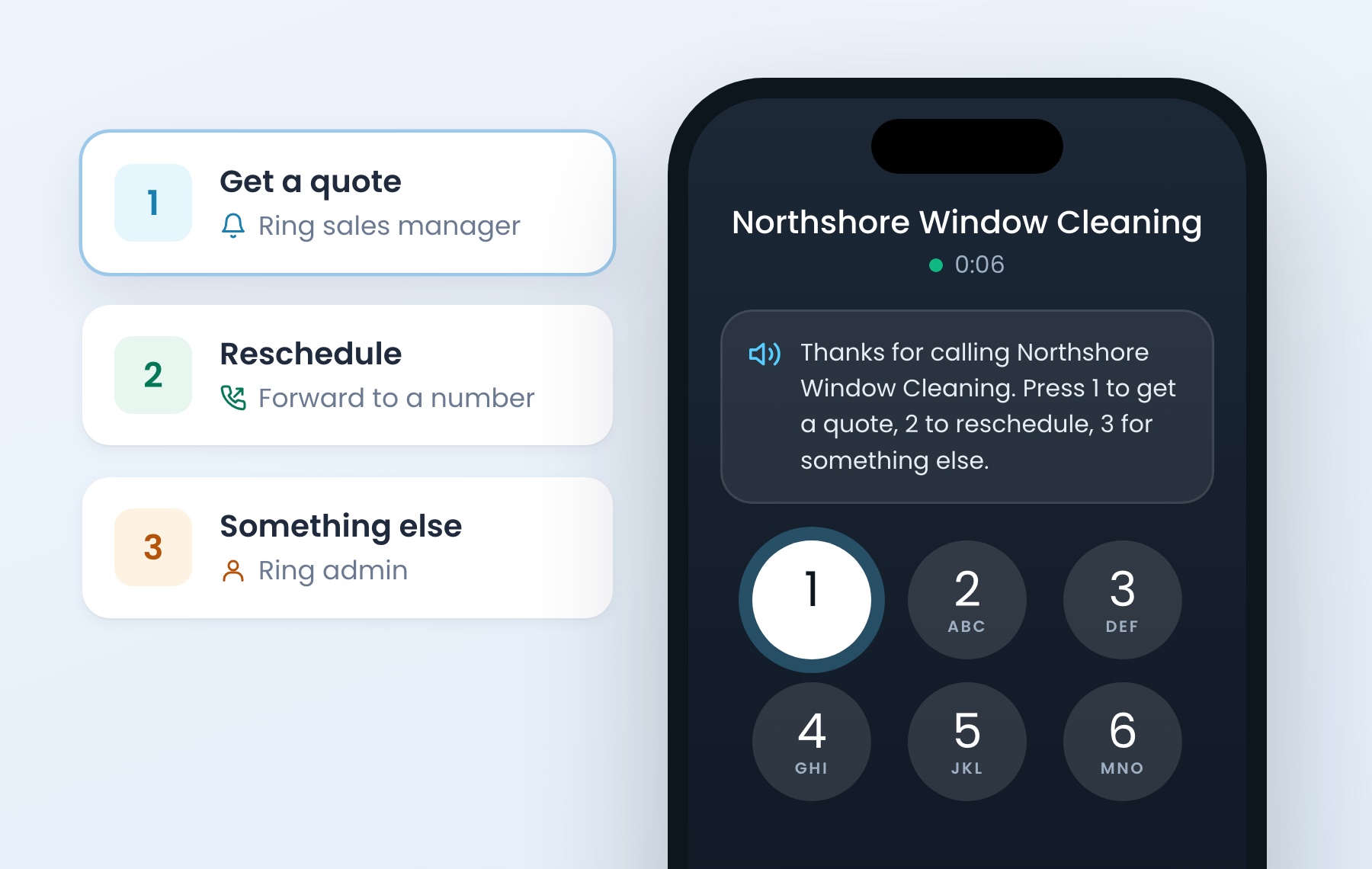
Answer with a menu
Callers hear your prompt and press a number. Each number goes where you choose: ring your sales manager, forward to a number or ring an admin. If they press nothing, every receiver rings, same as today. Turn on Answer with a menu, choose text to speech or your own recording, then add an option for each number.
November 2, 2026Learn more
Flyra is on Google Play
The Android app is live on the Google Play Store. Sign in the same way you do today.
November 2, 2026Learn more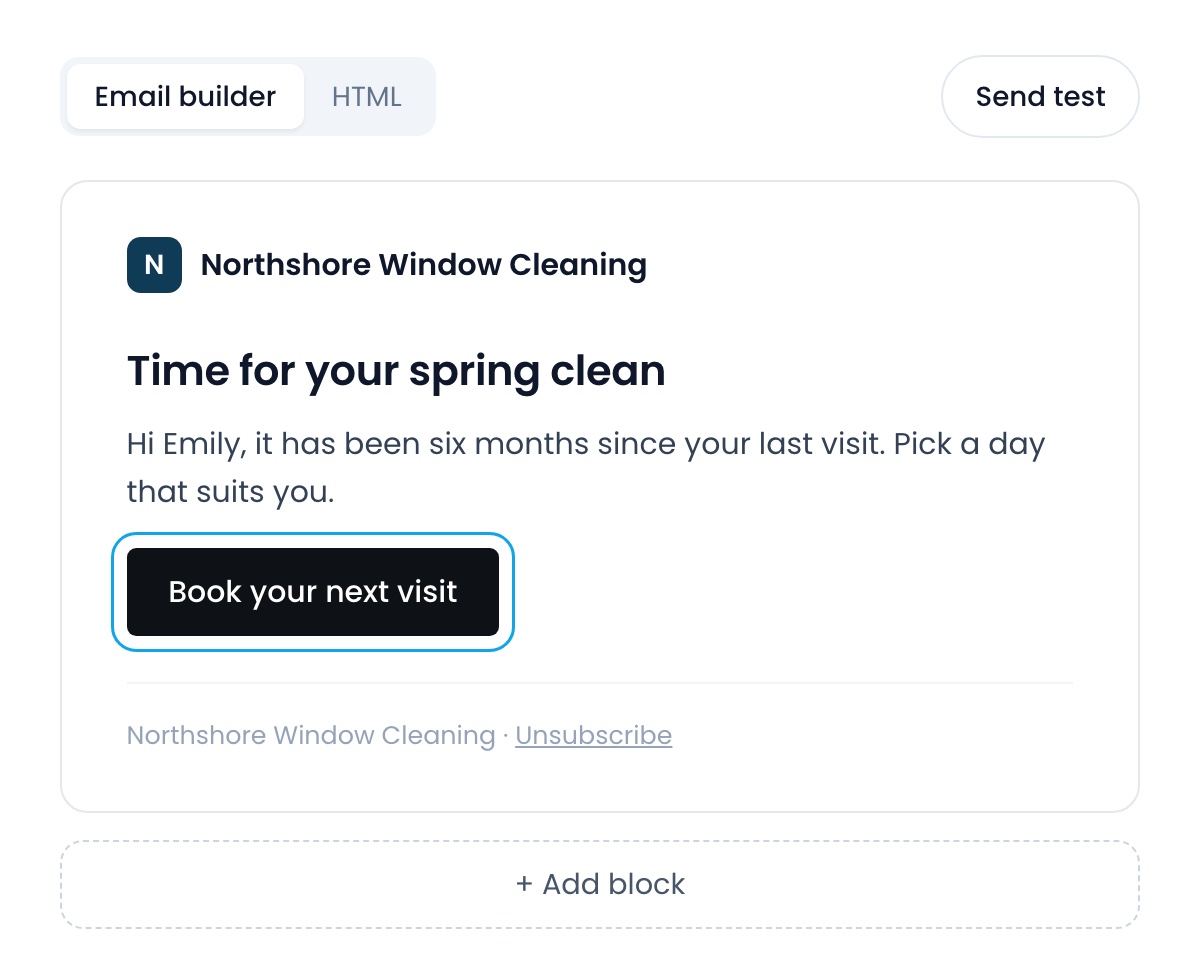
Build your own emails
The Send email step has a block builder with a live preview and a test send. Start from a Flyra starter or one of your own templates, or paste your own HTML. Every email ends with an unsubscribe link that stops only your emails.
November 2, 2026Learn more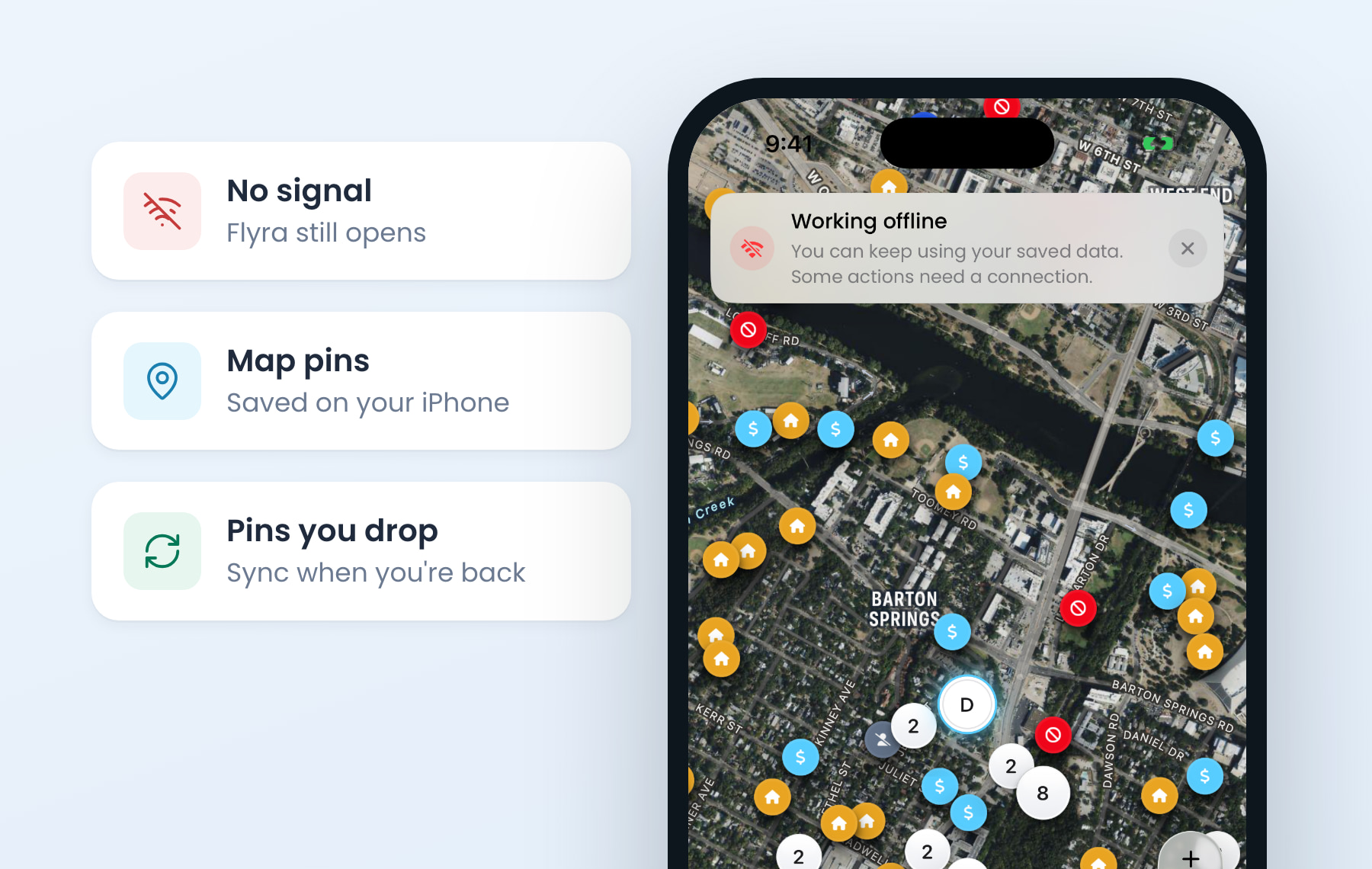
Flyra works offline
When you lose signal, Flyra keeps working on your iPhone. Your map pins, dashboard, schedule and customers are saved, and pins you drop with no signal sync when you’re back. Update to the latest version to get it.
October 26, 2026Learn more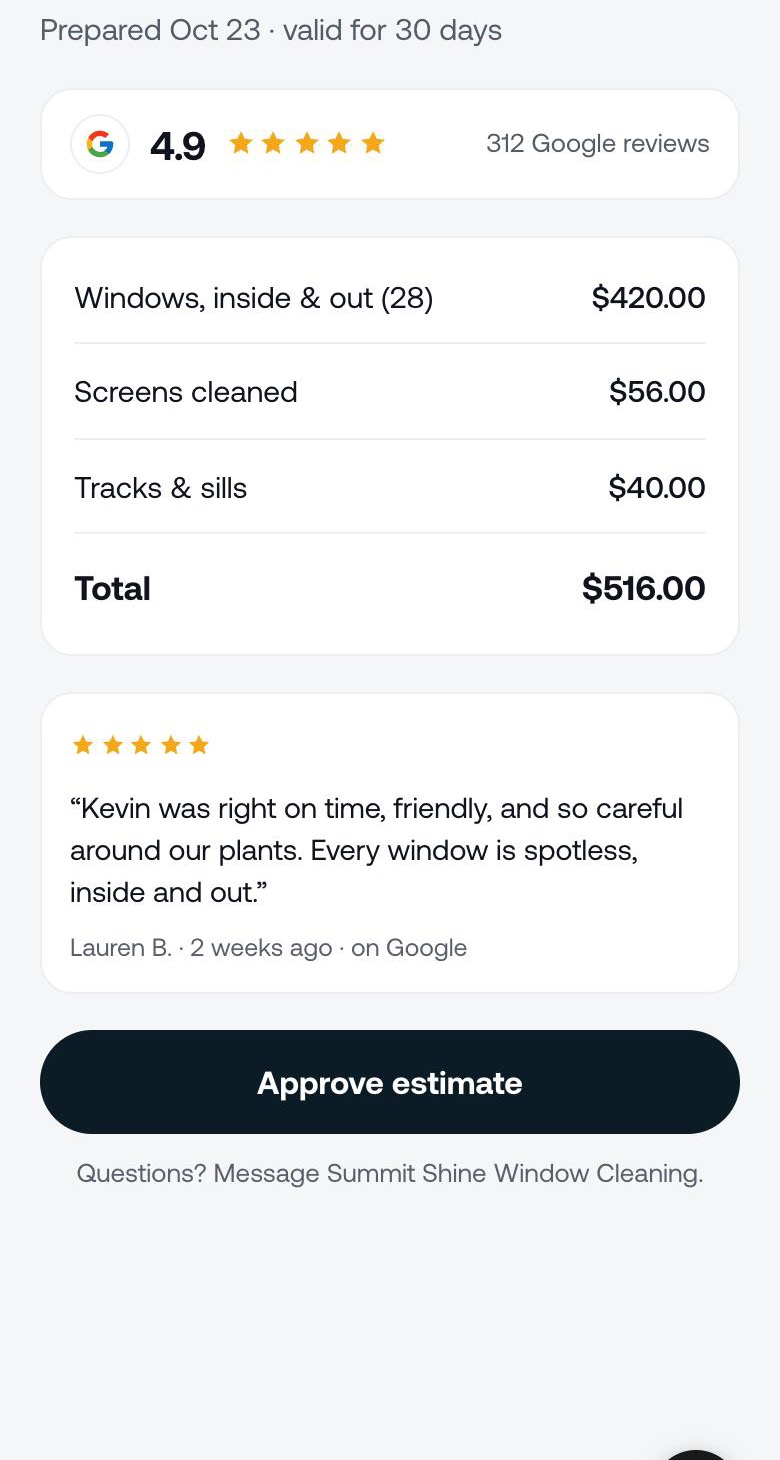
Your Google reviews on every estimate
Flyra finds your Google listing and keeps your rating fresh every week. Switch on Show my Google reviews and your rating and a recent review sit on your estimates, invoices and subscriptions, right above the button to approve or pay. It stays off while you are under 4.0.
October 26, 2026Learn more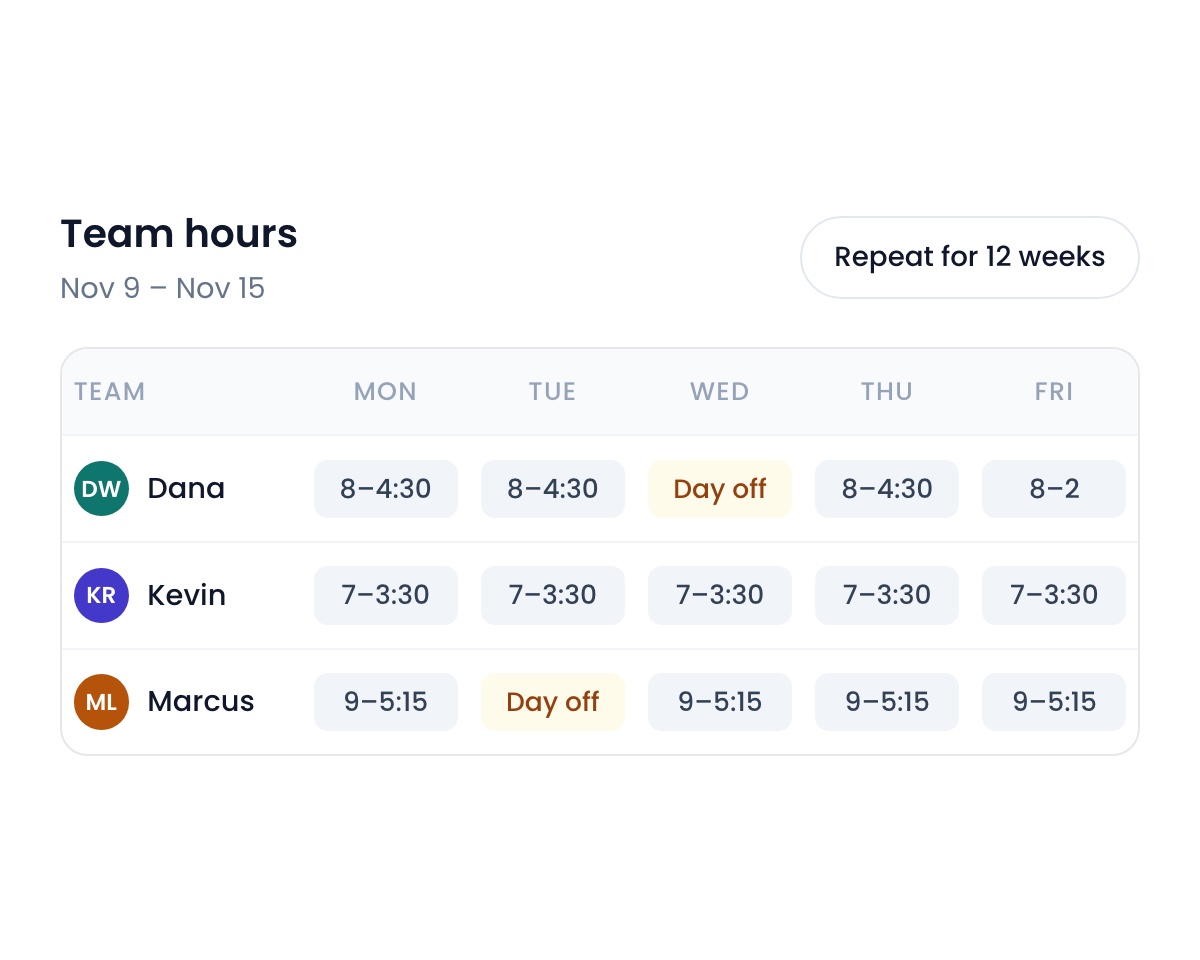
Team hours
Set each person’s shifts to the minute, give real days off, and repeat a saved week for up to a year. On the web schedule, drag across the calendar to pick a time, then choose a job or a task.
October 26, 2026Learn more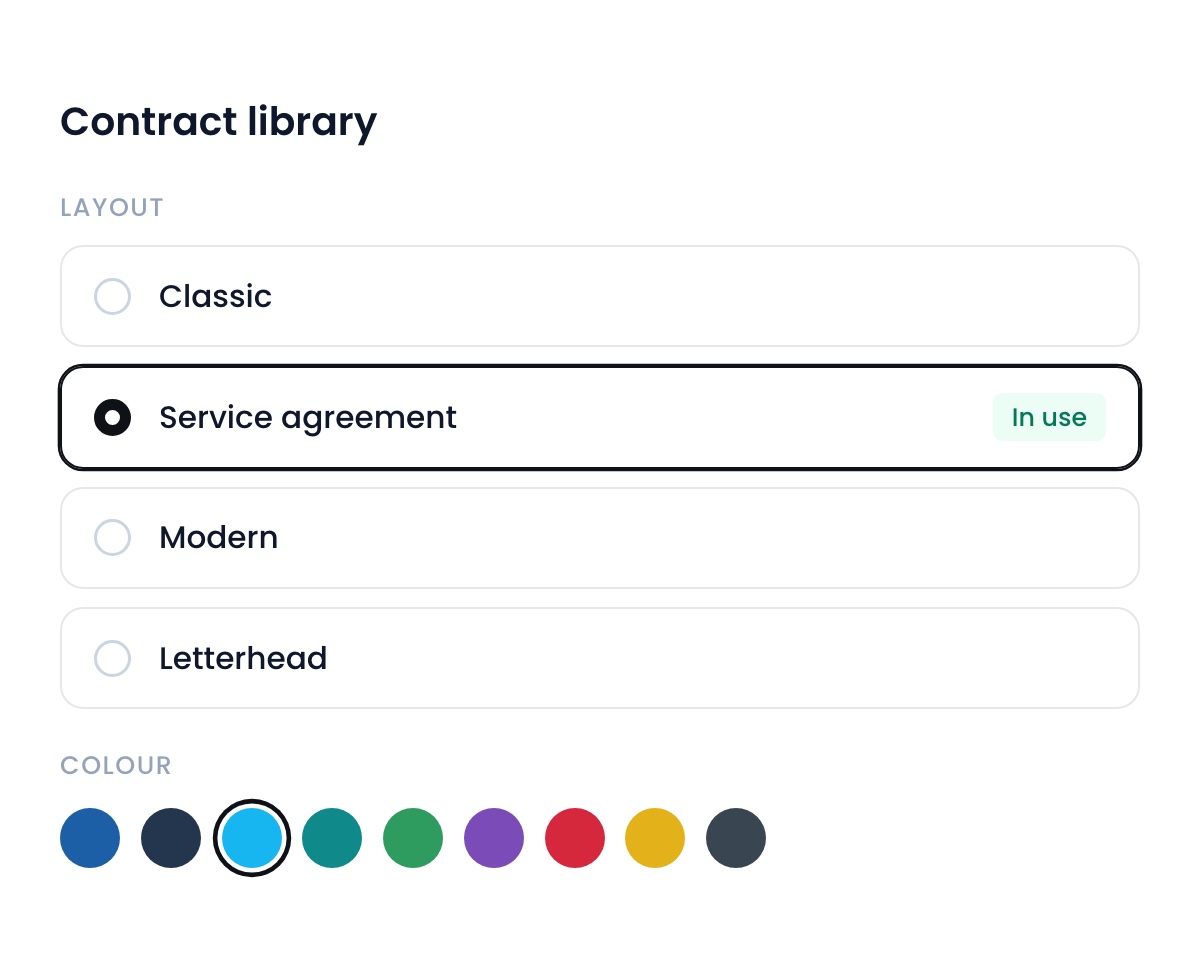
A contract library
Pick the layout and colour of your subscription agreement, including the new Flyra service agreement. Each role can now be locked out of editing terms or dispatch, and you can require a signature on every new subscription.
October 26, 2026Learn more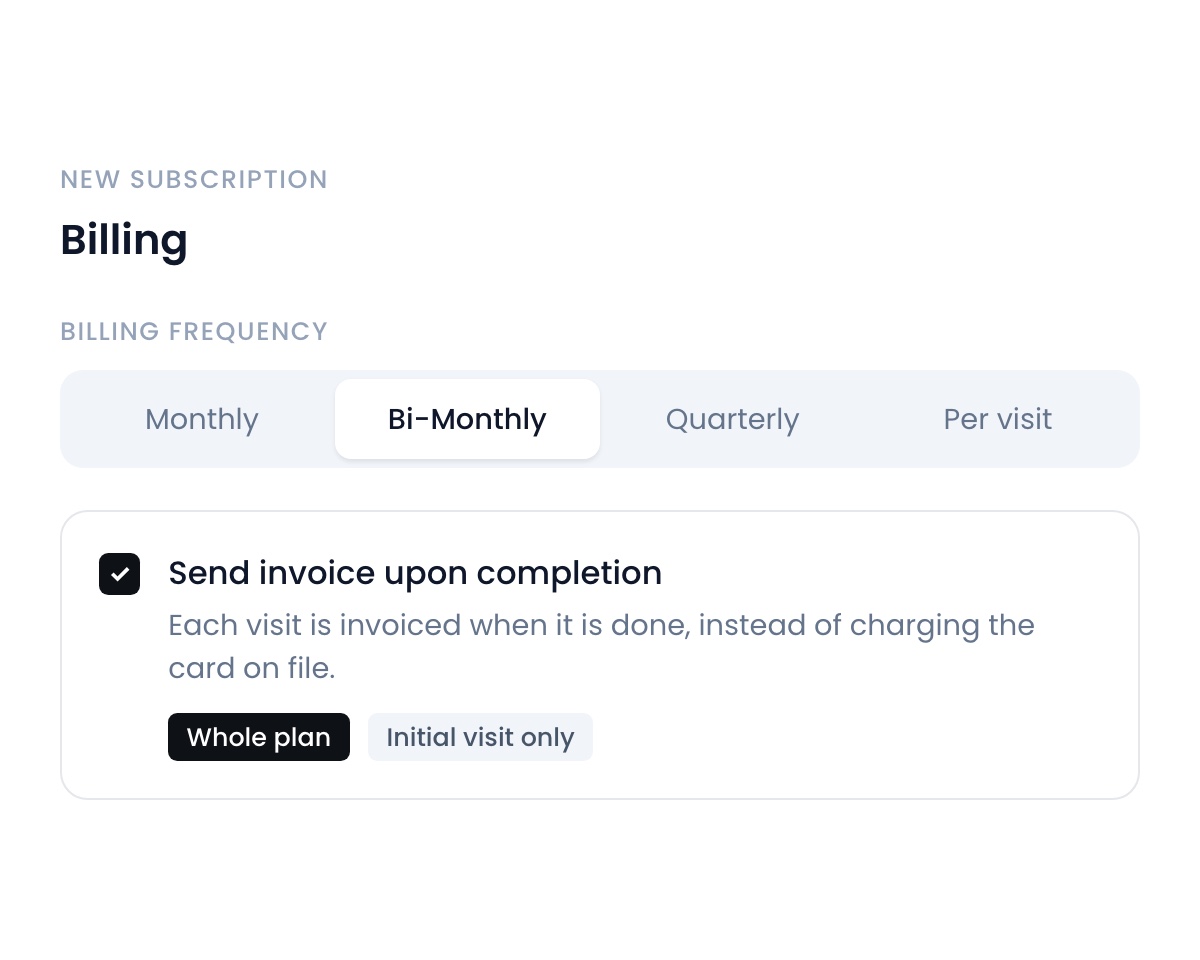
More ways to bill
Send an invoice when a visit is completed instead of charging the card on file. Bill a subscription every 2 months once you add it to your billing options, and price each visit of a payment plan on its own.
October 26, 2026Learn more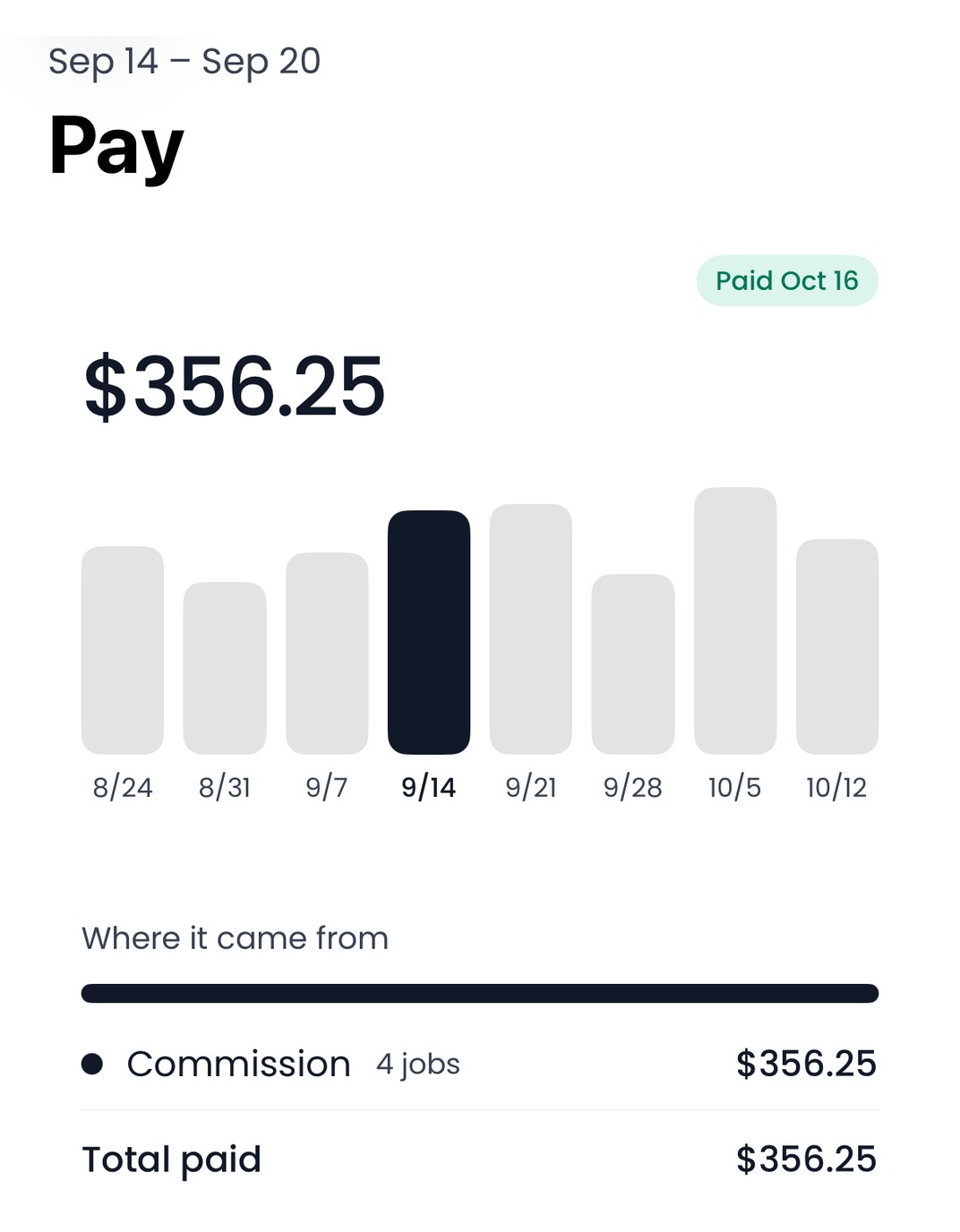
Pay for your team
Mark a week paid in Payroll and that person gets a notification and sees the week in Pay: what they made, job by job, and where it came from. It works on the web and in the iPhone app, where Pay has its own page in the Menu. Off until you turn it on.
October 19, 2026Learn more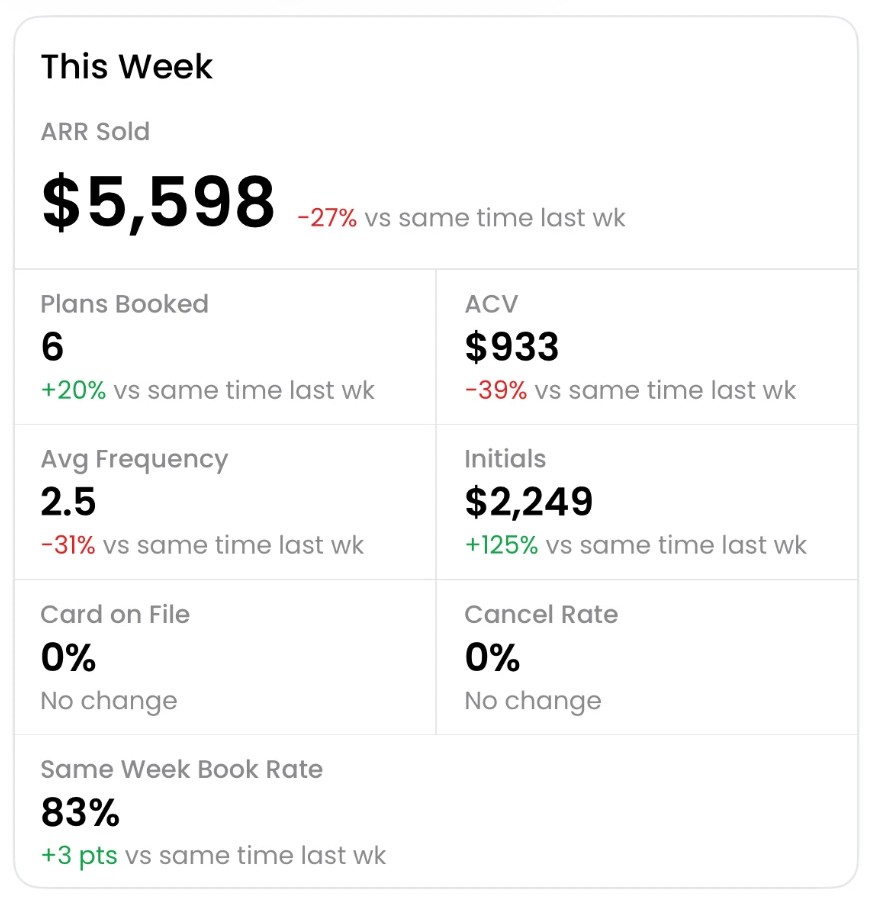
Your week on one page
Sales shows ARR sold, plans booked and how fast you book. Fulfillment shows revenue cleaned, what is still expected and what is unpaid. Every number is against the same time last week, and every employee who sold a plan or cleaned a job sees their own week too. It shows once your business has sold a plan in the last 4 weeks.
October 19, 2026Learn more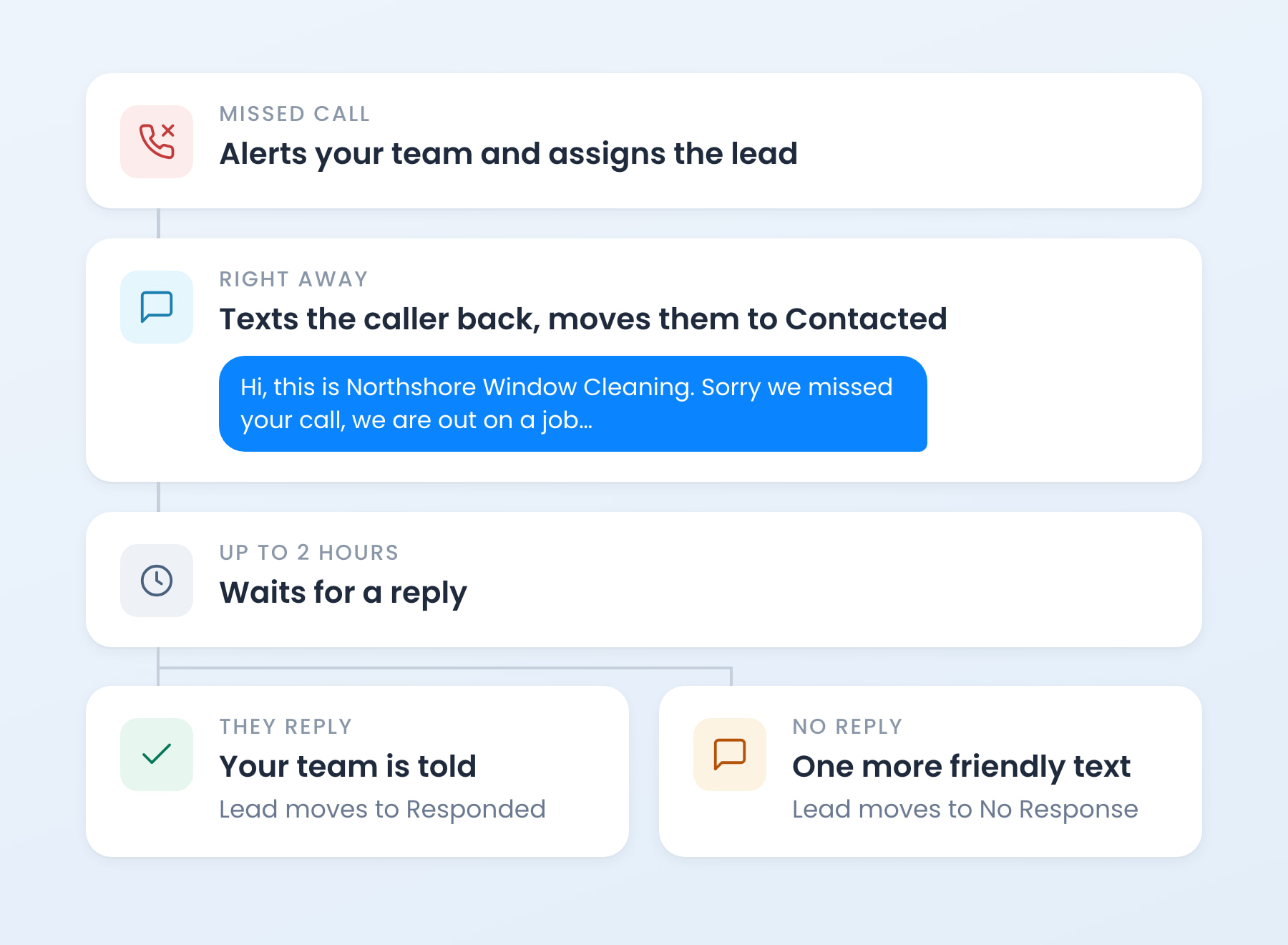
Missed calls. Answered
Turn every missed call into a lead. A ready-made automation texts the caller from your business number in seconds, assigns the lead and follows up once, then tells your team the moment they reply. Add it in three taps: it lands paused, so nothing sends until you switch it on.
October 19, 2026Learn more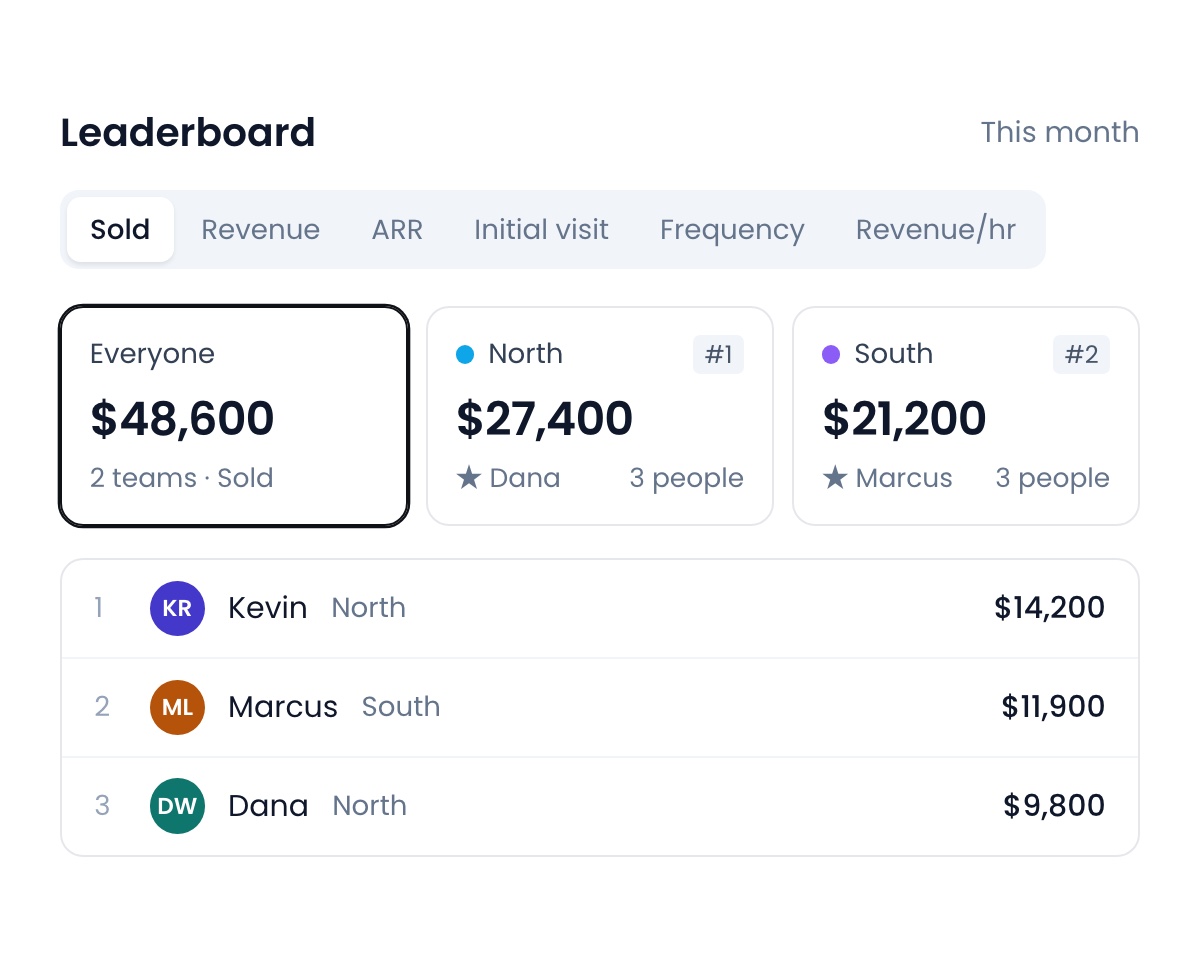
Leaderboard teams and tabs
Build teams with their people and a leader, and see each team’s total and place above the rankings. Leaderboard settings are now the list of tabs your reps can switch between: show, hide and reorder them, and the top one is where the board opens. New tabs for Initial visit, Frequency, Signature and Revenue per hour.
October 19, 2026Learn more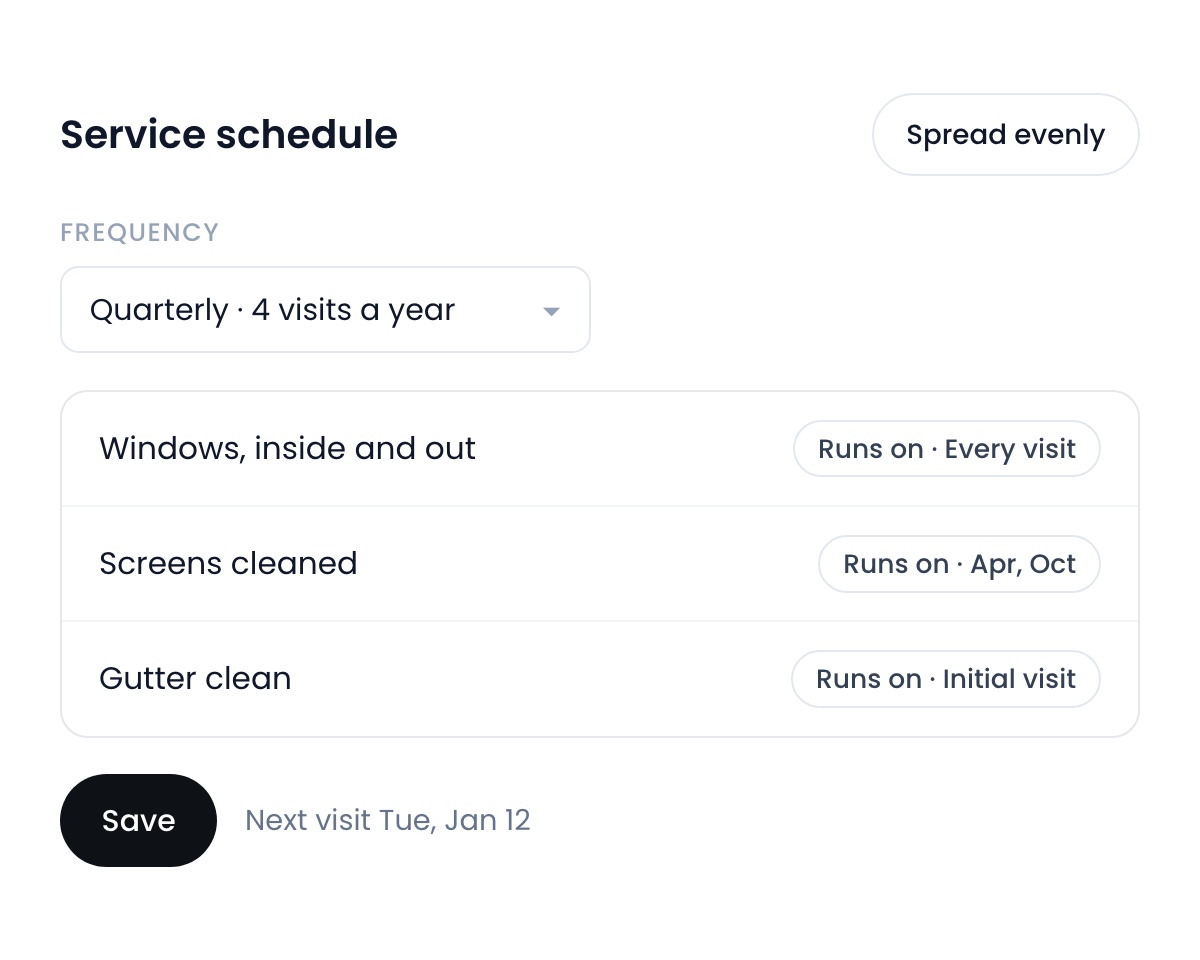
Edit a plan on the subscription
Change a plan’s frequency and which visits each item runs on right on the subscription page. Spread the visits evenly across the year in one tap, and choose which frequencies your dropdowns offer.
October 19, 2026Learn more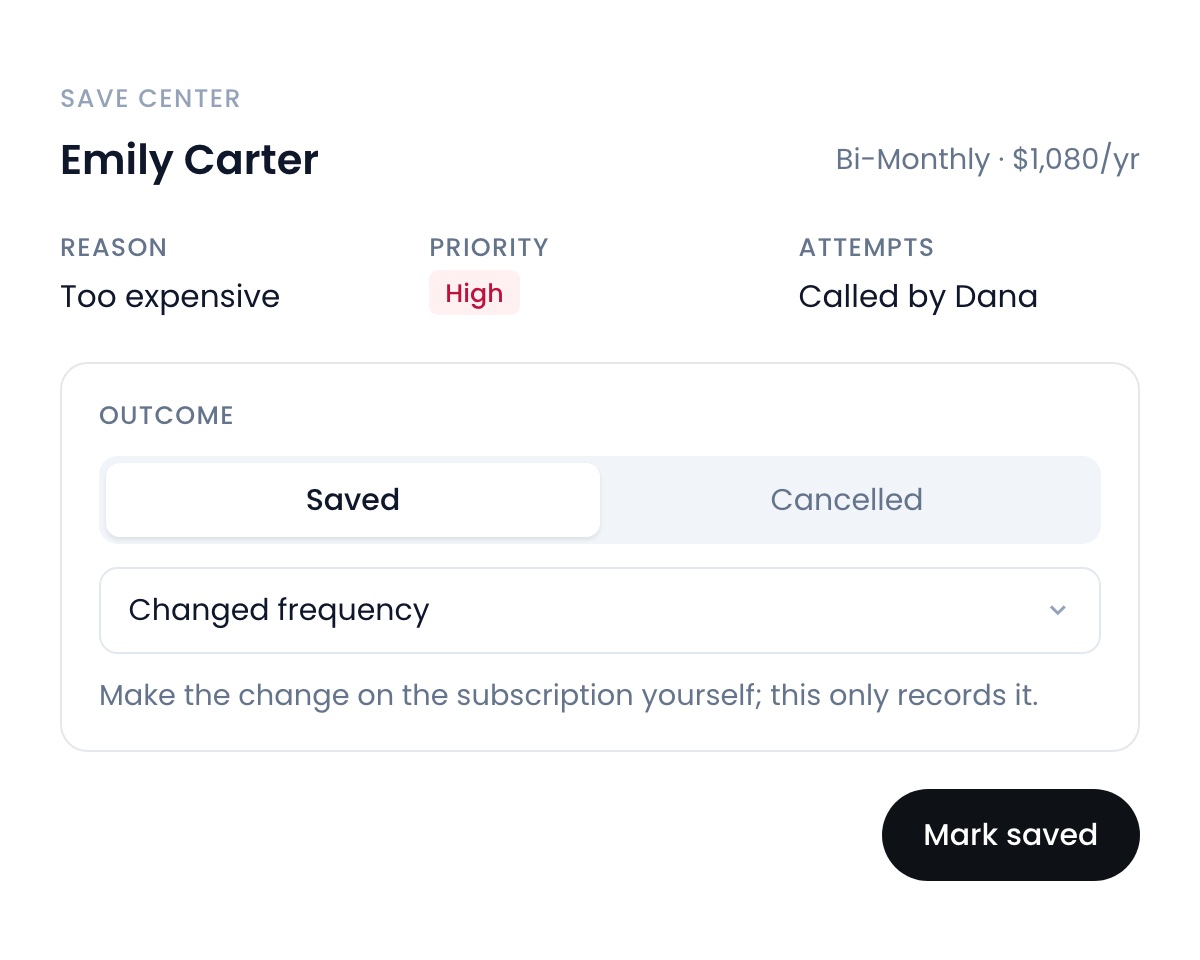
The Save Center
Instead of cancelling, your reps send cancellations to your team first. Your team reaches out, makes an offer, and records whether the customer stayed, before it comes off your ARR. Off until an admin turns it on.
October 12, 2026Learn more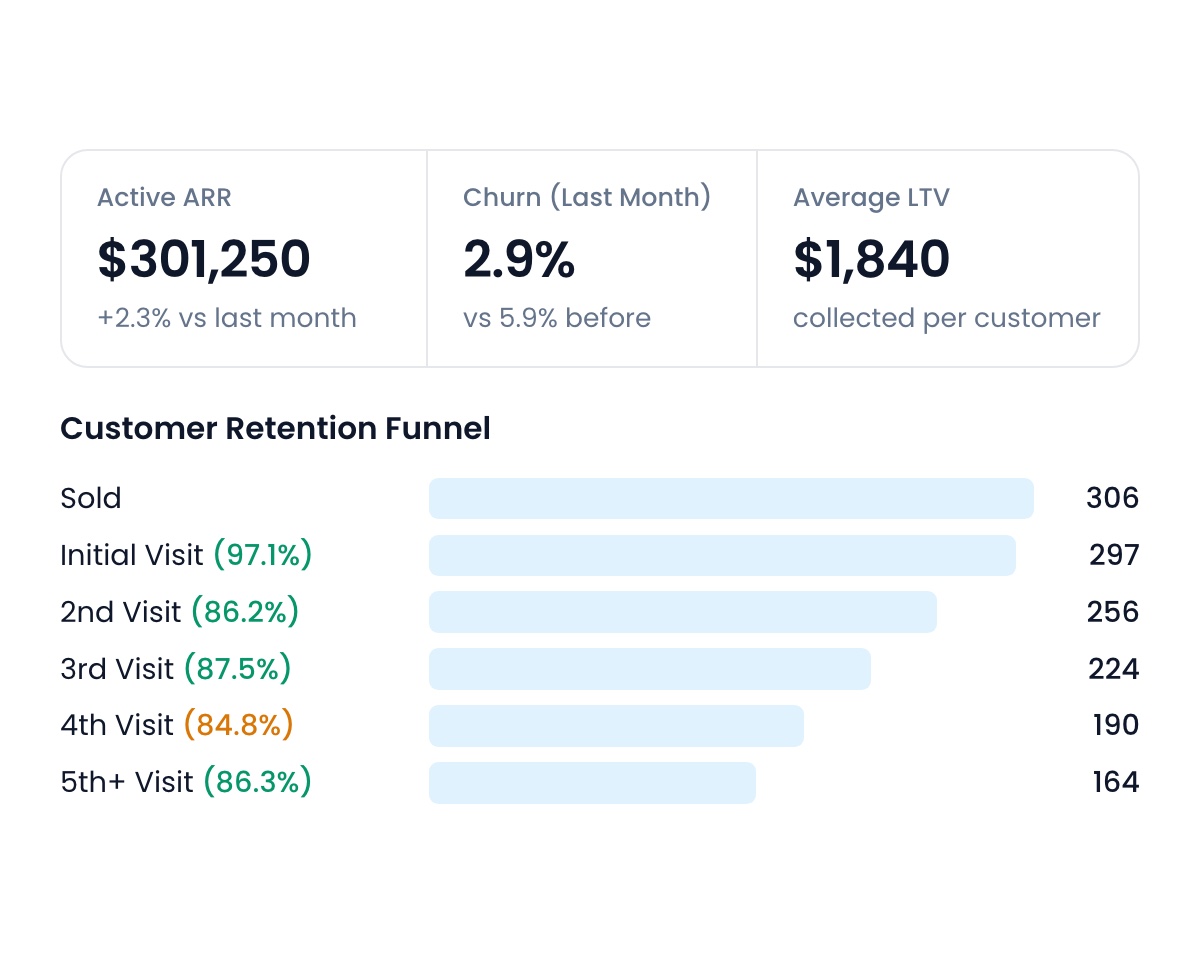
Churn, ARR and LTV, all in one place
The new Retention report shows your active customers, ARR, churn and ARR lost each month, next visit retention, initial visit completion, average customer lifespan and LTV. Follow every subscription from sold to the 5th visit and see where customers drop off by sales rep, city and frequency.
October 12, 2026Learn more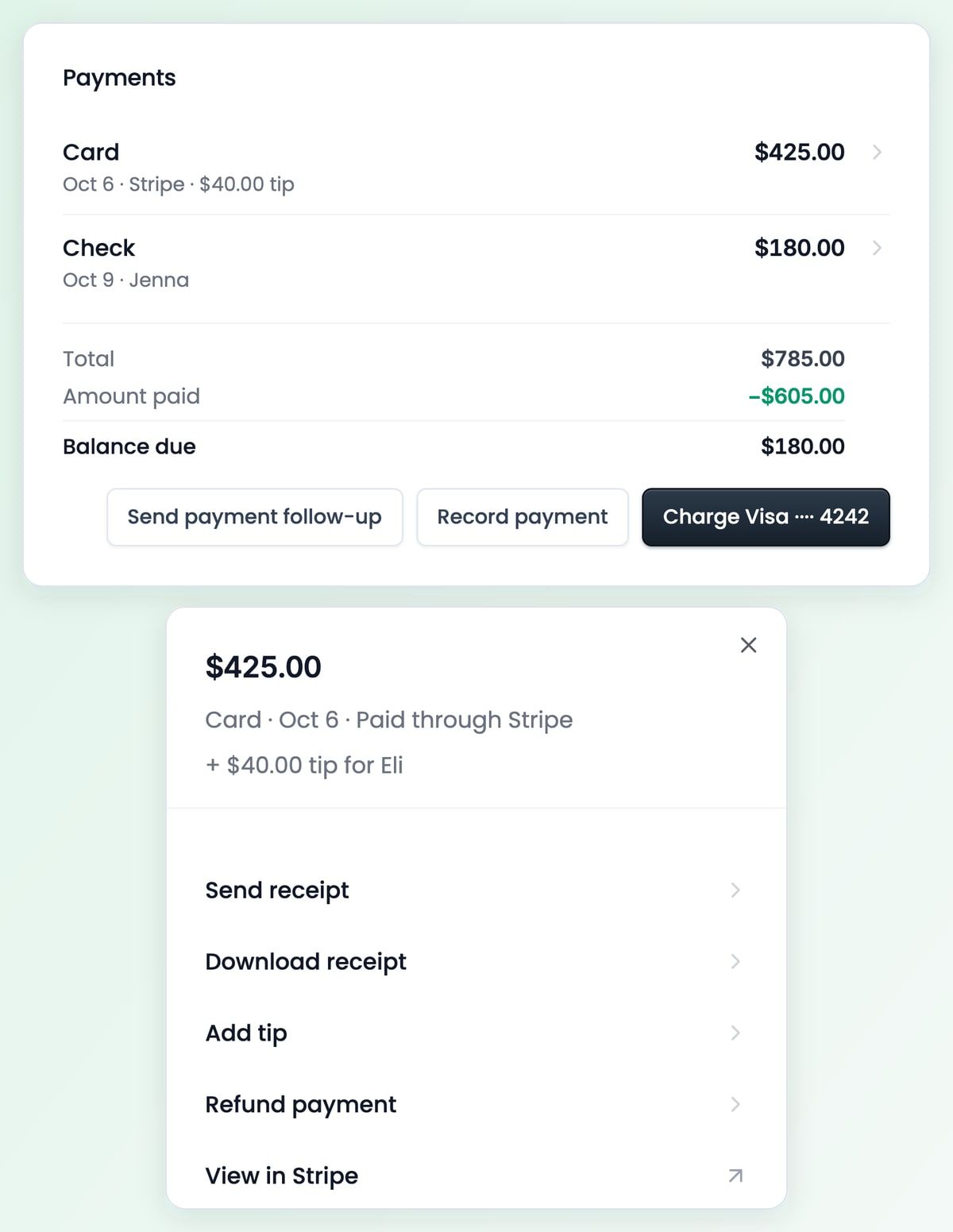
A receipt for every payment
Click a payment to send or download its receipt, refund it, or add a tip. Cards, checks and cash all sit in one Payments list on the job, with the balance still due under them.
October 12, 2026Learn more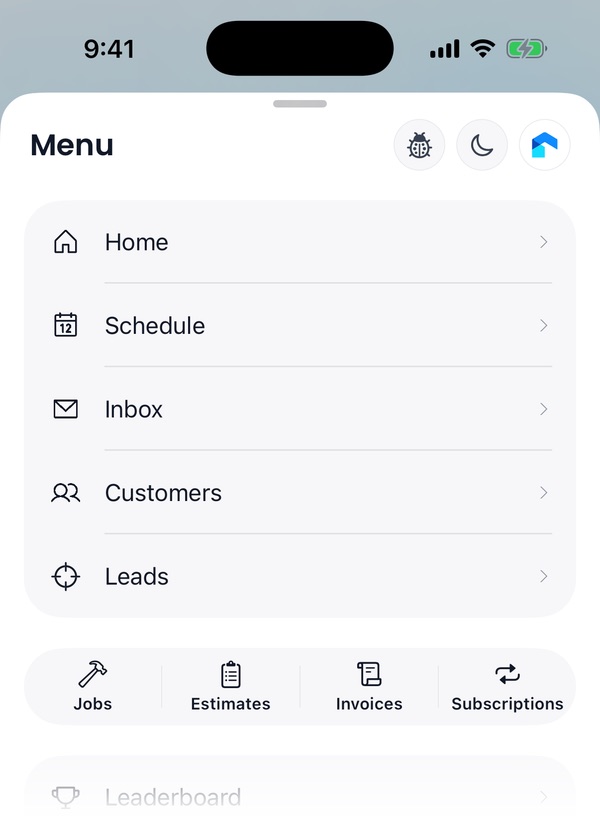
A new tab bar on iPhone
The iPhone app has a floating tab bar with Home, Schedule, Inbox, Customers and Menu, and a Create button beside it. Menu holds every other page, with your Jobs, Estimates, Invoices and Subscriptions lists one tap away.
October 12, 2026Learn moreThis one’s for your sales team
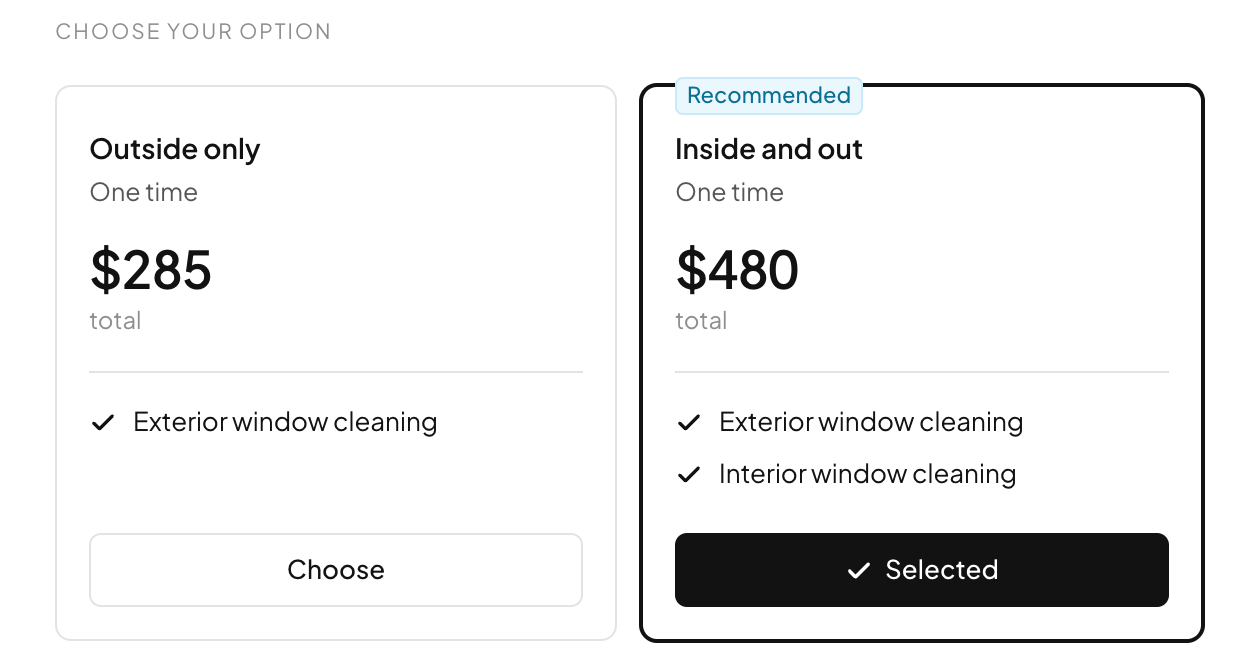
Give tiered quotes to your clients
Put two or three tiers of the quote on one estimate, or a one-time job next to a service plan, and your customer picks the one they want. Mark one as recommended and it is already selected when they open it.
October 5, 2026Learn more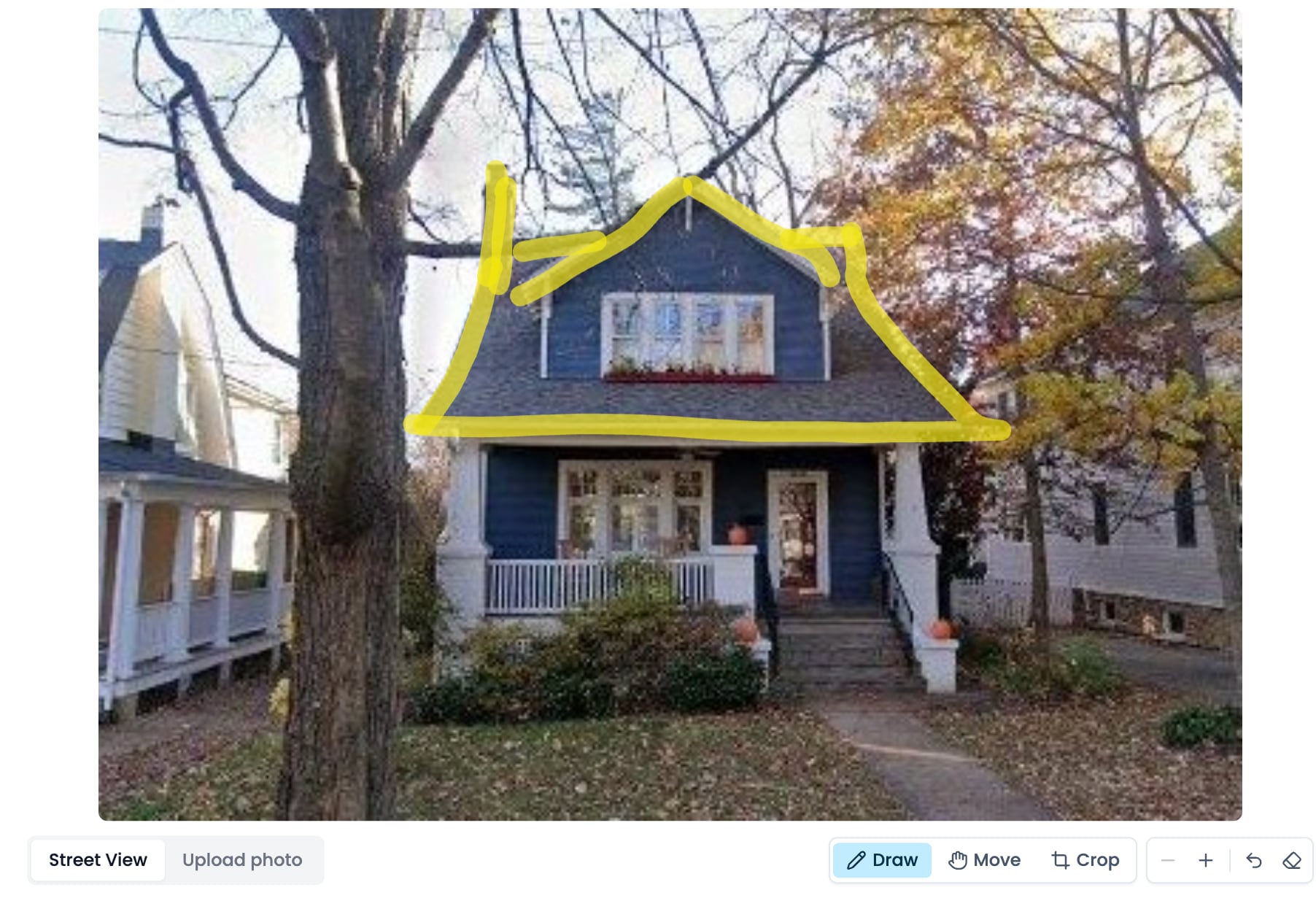
Mockup drawing
Draw exactly where the lights go on the house, crop and zoom the photo, or step down the street in Street View to get past a tree. Then tap a look and the mockup follows your drawing.
October 5, 2026Learn more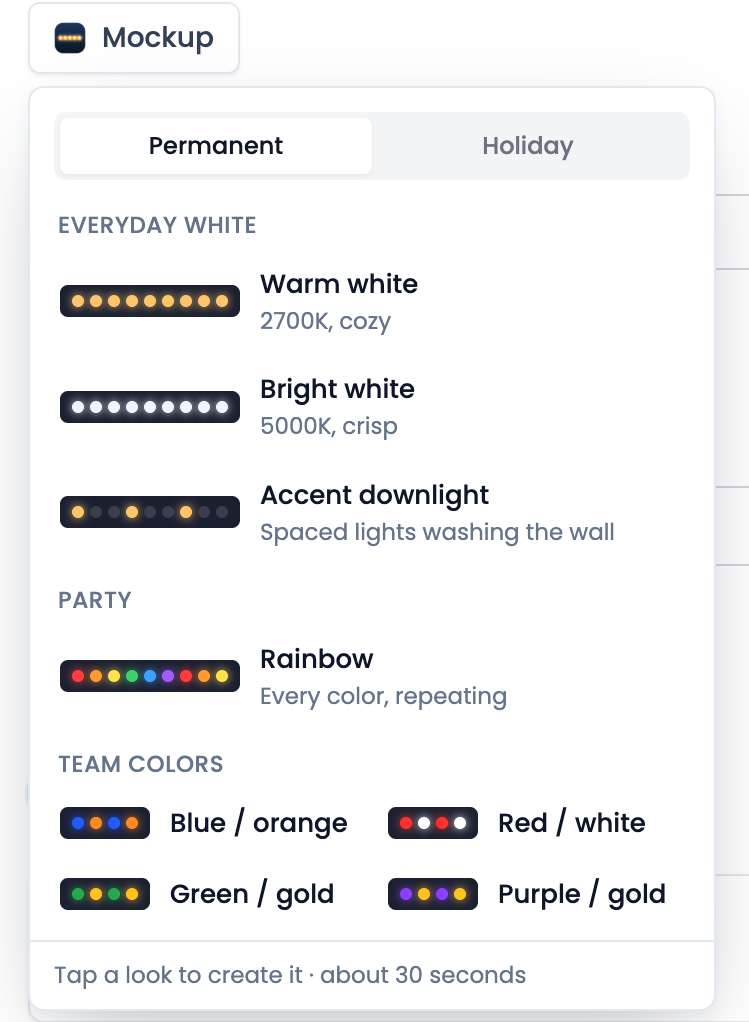
Permanent lights mockups
Mockups now do more than just holiday lights. Pick Warm white, Bright white, an accent downlight, Rainbow or your local team’s colours and show the customer their house lit up all year.
October 5, 2026Learn more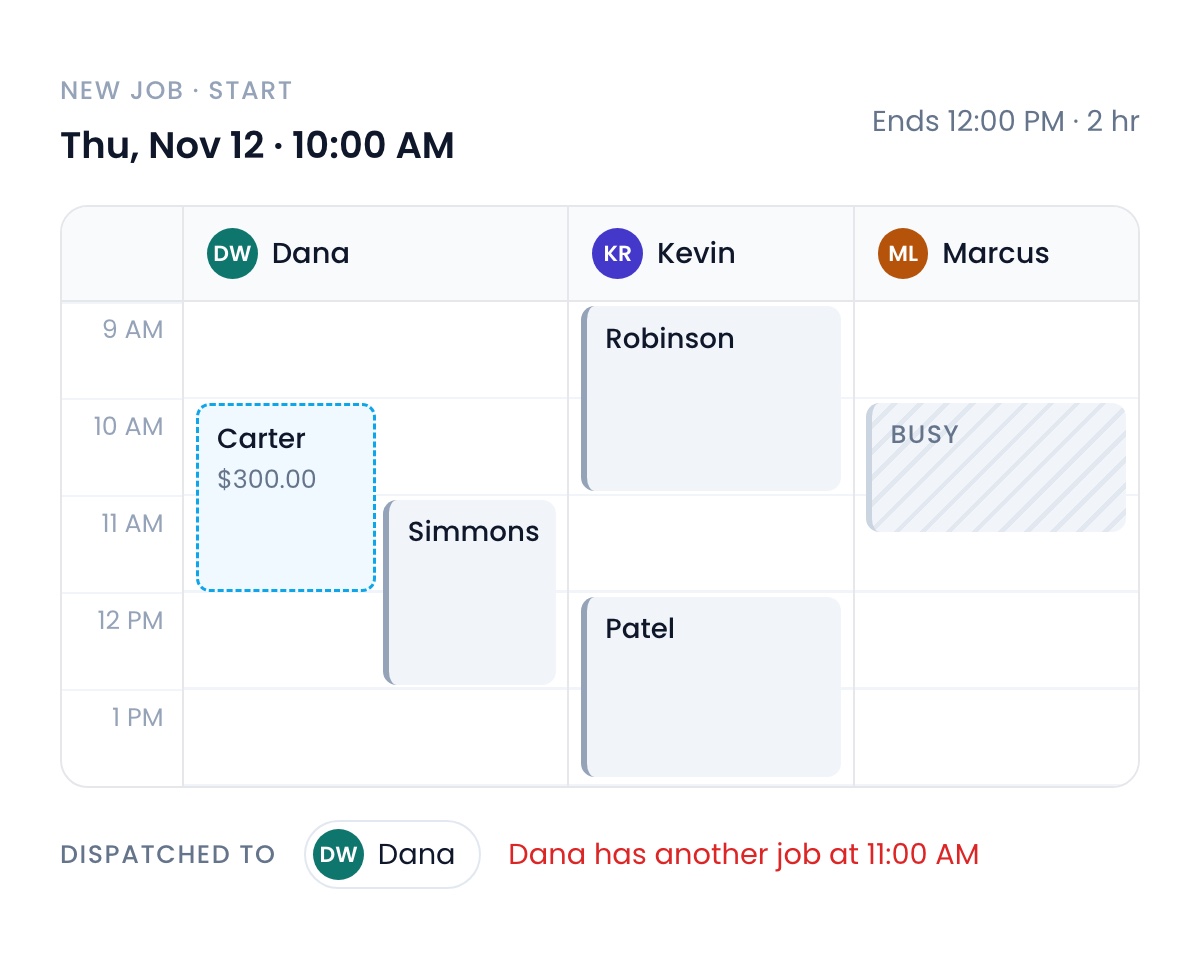
Live preview
See it before you send it. A new job shows your real schedule, with the job on it as a dashed outline you can drag, and a warning when the tech you picked is already booked. Estimates, invoices and subscriptions show what your customer will see as you build them.
October 5, 2026Learn more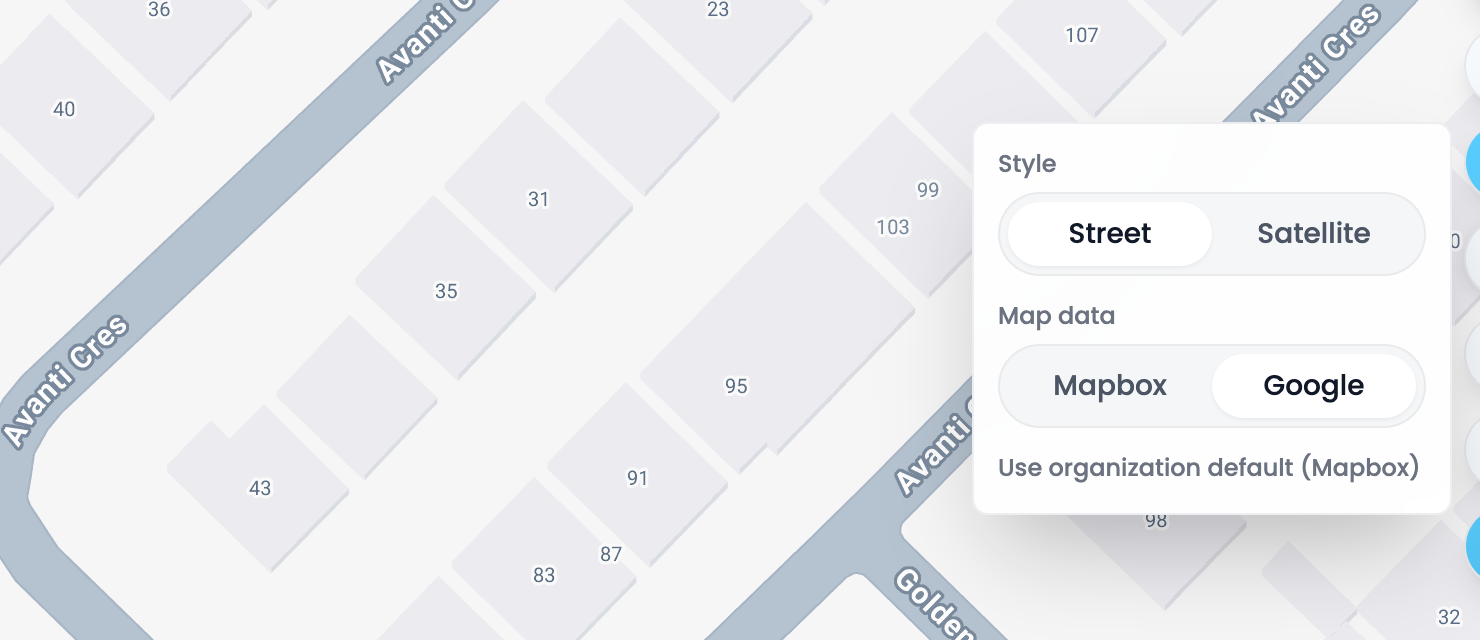
Google Maps
Switch the map to Google and every house number shows, even where Mapbox has none, like much of Canada. An admin can set it as the default for the whole team, and anyone can flip it on their own map.
October 5, 2026Learn more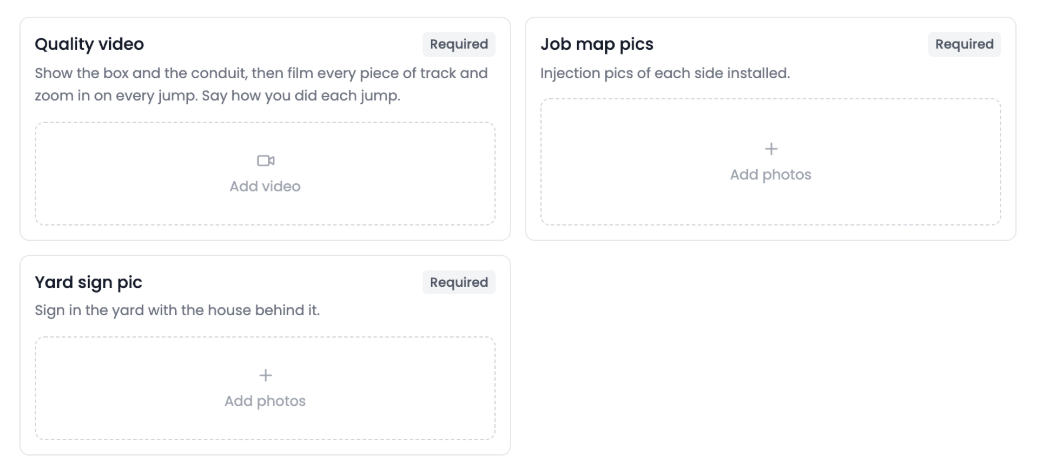
Quality check shots
Name each shot a quality check needs, like a video of the full install or a photo of the yard sign, each with its own instructions. Every shot gets its own box on the job, and the check can’t close until the required ones are filled.
October 5, 2026Learn more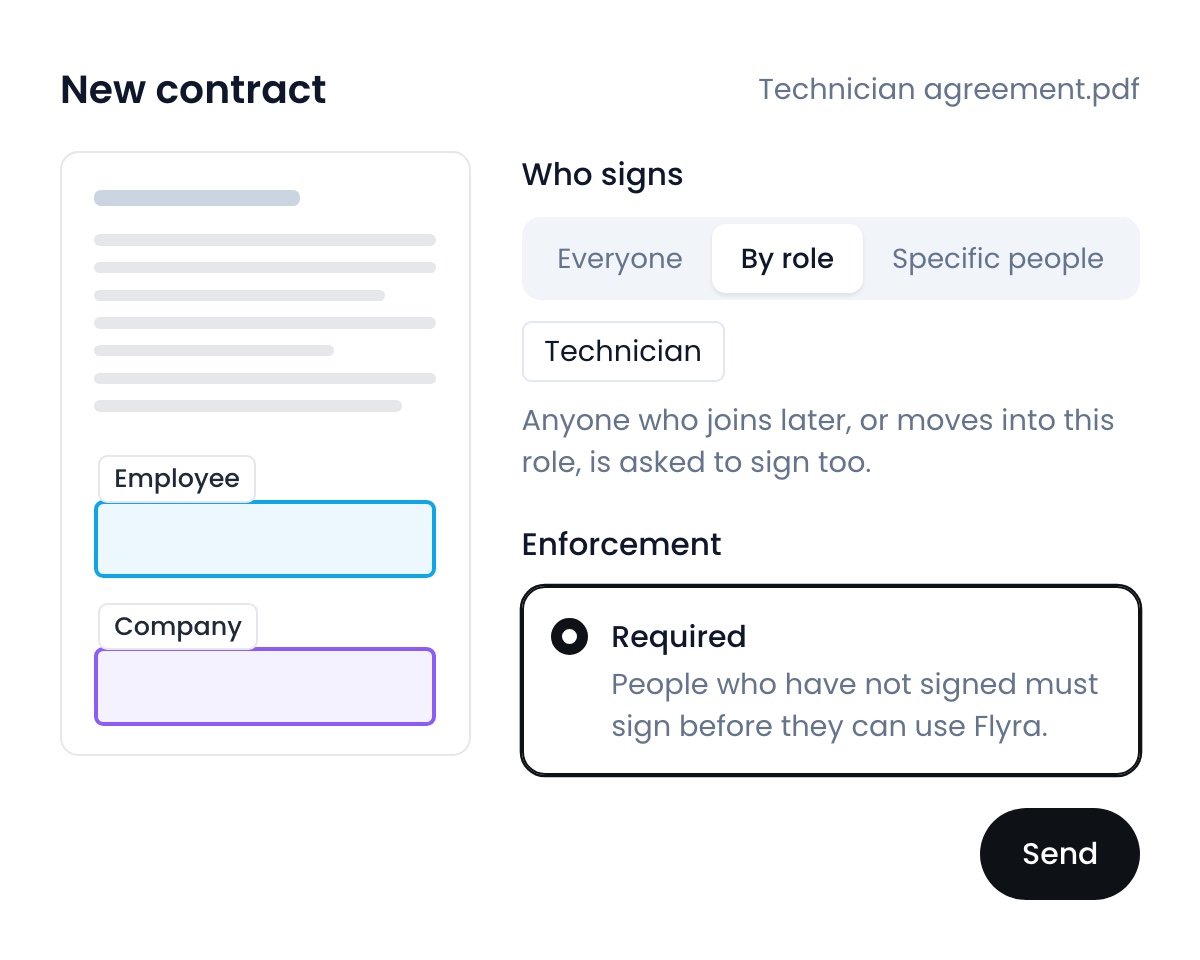
Team contracts
Upload a document, mark where each person signs, and choose who on your team has to sign it. Flyra sends it to your employees and can require them to sign before they carry on using Flyra.
September 28, 2026Learn more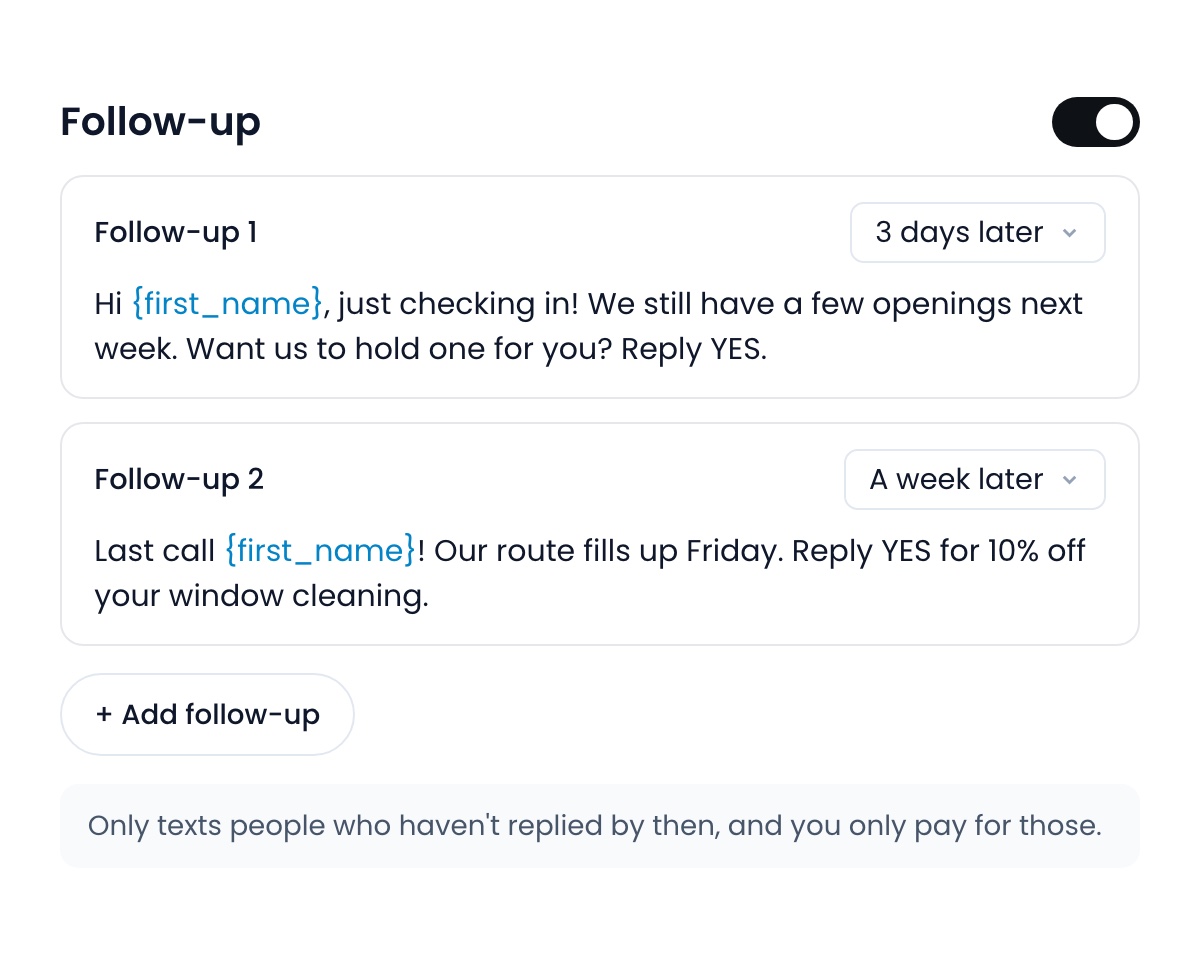
SMS Blast: Rebuilt
Send mass SMS to a list of contacts, with armed follow ups that chase the ones that haven’t replied.
September 28, 2026Learn more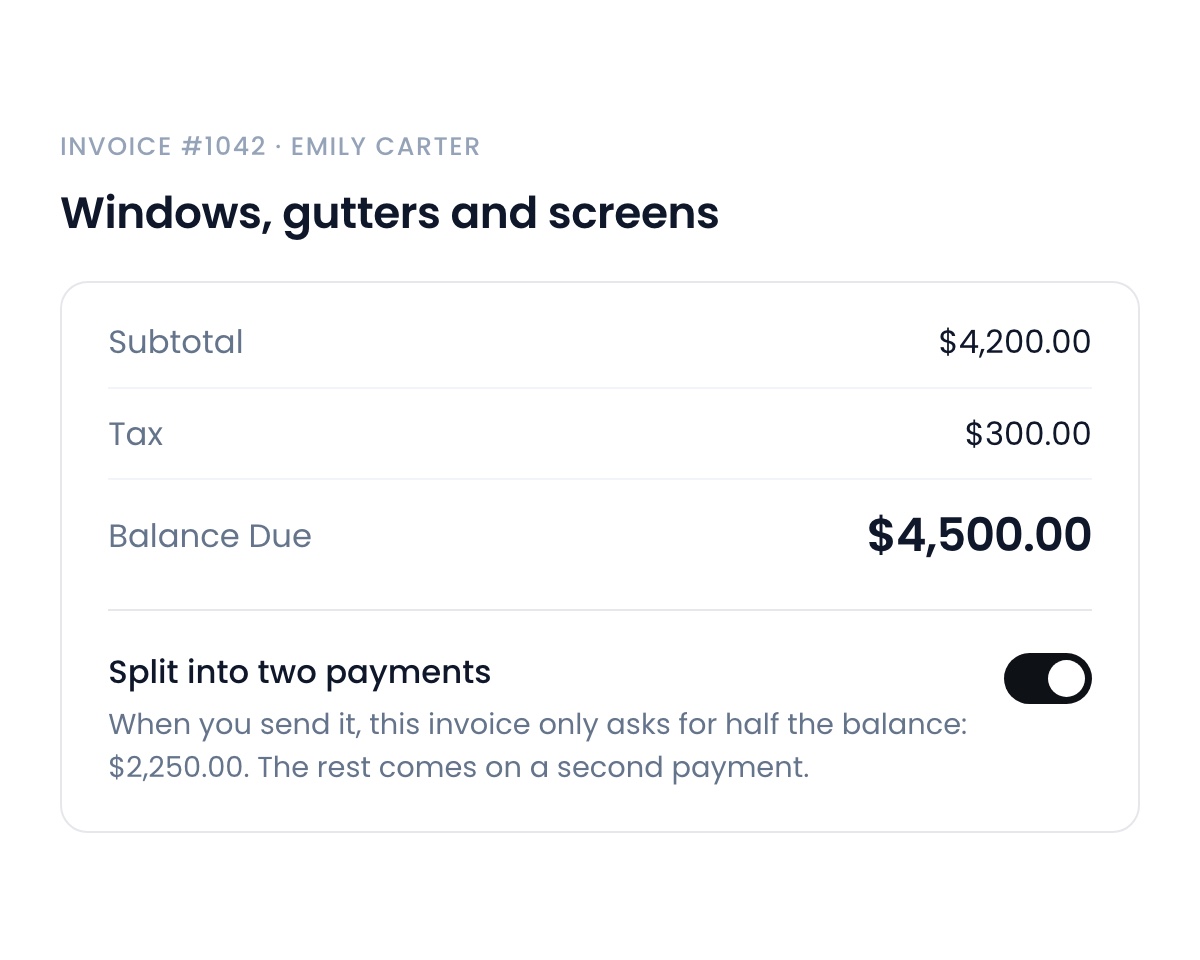
Split payments
You can now split an invoice for your customer to pay in two separate payments, while your follow ups still chase both parts of the invoice.
September 28, 2026Learn more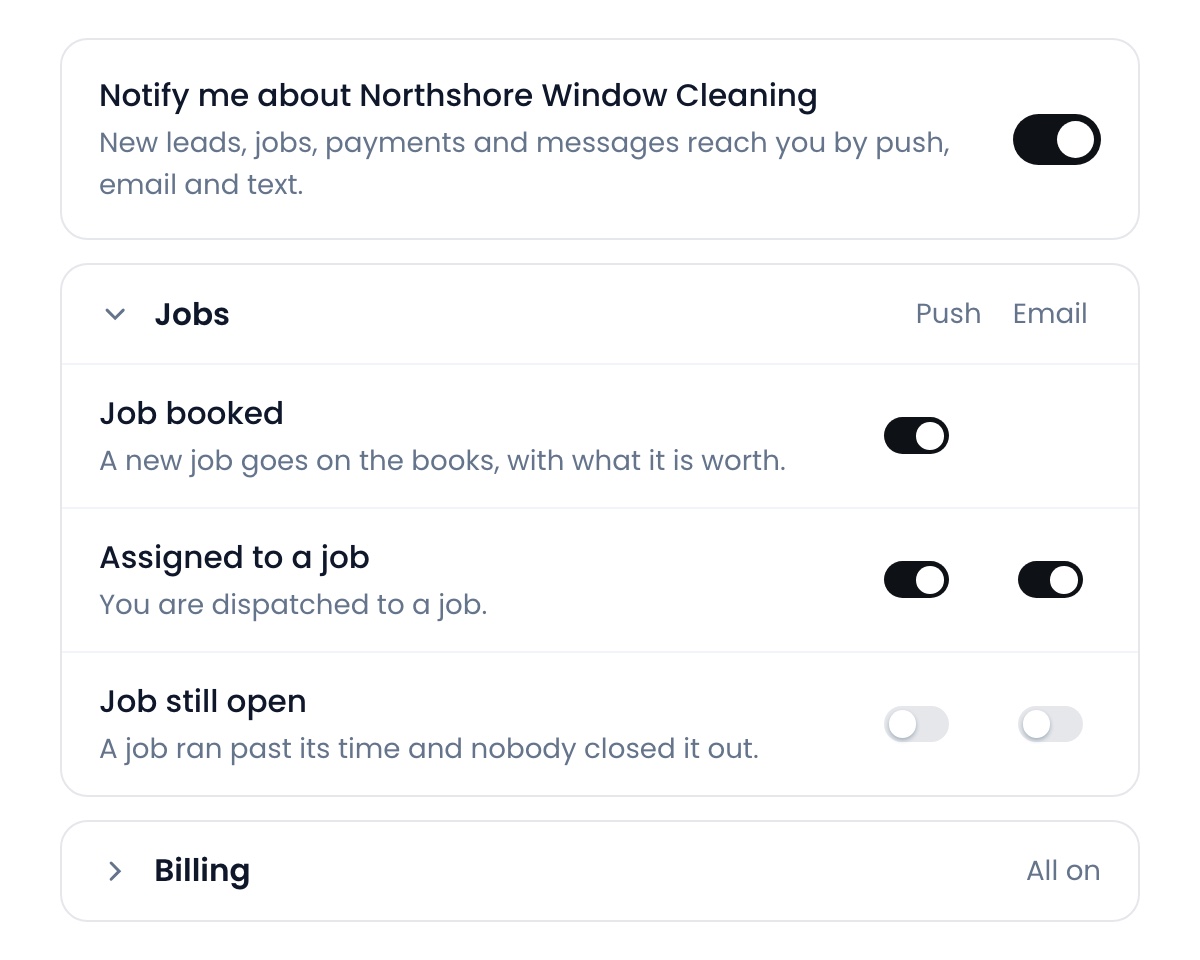
Notifications
A switch for every notification Flyra sends you, and for whether it reaches you by email, on your phone, or not at all.
September 28, 2026Learn moreGet paid faster, and keep more of it
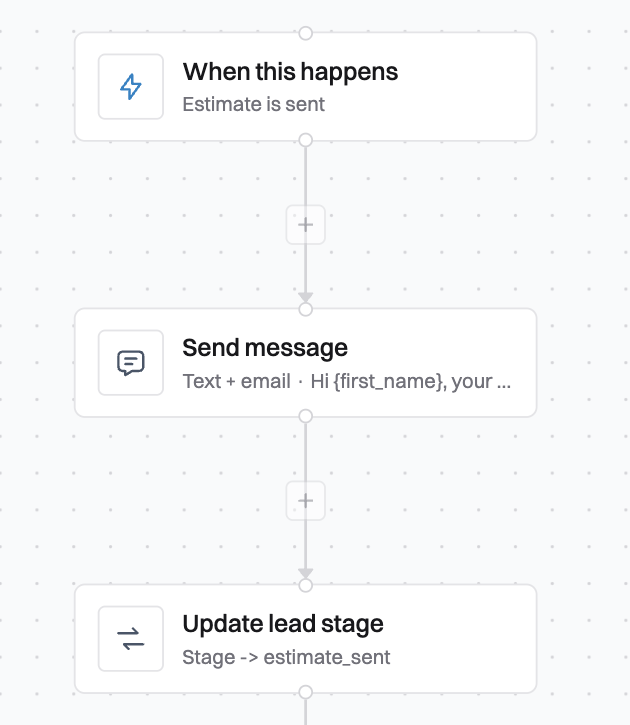
The automation builder
47 triggers that let you automate your business. Spend one afternoon building your automations and then let them run. You can now also organize them into folders, send webhooks out to external software, and connect Flyra to Claude at mcp.flyra.io to build new automations, reword the ones you have, and switch them on or off.
September 21, 2026Learn more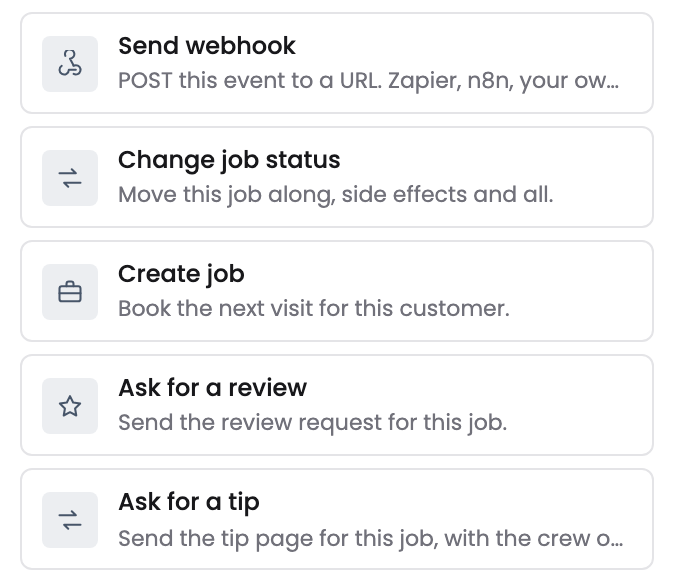
More triggers, more steps
Inbound and outbound webhooks on automations. Those are two of 16 new triggers and 9 new steps this week, which take an automation to 47 ways to start and 24 things it can do. A few of the others: book the next visit, assign the technician, ask for the review, or start when a job goes unpaid or a task goes overdue.
September 21, 2026Learn more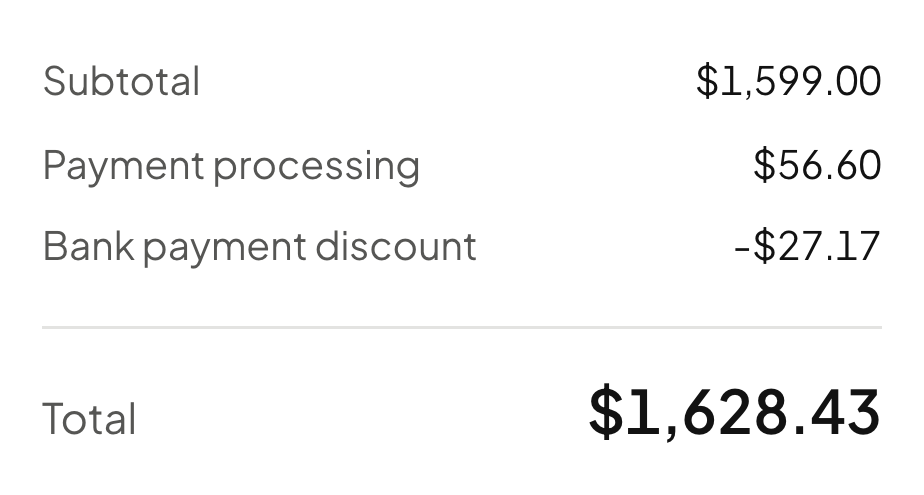
Bank payments
Your customer can now pay an invoice straight from their bank account, and it costs a fraction of a card. Card processing is 3.4%. Bank is 1.5% plus a fee capped at $5. On a $1,599 invoice that is $27 less.
September 21, 2026Learn more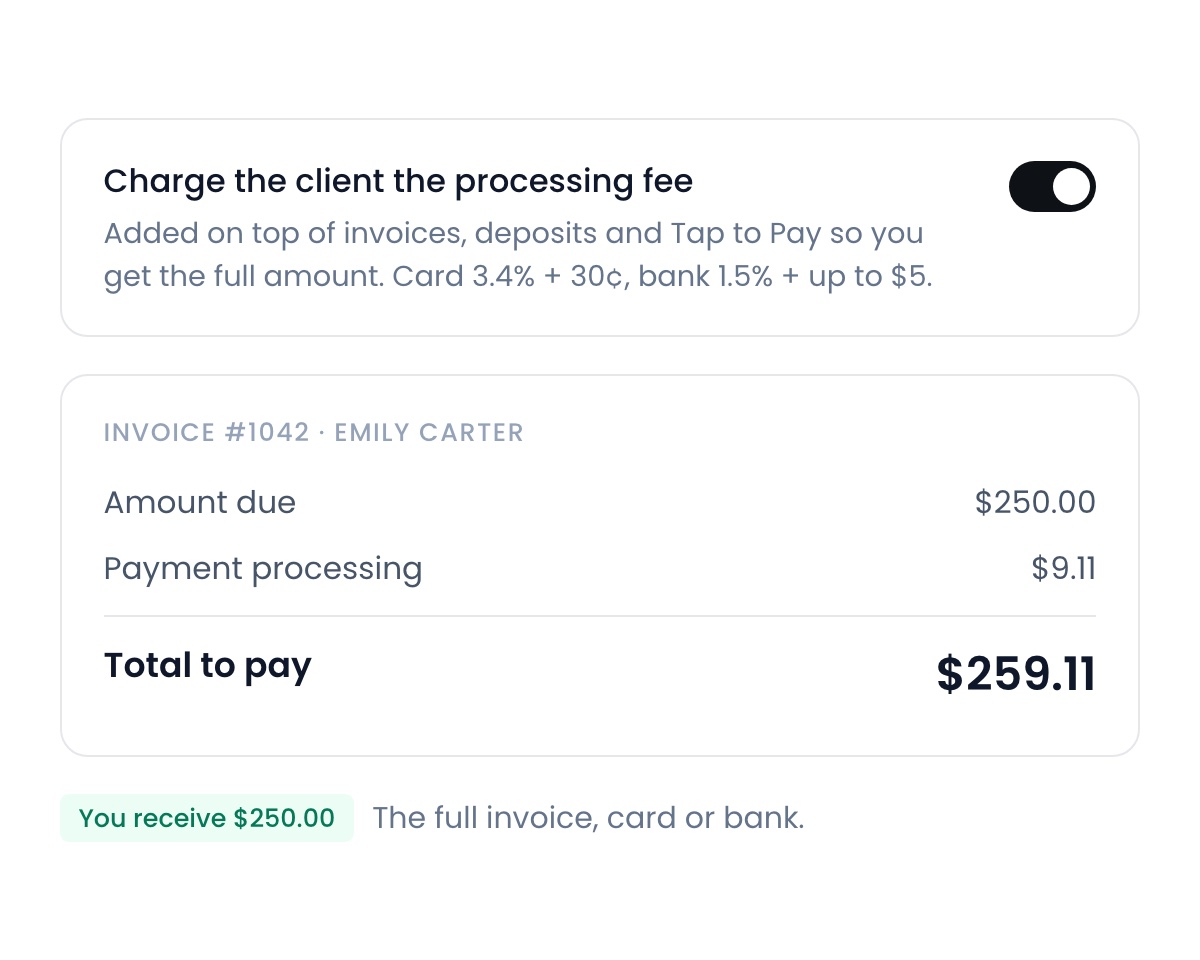
The processing fee
One switch and your client pays your processing fees, whether they pay by card or by bank. The fee goes on top of the invoice, so you receive the full amount either way. Find it in Settings → Payments.
September 21, 2026Learn more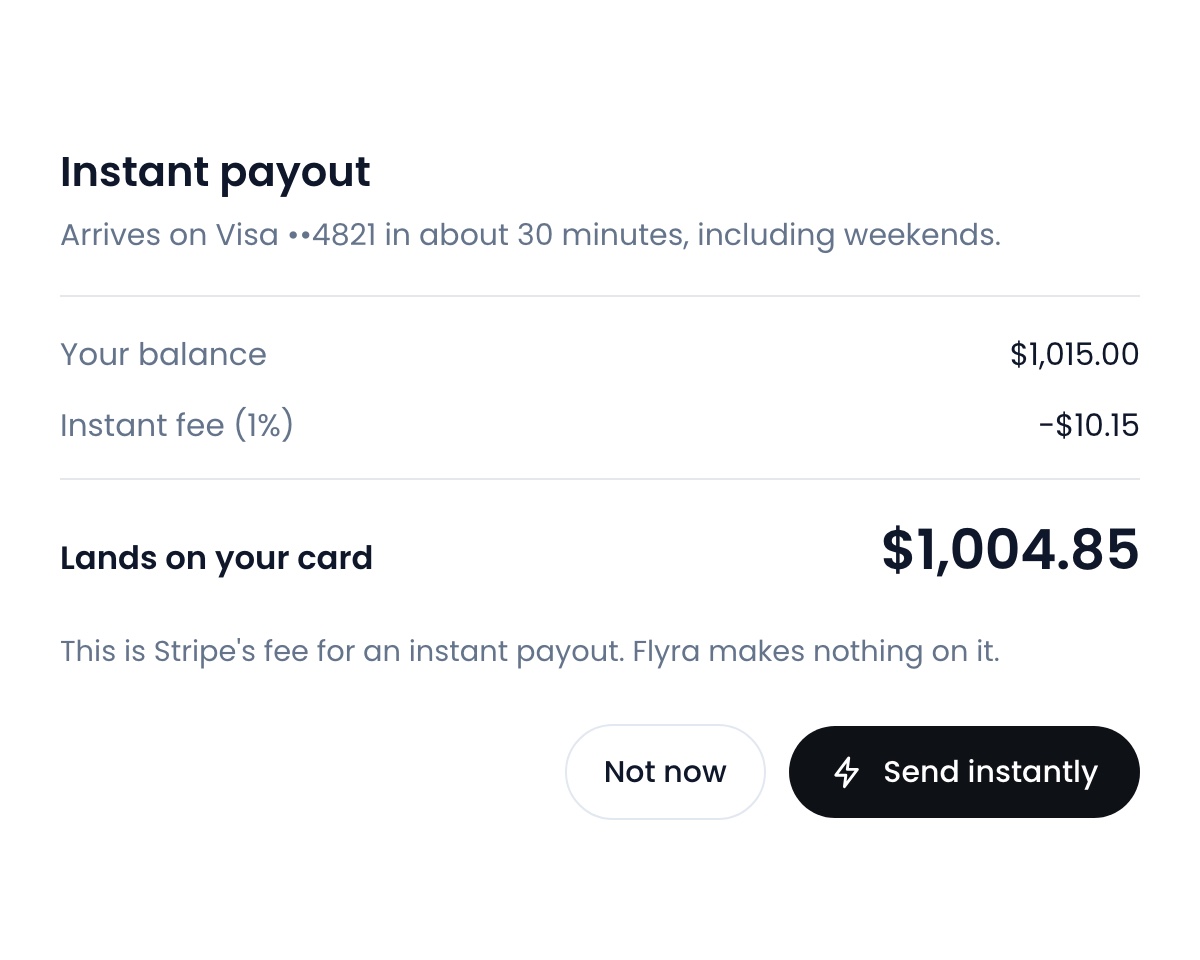
Instant payouts
Send your balance to your bank instantly instead of waiting on the usual payout schedule. It lands in about 30 minutes. Find it in Settings → Payments, on mobile and desktop.
September 21, 2026Learn more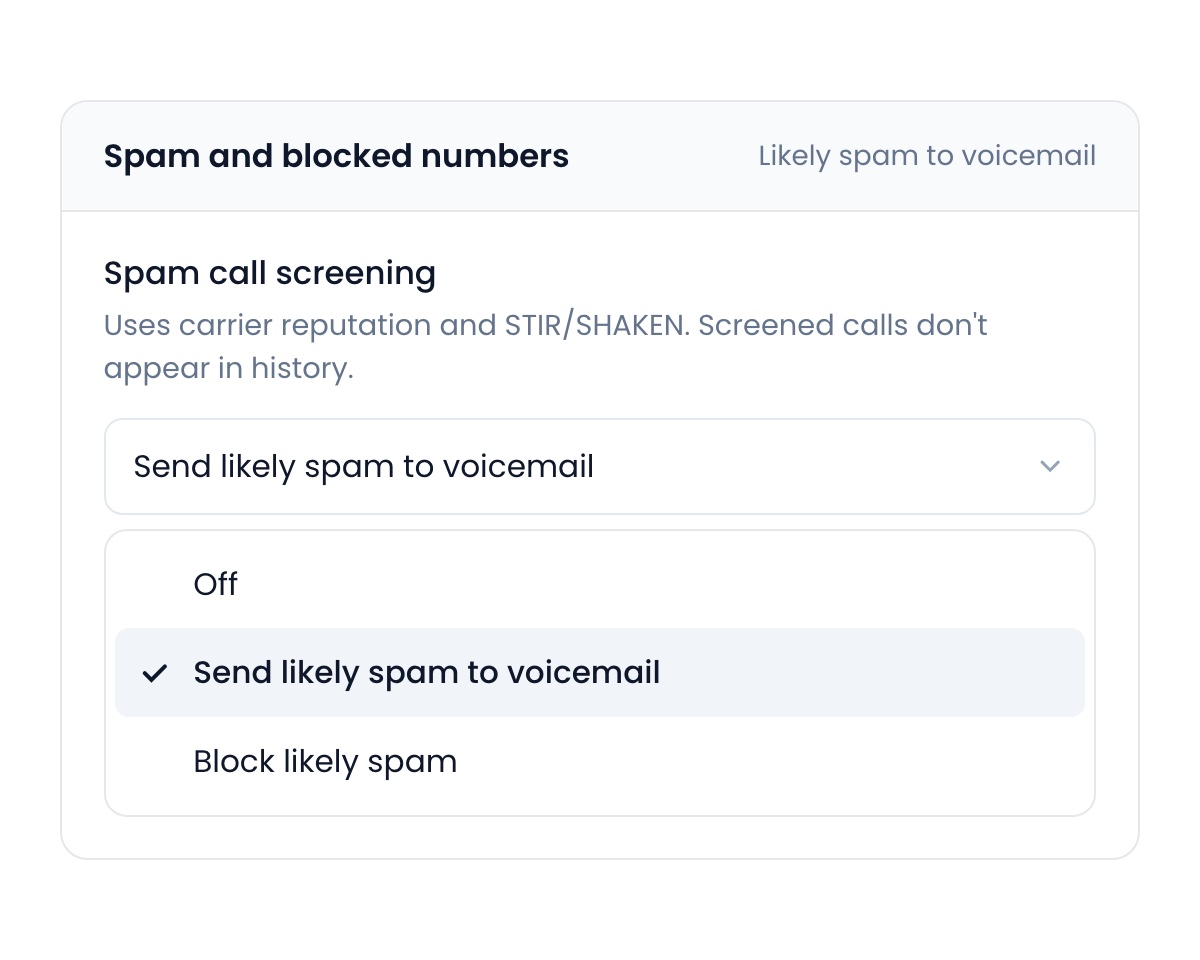
Spam screening
Flyra screens every call coming in. The ones that come back as spam go to voicemail instead of ringing you. It is on by default. To block spam callers outright or switch it off, find this in Settings → Organization.
September 21, 2026Learn moreScan to pay, a new job page and dark mode
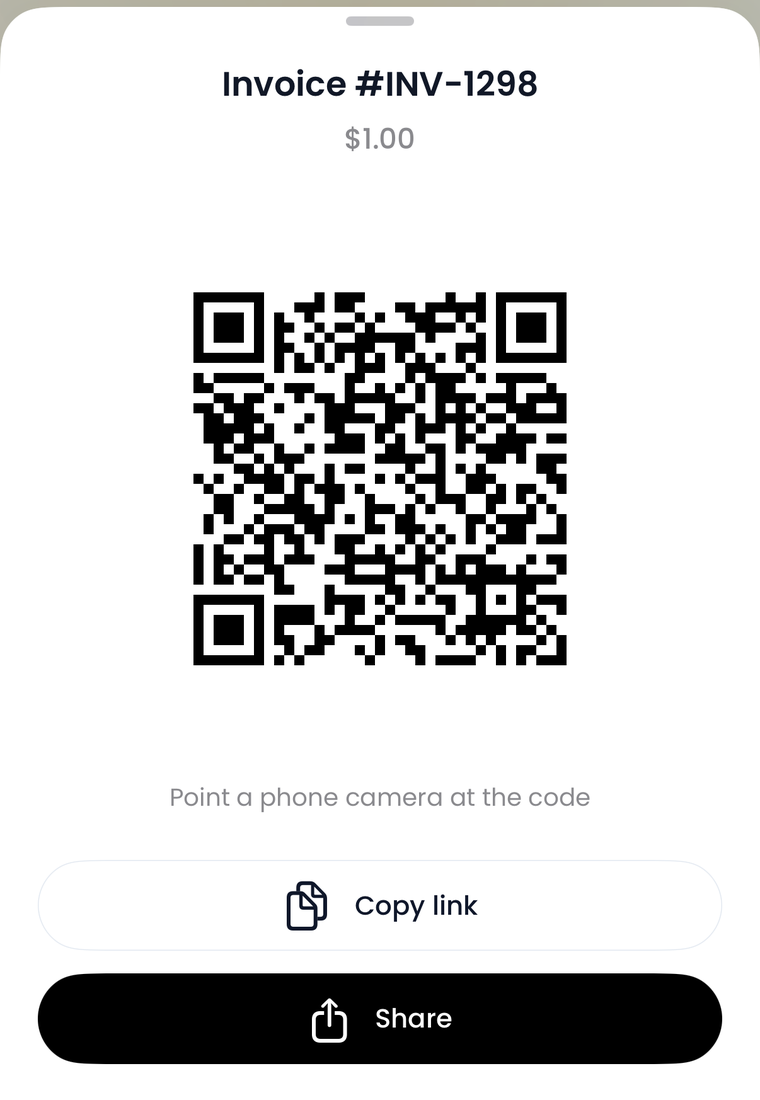
Scan to pay
Show the code, they scan it, they pay on their own phone. Nothing to type, no link to send.
September 14, 2026Learn more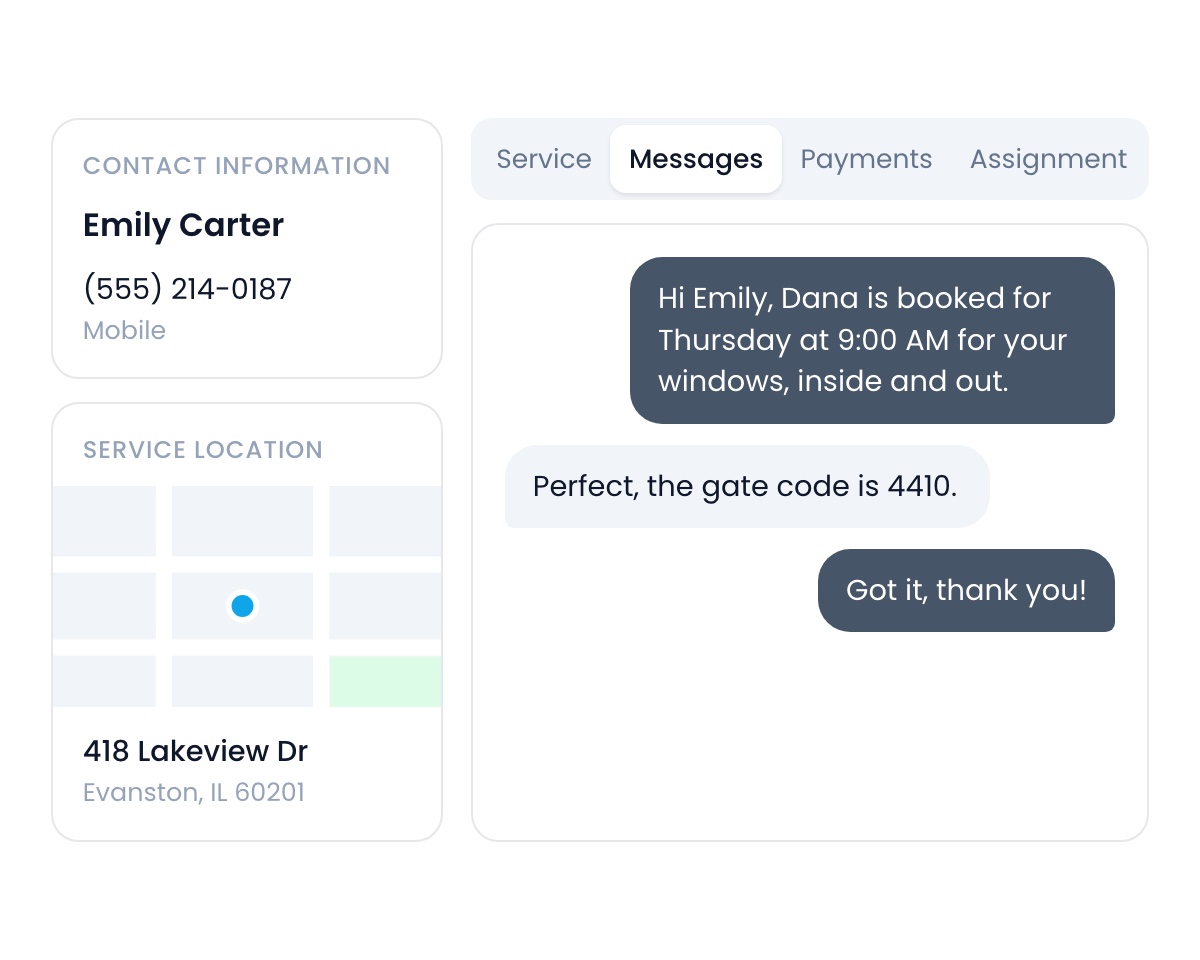
A new tabbed layout
Jobs and customers work the same way now. The contact, the address and the map stay in a fixed rail while you work, and everything else is tabs, with their text thread second in the strip.
September 14, 2026Learn more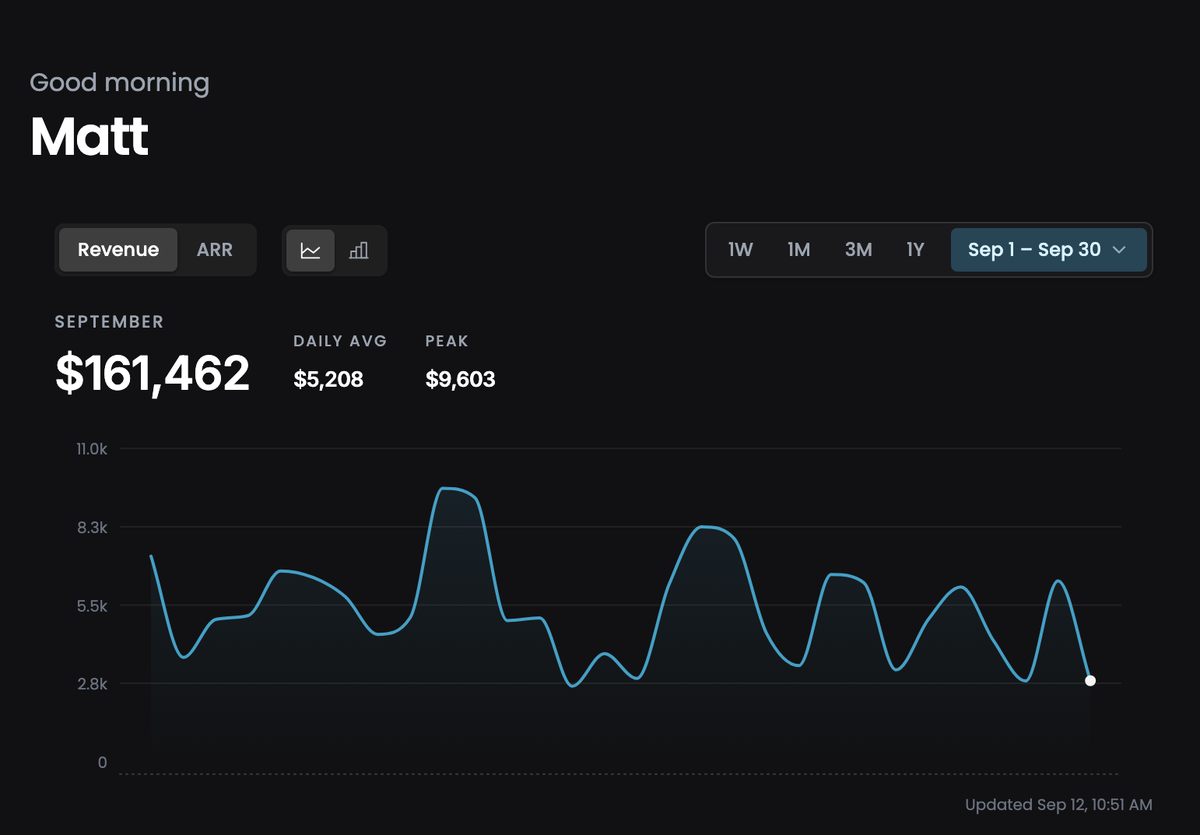
Dark mode
Rebuilt from the ground colour up. The old navy cast is gone for a neutral graphite, so chips, charts and status colours read as themselves instead of picking up a blue tint. Every page, not just the dashboard.
September 14, 2026Learn more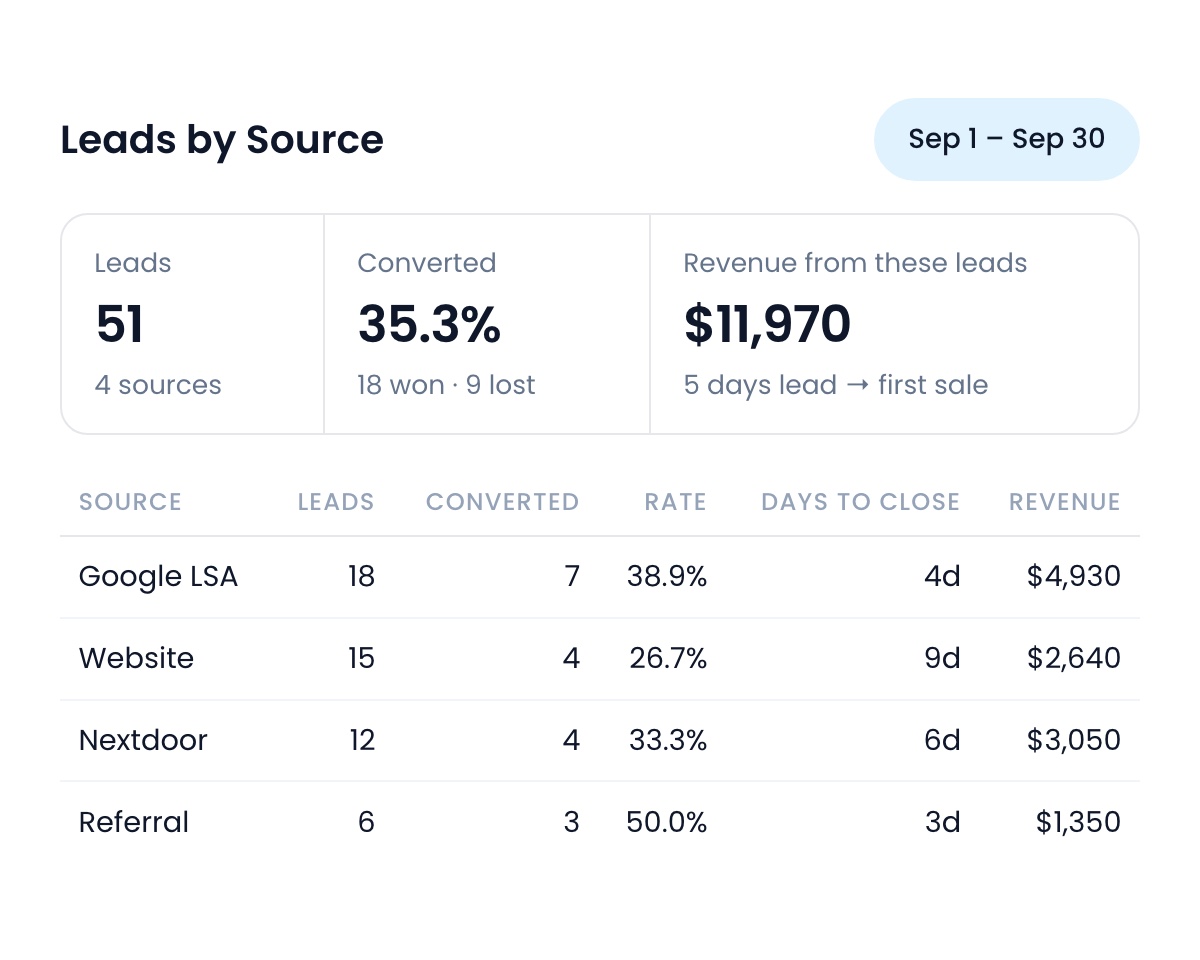
Lead Reports
A Reports tab on Leads. Every source you use, how many converted, what they were worth, and how long they took.
September 14, 2026Learn more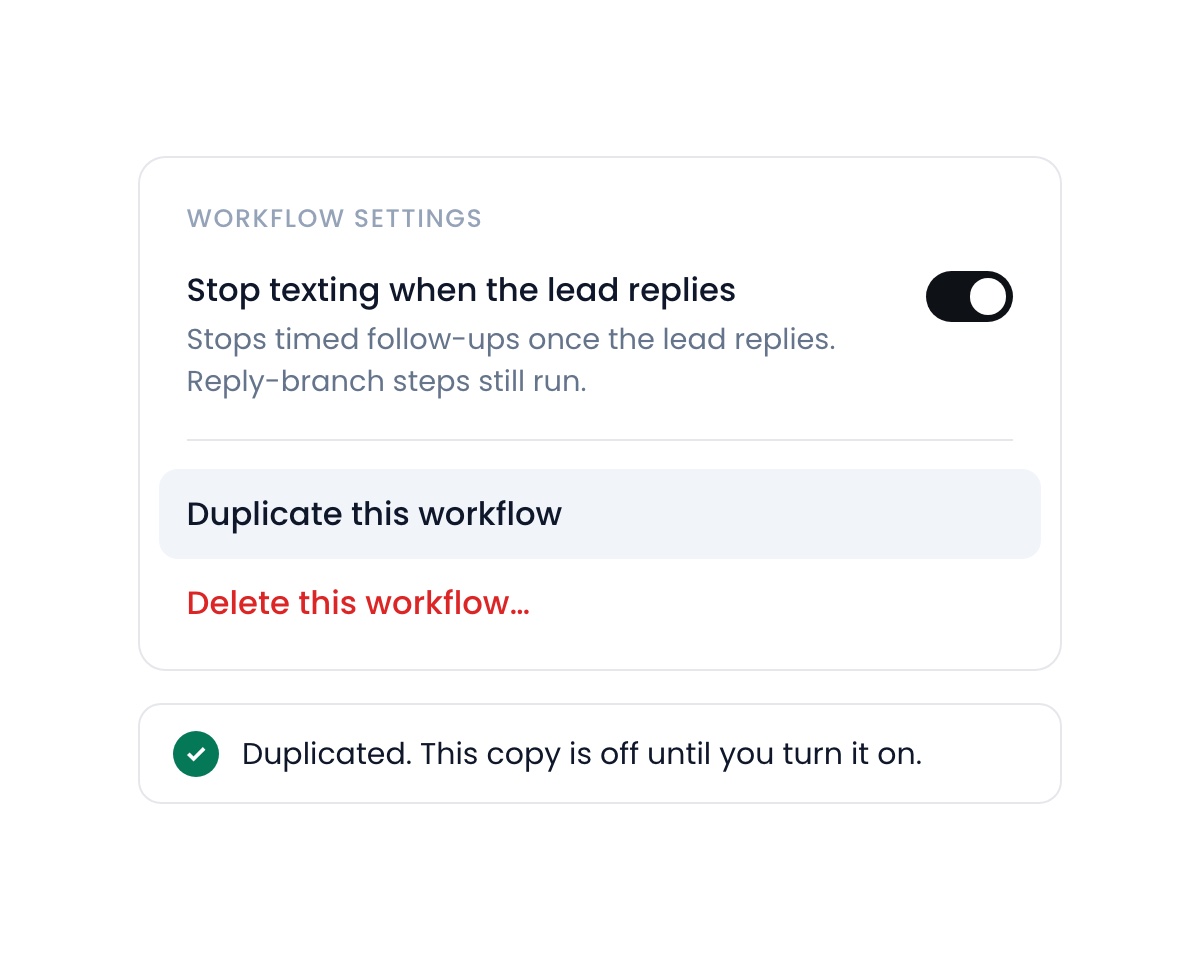
Duplicate a workflow
Copy a workflow and change what differs, instead of starting from an empty canvas. Two new steps as well: Add tag and Remove tag.
September 14, 2026Learn moreSupport in the app, lead forms and a new inbox
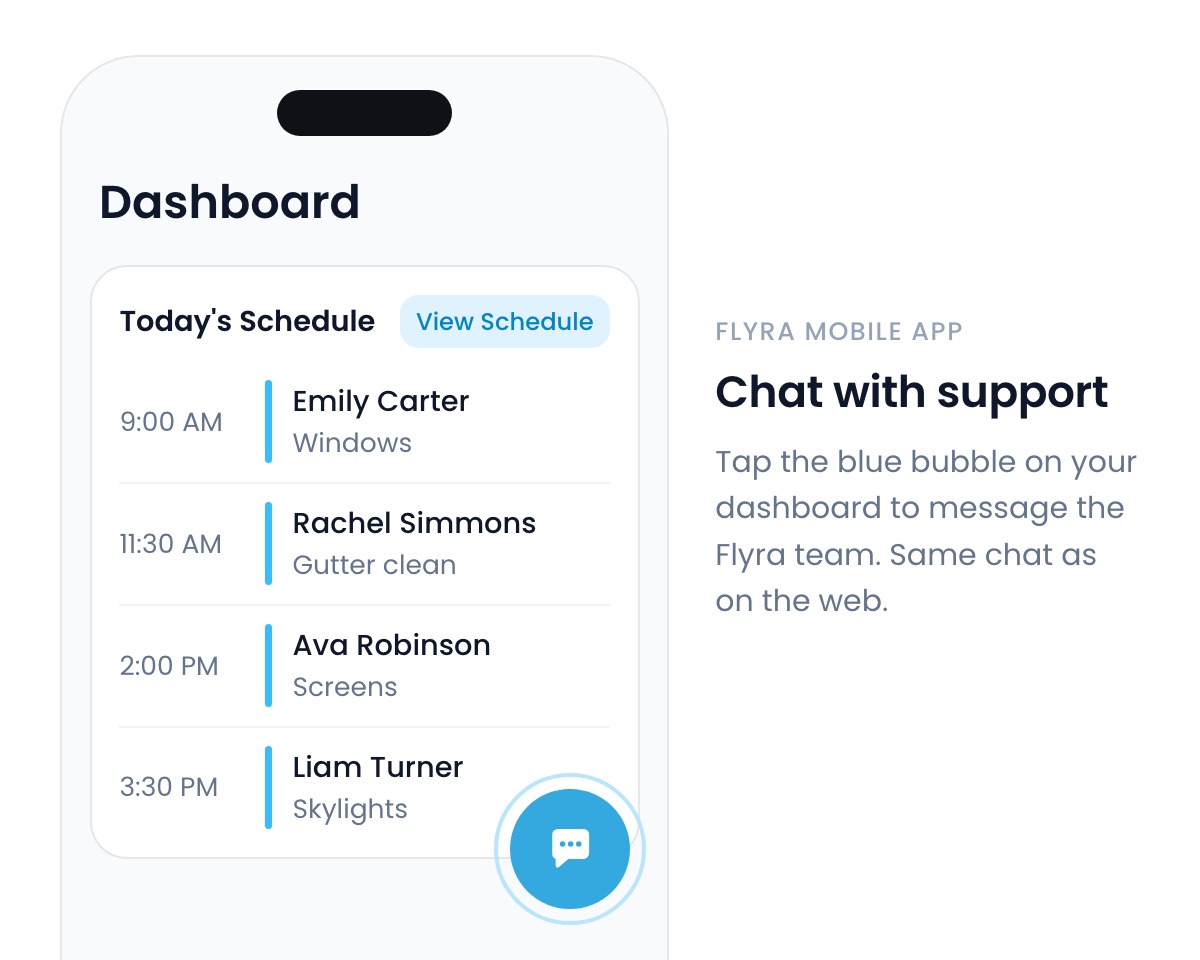
Support right in the mobile app
Reach support from the Flyra mobile app.
September 7, 2026Learn more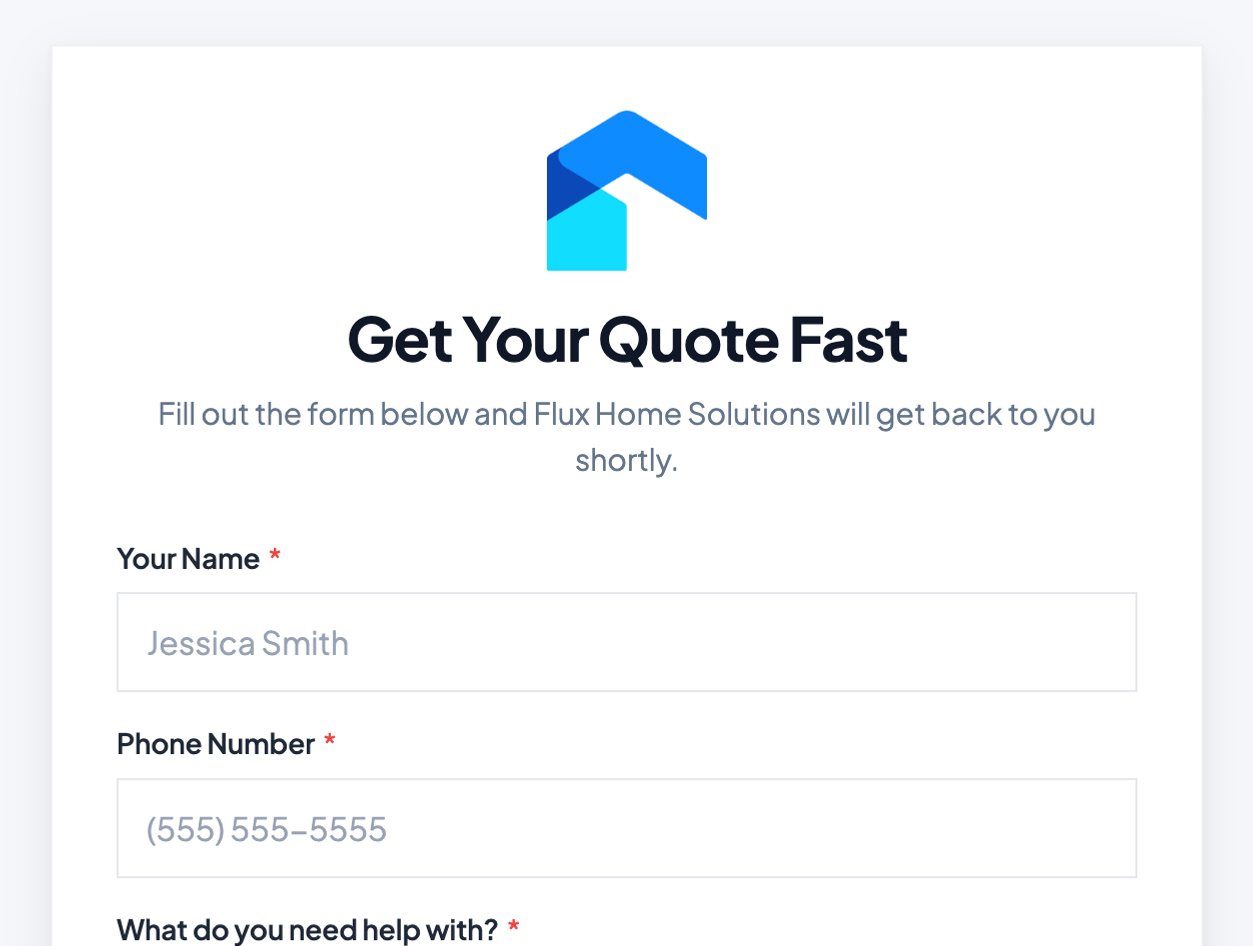
Lead forms
Build a lead form in minutes. The questions are simpler to set up, and the form itself is more customizable: your logo, your colours. Share the link or embed it on your website. Leads land in your pipeline the moment someone submits.
September 7, 2026Learn more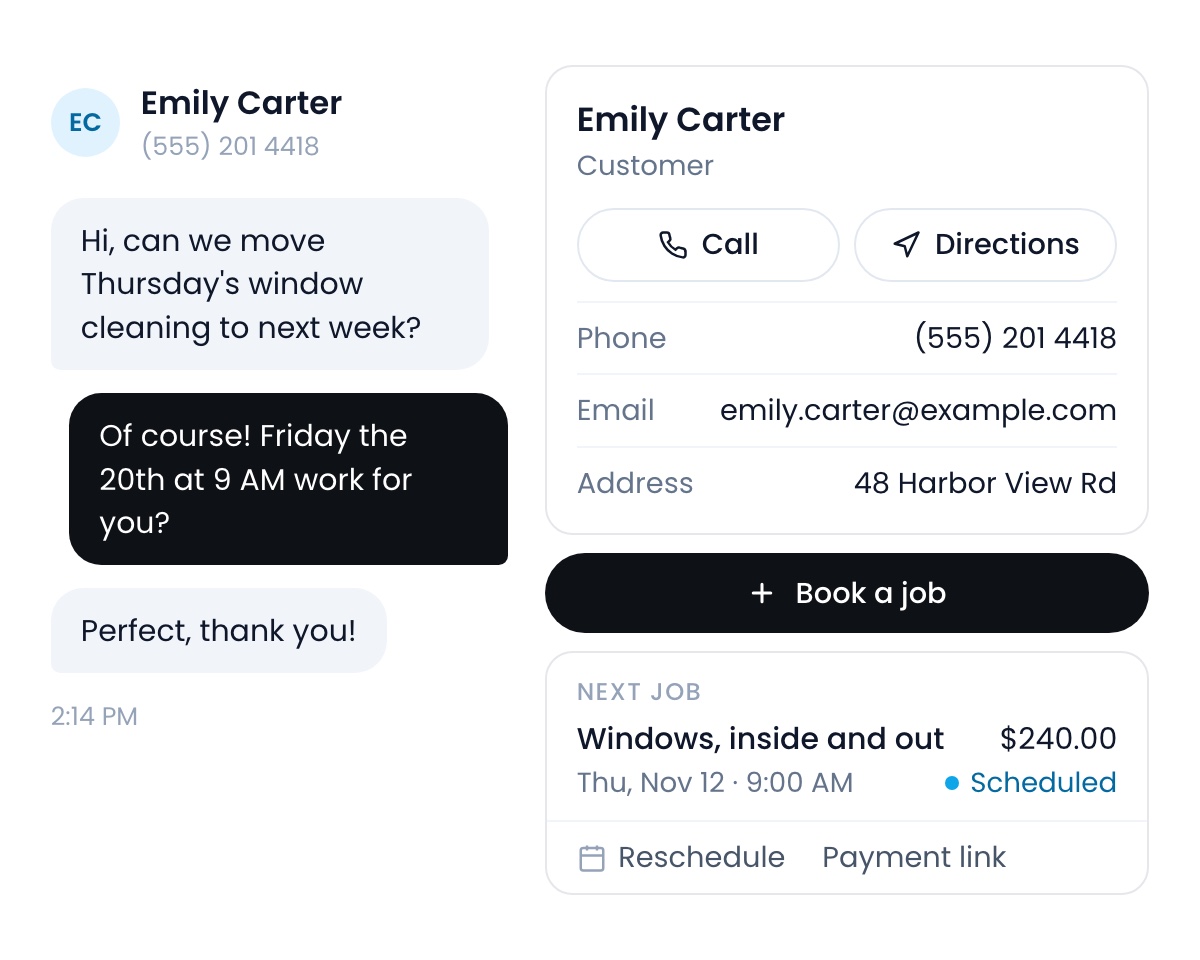
Inbox
The customer’s details sit right beside the conversation: phone, email, address, their upcoming jobs and estimates, with Book a job, Reschedule, Call and Send payment link one tap away.
September 7, 2026Learn more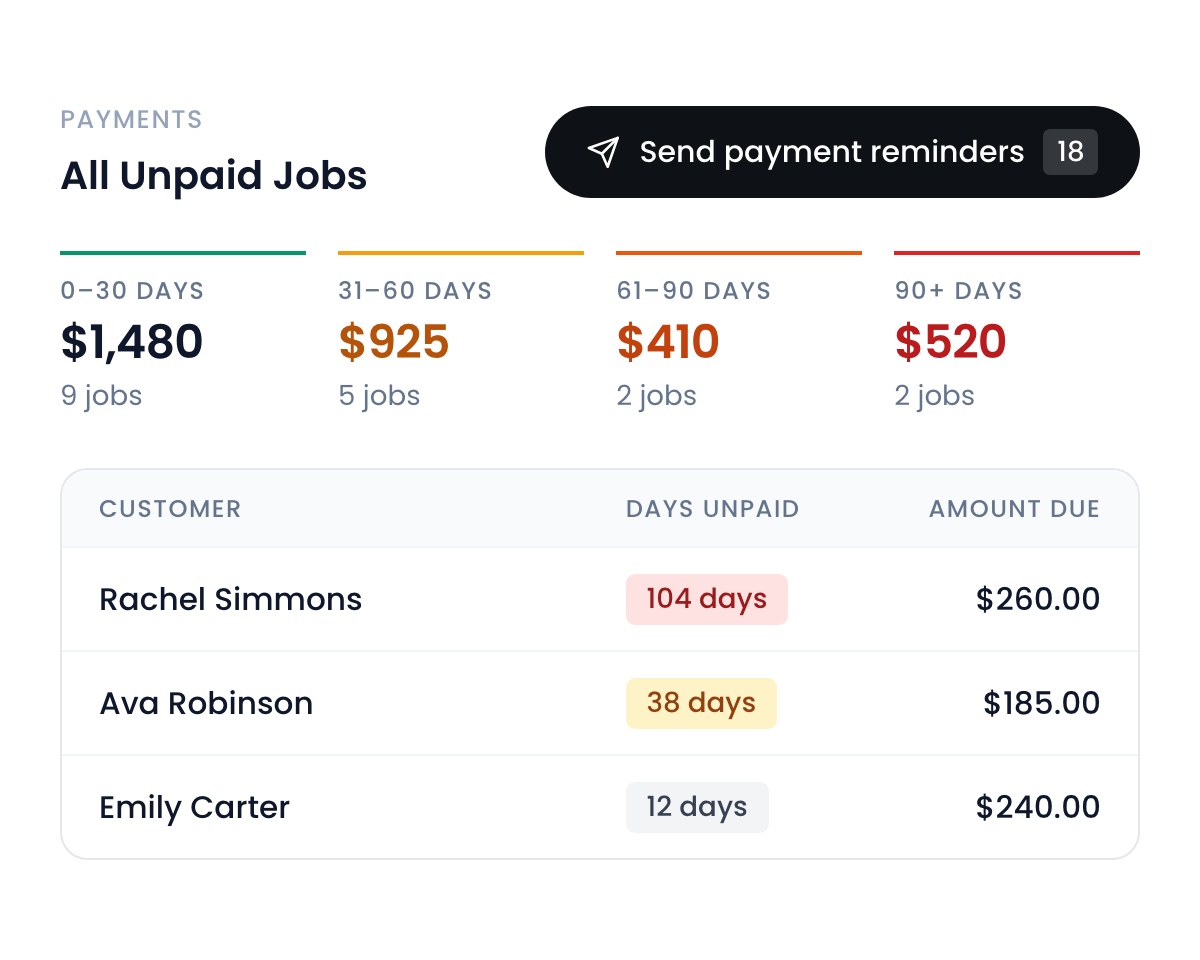
Bulk payment reminders
Automatically generate payment links and send them to every client who hasn’t paid for their jobs. The Payments report groups what is owed by how long it has been outstanding, and one button does the rest.
September 7, 2026Learn more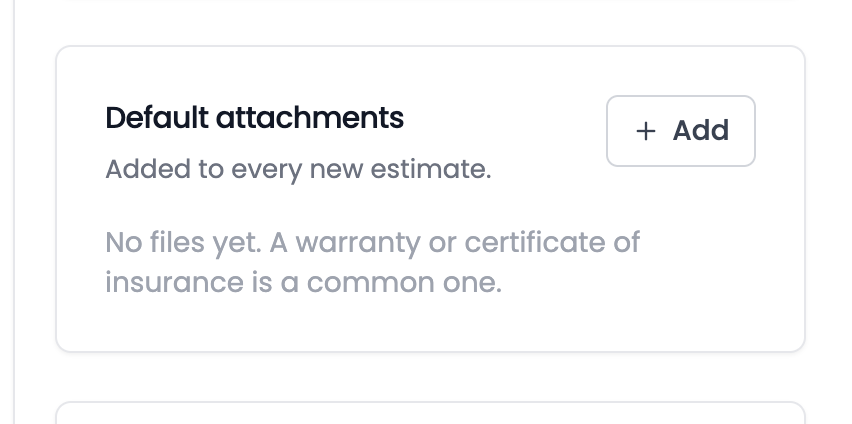
Default attachments
Files that go out with every new estimate, set once. A warranty, a certificate of insurance, a scope of work. Add them under Settings → Estimates and stop attaching the same PDF by hand.
September 7, 2026Learn more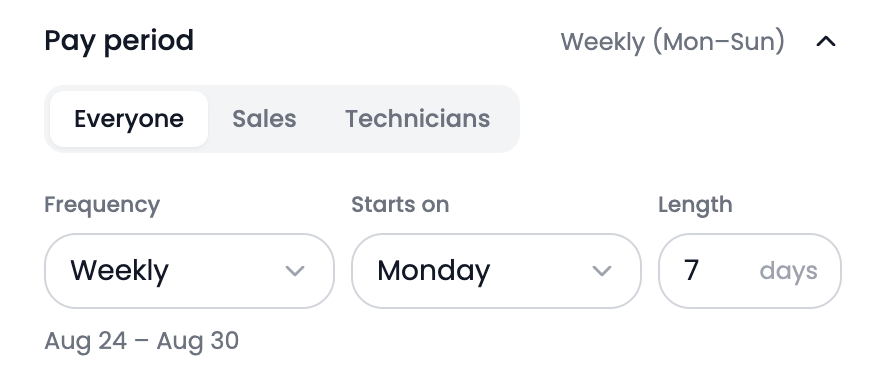
Custom pay periods
Pay Sales and Technicians on different schedules. Set the frequency, the start day and the length for each role.
September 7, 2026Learn more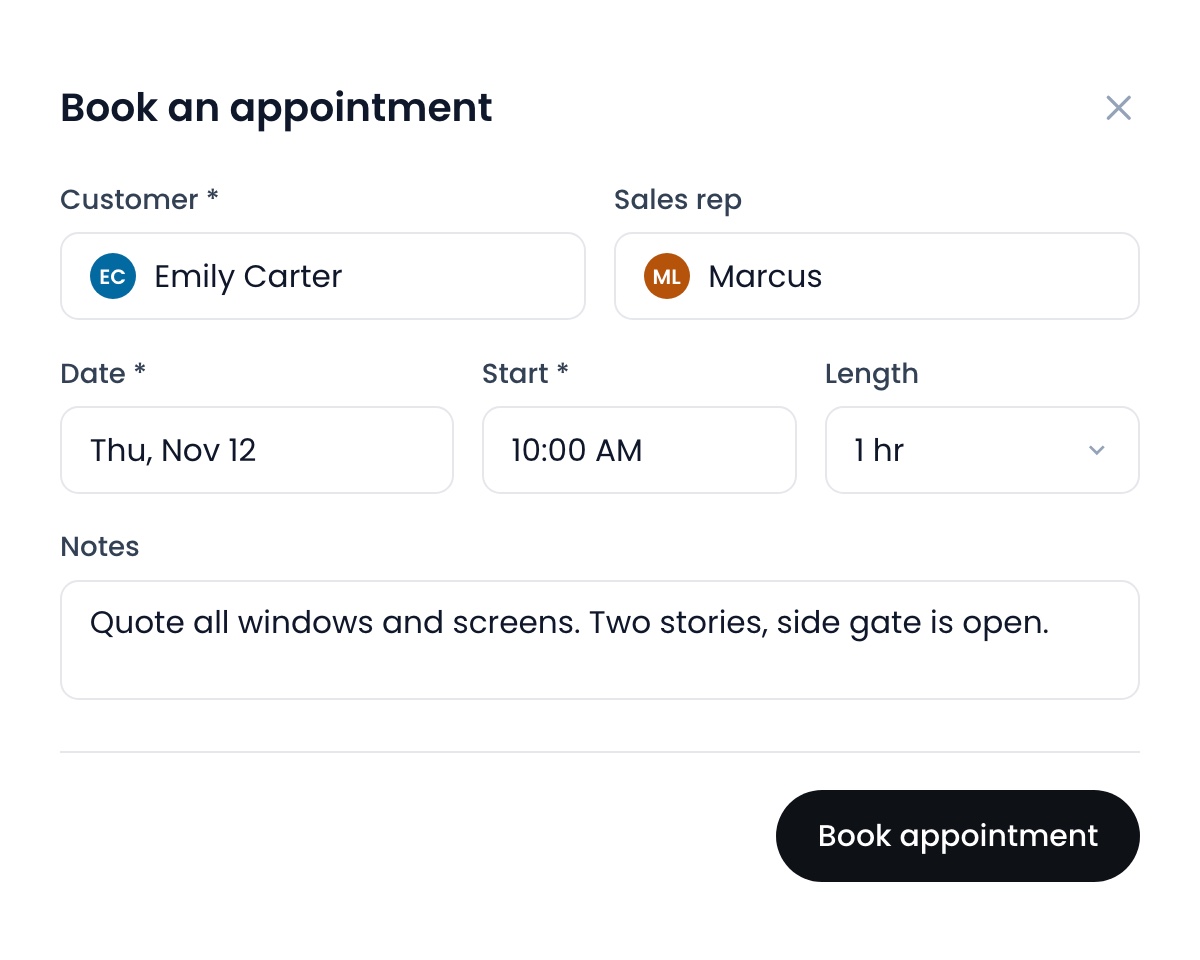
Appointments
Create an appointment to quote a property, assign it to a customer and salesperson, and schedule it alongside jobs. Switch it on/off in Settings → Preferences.
August 31, 2026Learn more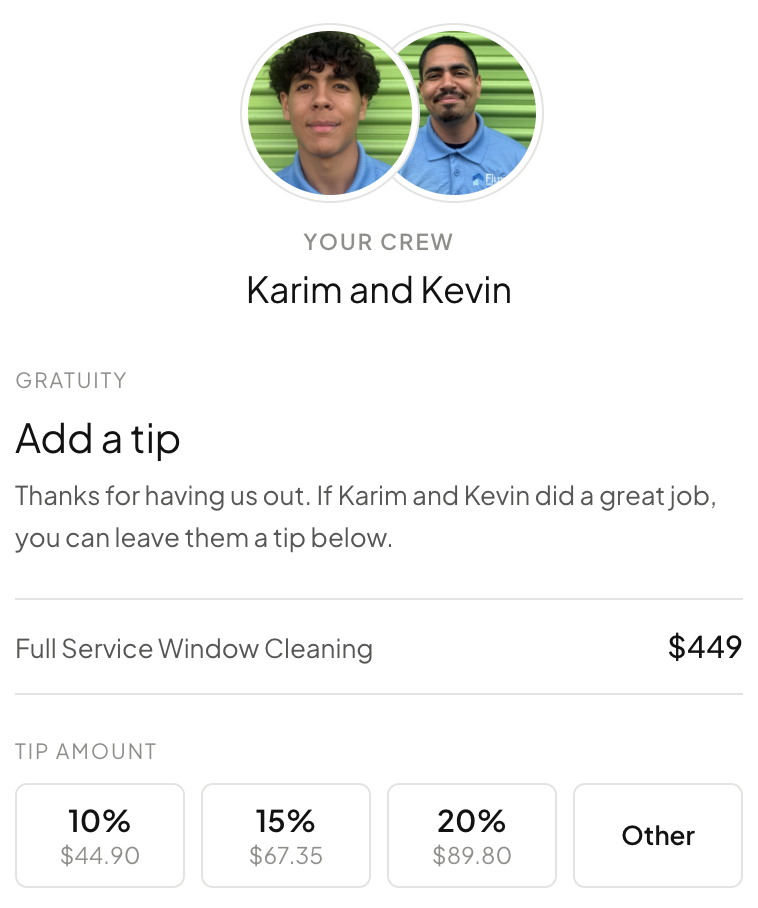
Tip request after payment
Customer paid without a tip? Flyra automatically requests it for you, so your team gets rewarded for their hard work. It is on by default, and lives in Automations under Payments.
August 31, 2026Learn more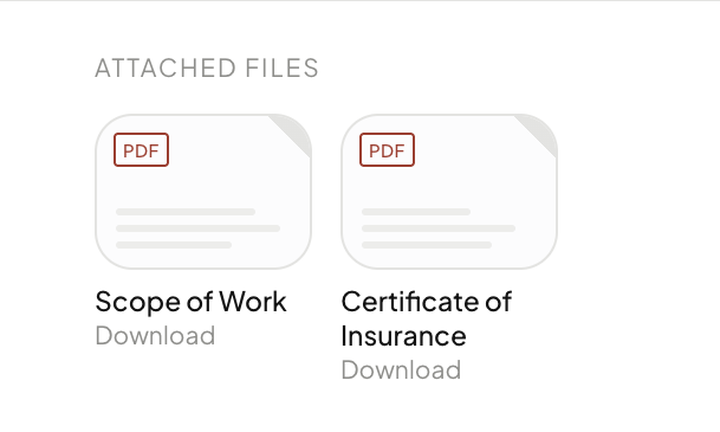
Attachments
Attach PDFs to an estimate and your customer can open and download them. A scope of work, a warranty, a certificate of insurance.
August 31, 2026Learn more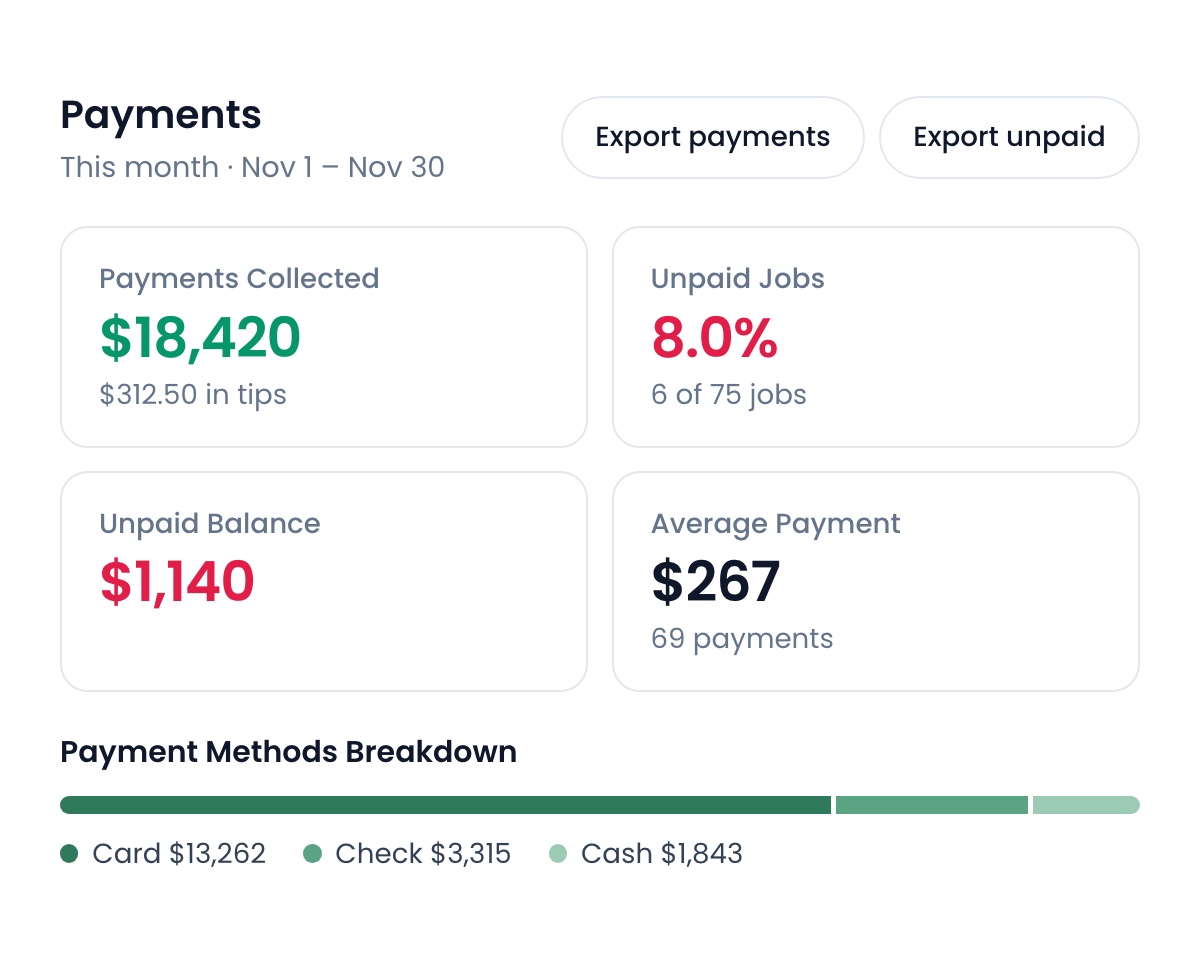
Payments
Payments Collected, Unpaid Jobs, Unpaid Balance and Average Payment, all on the date range you pick. Payments by Day and a Payment Methods Breakdown underneath. Export payments and Export unpaid are one click.
August 31, 2026Learn more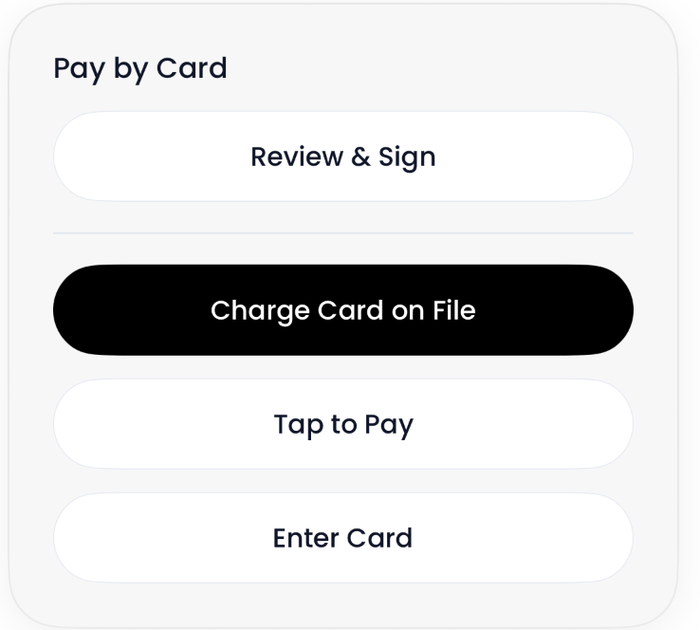
Charge Card on File
A saved card charges straight from the job, in Pay by Card beside Review & Sign, Tap to Pay and Enter Card. Take the whole balance or type a smaller amount. Link counts as a saved method too.
August 31, 2026Learn more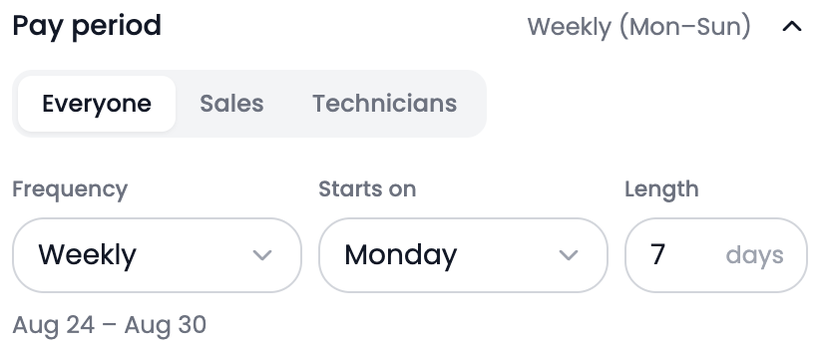
Pay period settings
Sales and Technicians can now run different pay periods. Set Frequency, Starts on and Length per role, so Wednesday to Sunday is a real option. The settings are one accordion now, every row showing what it is set to.
August 31, 2026Learn more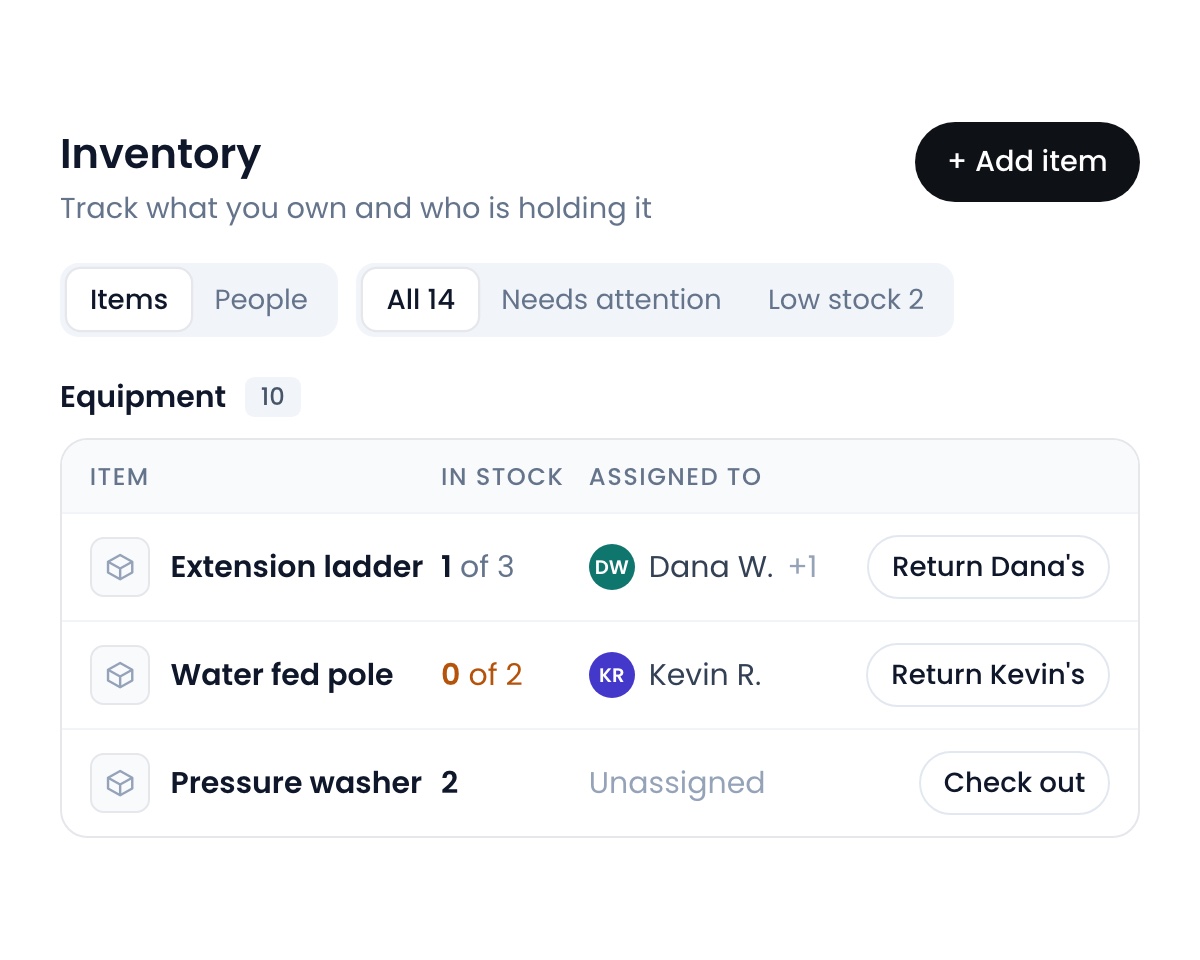
Inventory
Meet the new Inventory tab. Every check out and return is logged so you always know who has what, and workflows do the chasing for you: send reminders when an item is still out, and a restock alert when supplies run low.
August 24, 2026Learn more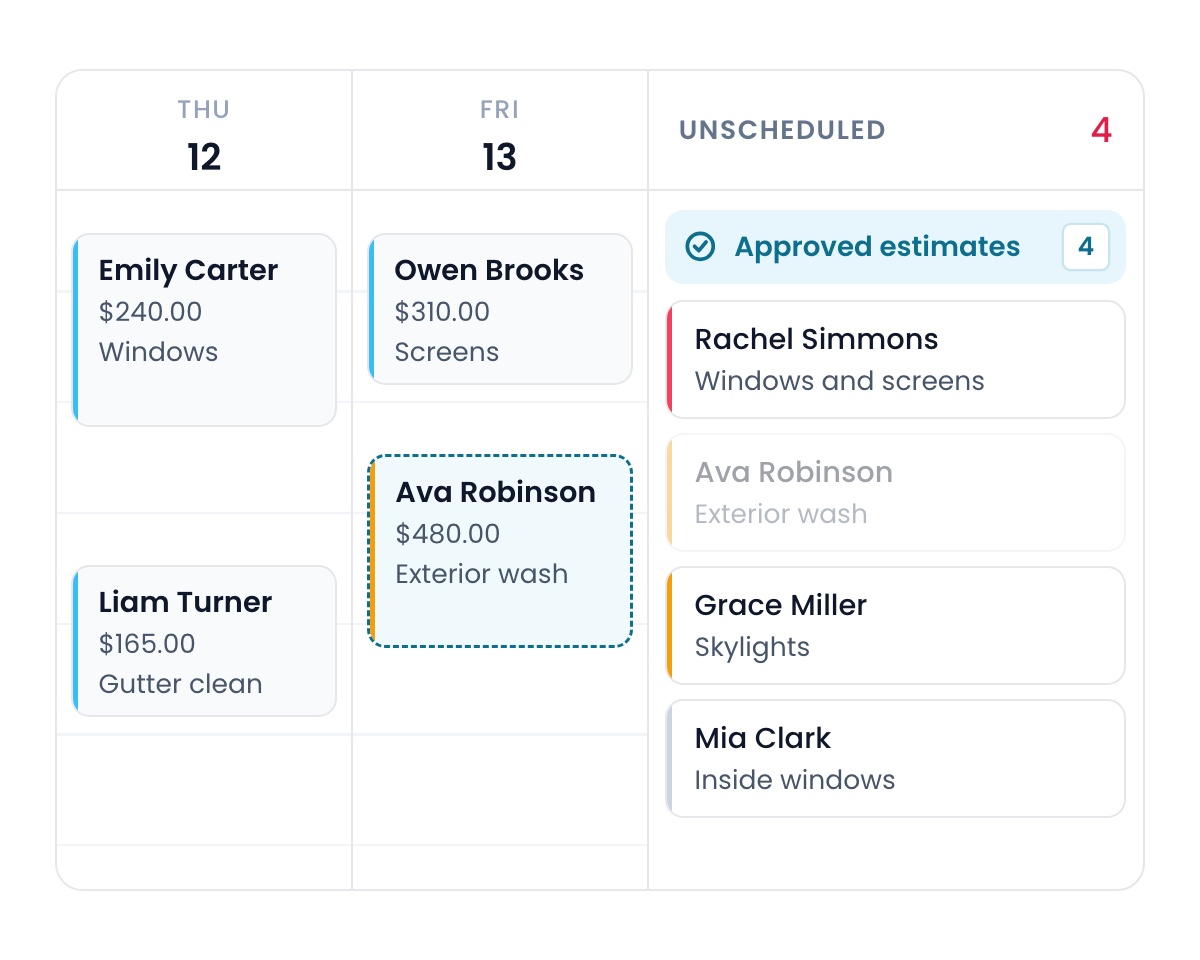
Approved estimates
The moment an estimate is approved, it shows in the new Approved estimates panel on your schedule, ready to drag onto your team’s calendar.
August 24, 2026Learn more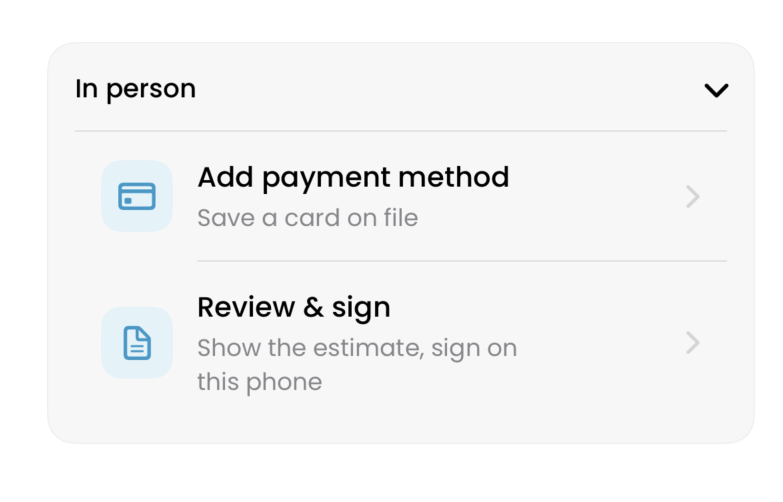
In person estimates
Show the customer the estimate, have them sign on your phone, and save their payment method right at the door.
August 24, 2026Learn more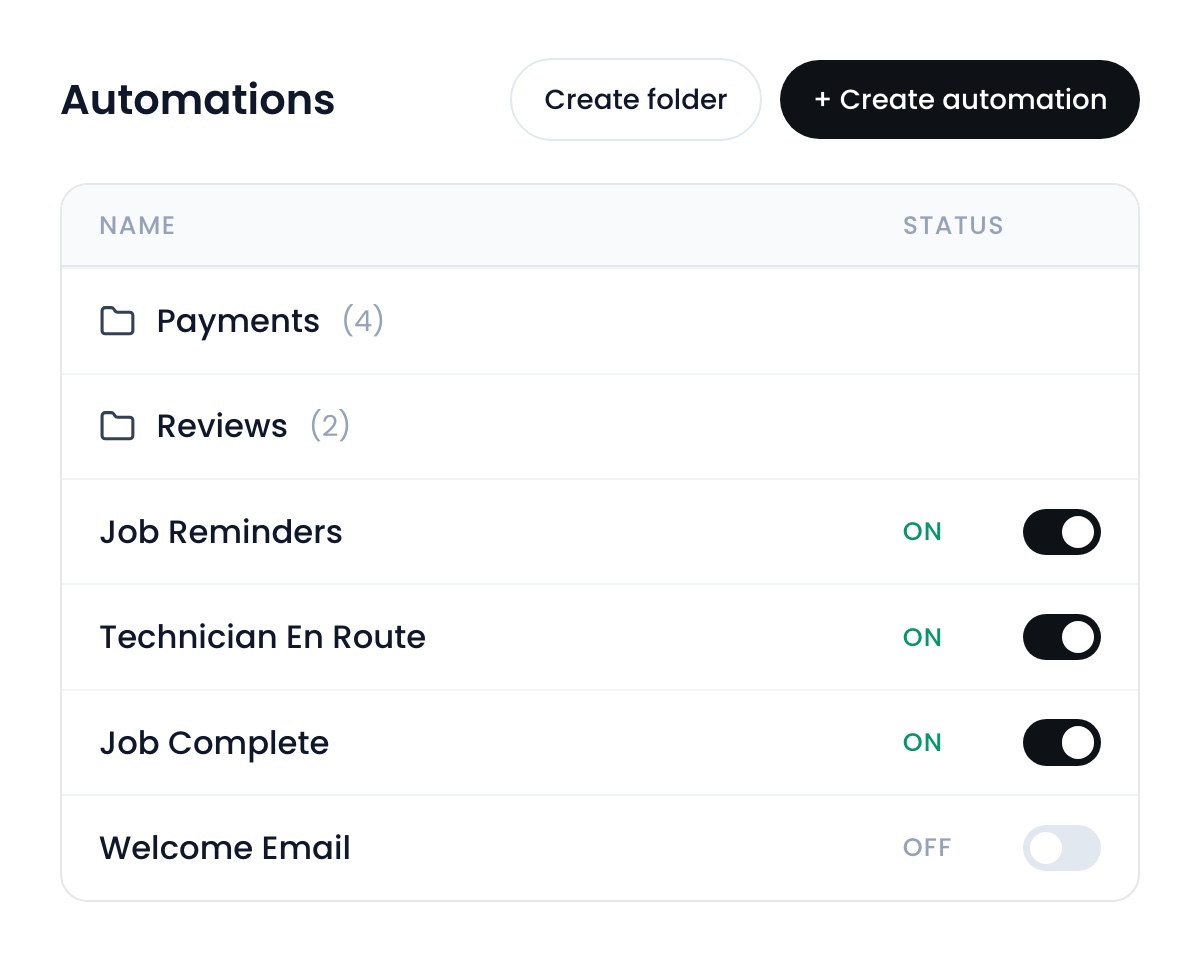
Automations
Automations got a full redesign and their own tab in the sidebar. Workflows and message automations now live in one list, organized into folders, and every built-in automation is a real workflow you can open and edit.
August 24, 2026Learn more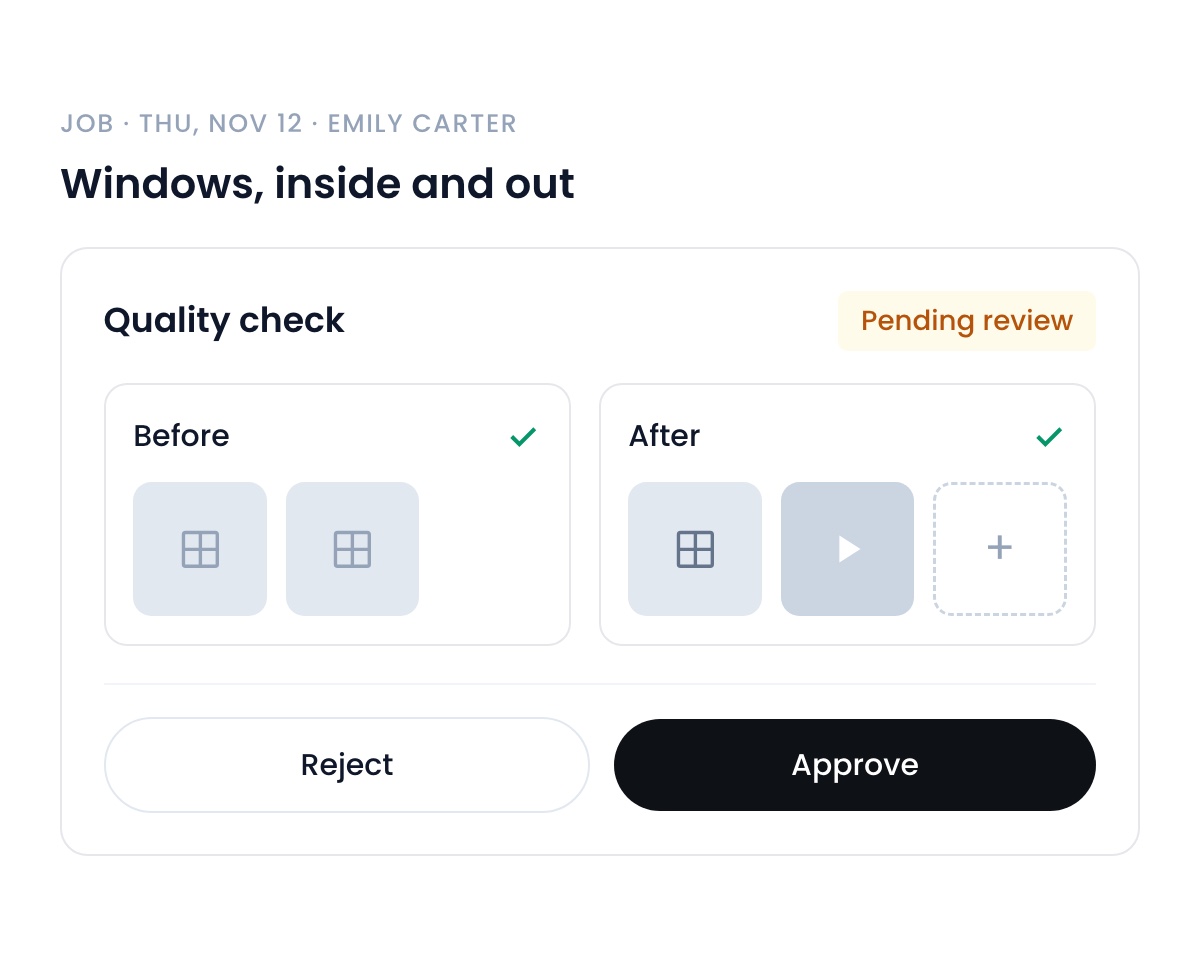
Quality checks
Quality checks are here. Your crew attaches photos or video when they finish a job, and a job can’t be marked complete without uploading them. Once completed, you approve or reject the quality check, and if you turn on the payroll hold, the job stays out of payroll until you approve its photos. Turn them on in Settings → Preferences.
August 24, 2026Learn more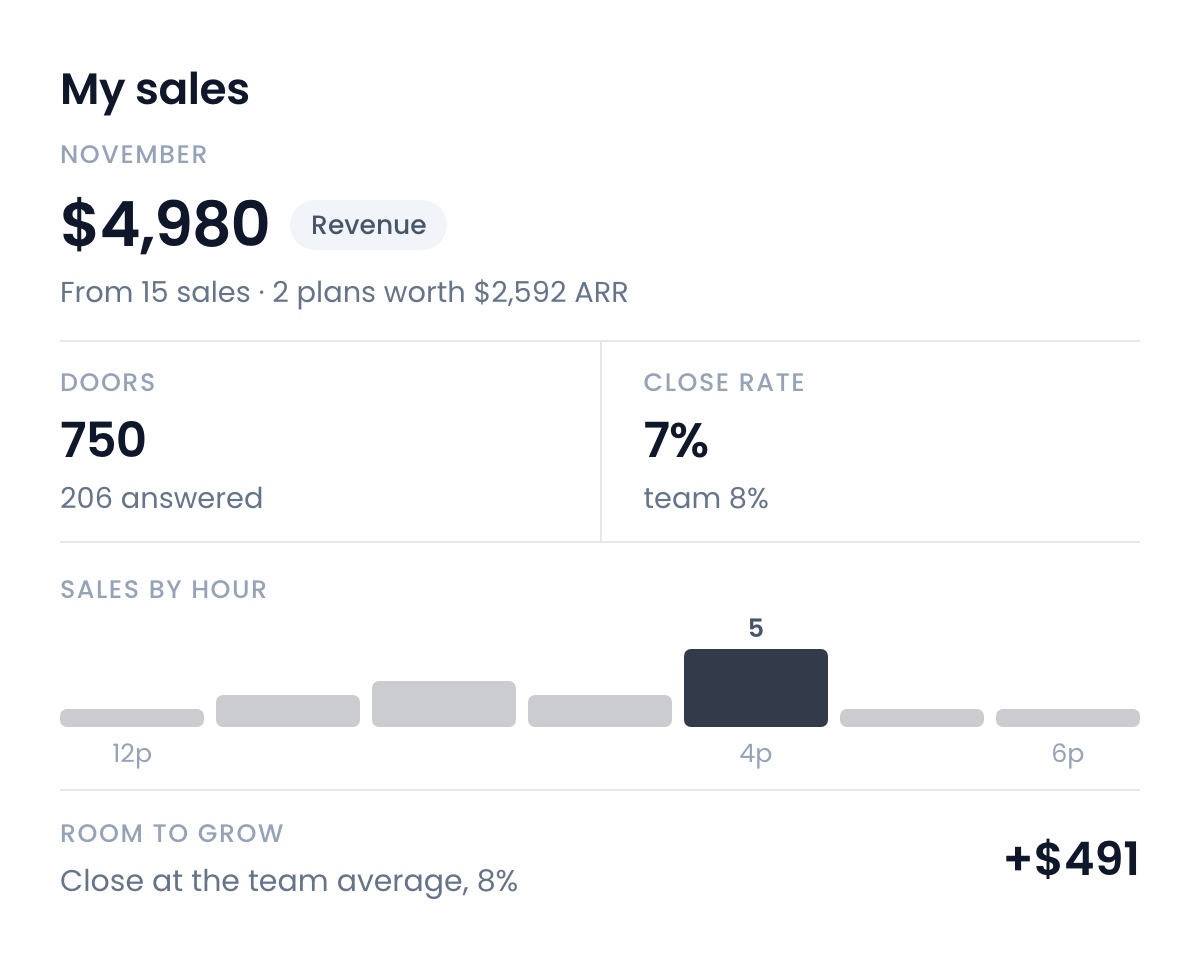
Sales data
Sales reps can now see all of their data on their dashboard: doors knocked, close rate, revenue per 100 doors, and a sales-by-hour strip showing when they sell best, with a full statement one tap deeper. It even shows them what closing like the team’s best would be worth in dollars.
August 24, 2026Learn more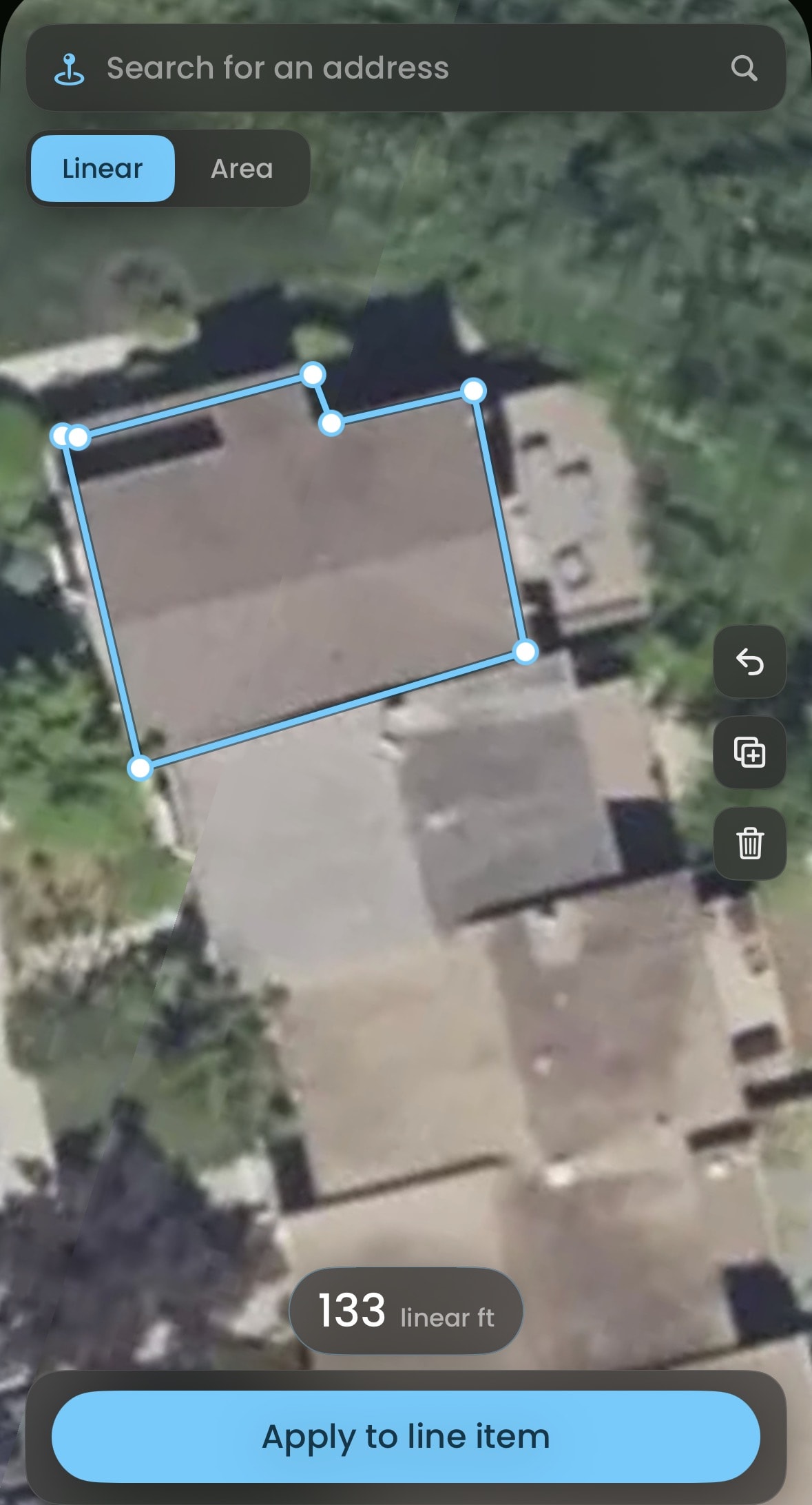
Automatically measure and price properties
Trace the property in satellite view and apply the measurement straight to your jobs, estimates and subscriptions.
August 17, 2026Learn more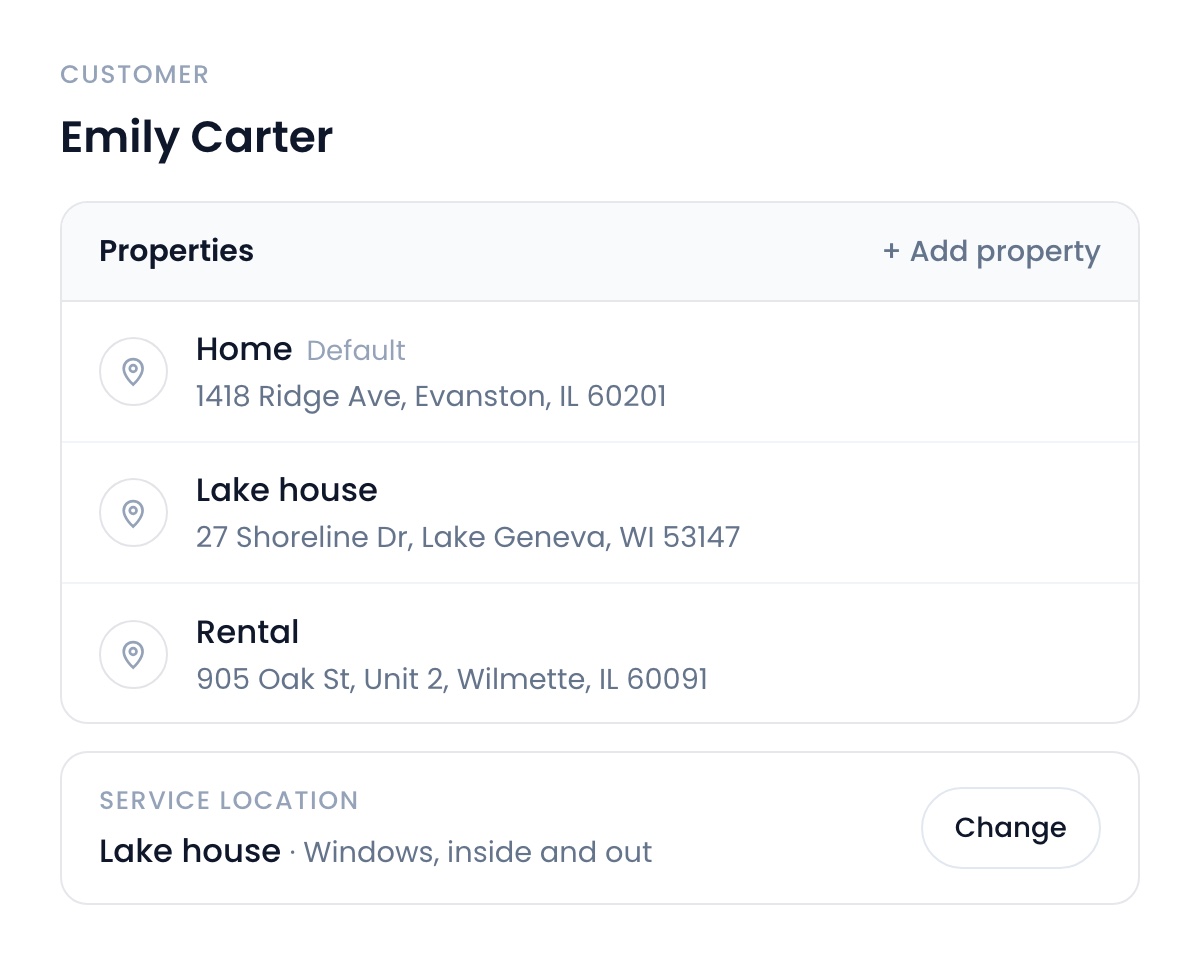
One customer record, multiple properties
A customer with three properties used to mean three separate records, not anymore. You can now have multiple properties per customer. Jobs and subscriptions point at the exact property it happens at and every agreement prints the right address.
August 17, 2026Learn more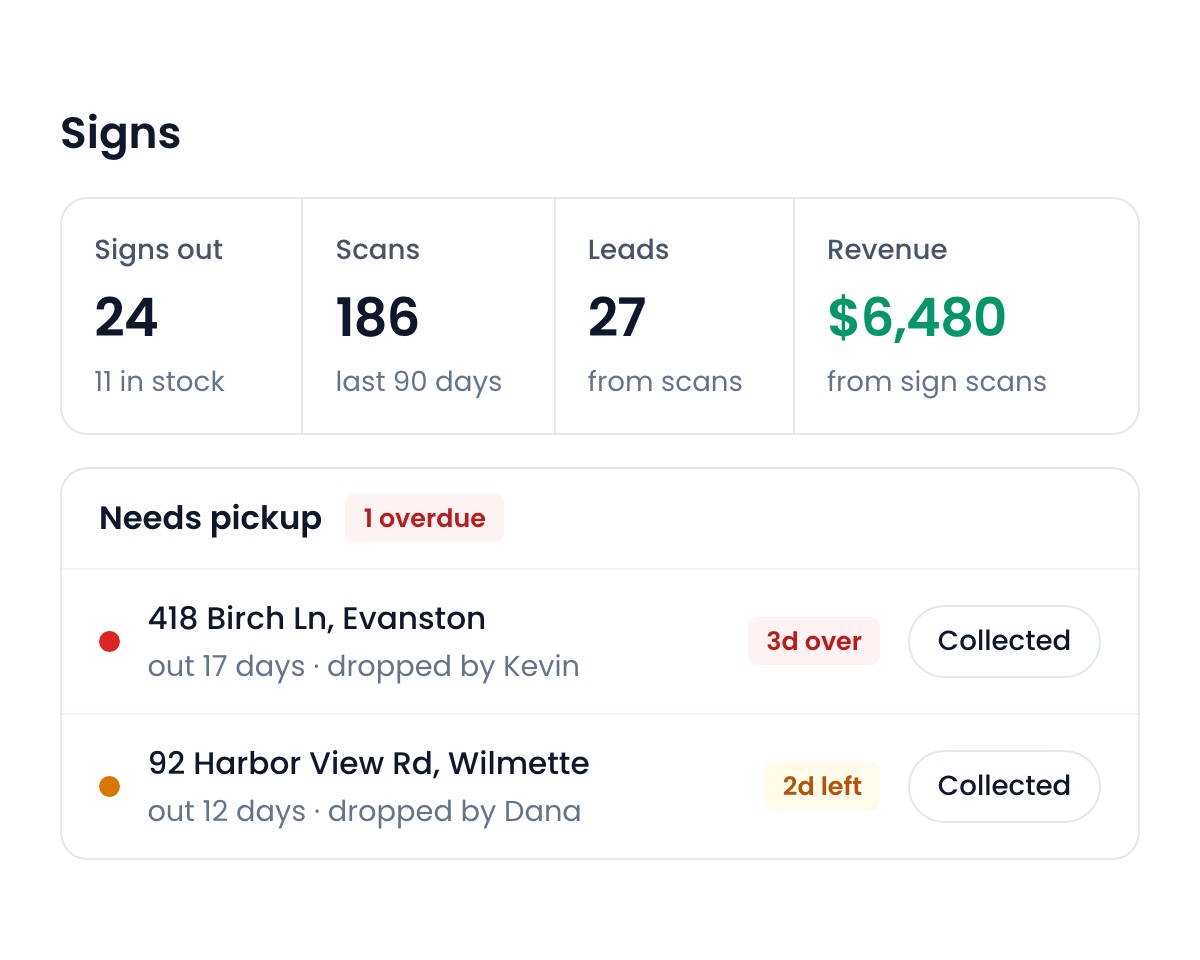
Integrated QR tracking and analytics
Yard signs, flyers and door hangers each get a QR code. A neighbor scans it and lands in your pipeline. You see which areas convert, what actually works, and which signs are due for pickup, right on Flyra.
August 17, 2026Learn more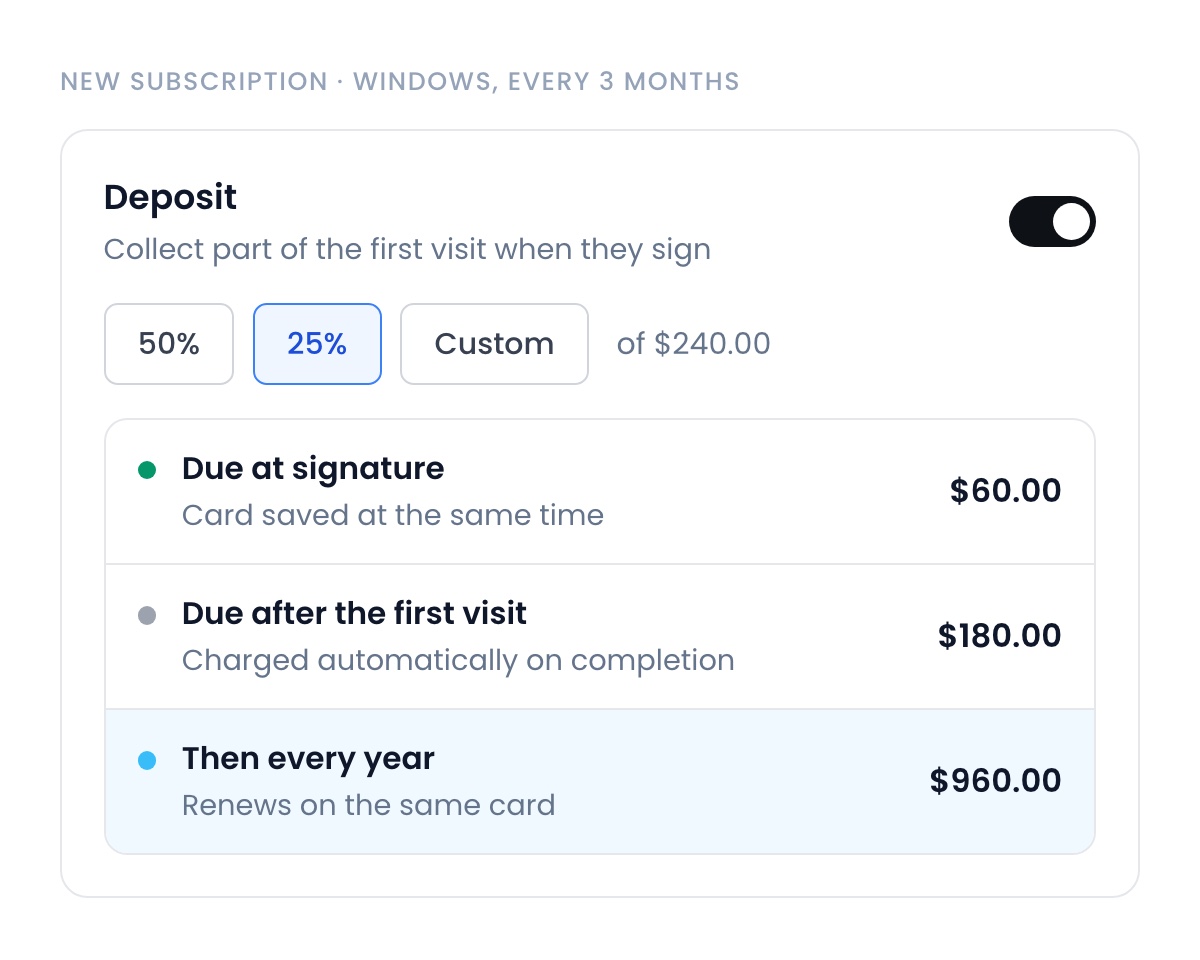
Require deposits for recurring plans
Flip one toggle and the plan collects part of the first visit at signature, with the card saved at the same moment. The rest charges automatically after the first visit, and every renewal hits the same card. No more starting recurring work on a promise.
August 17, 2026Learn more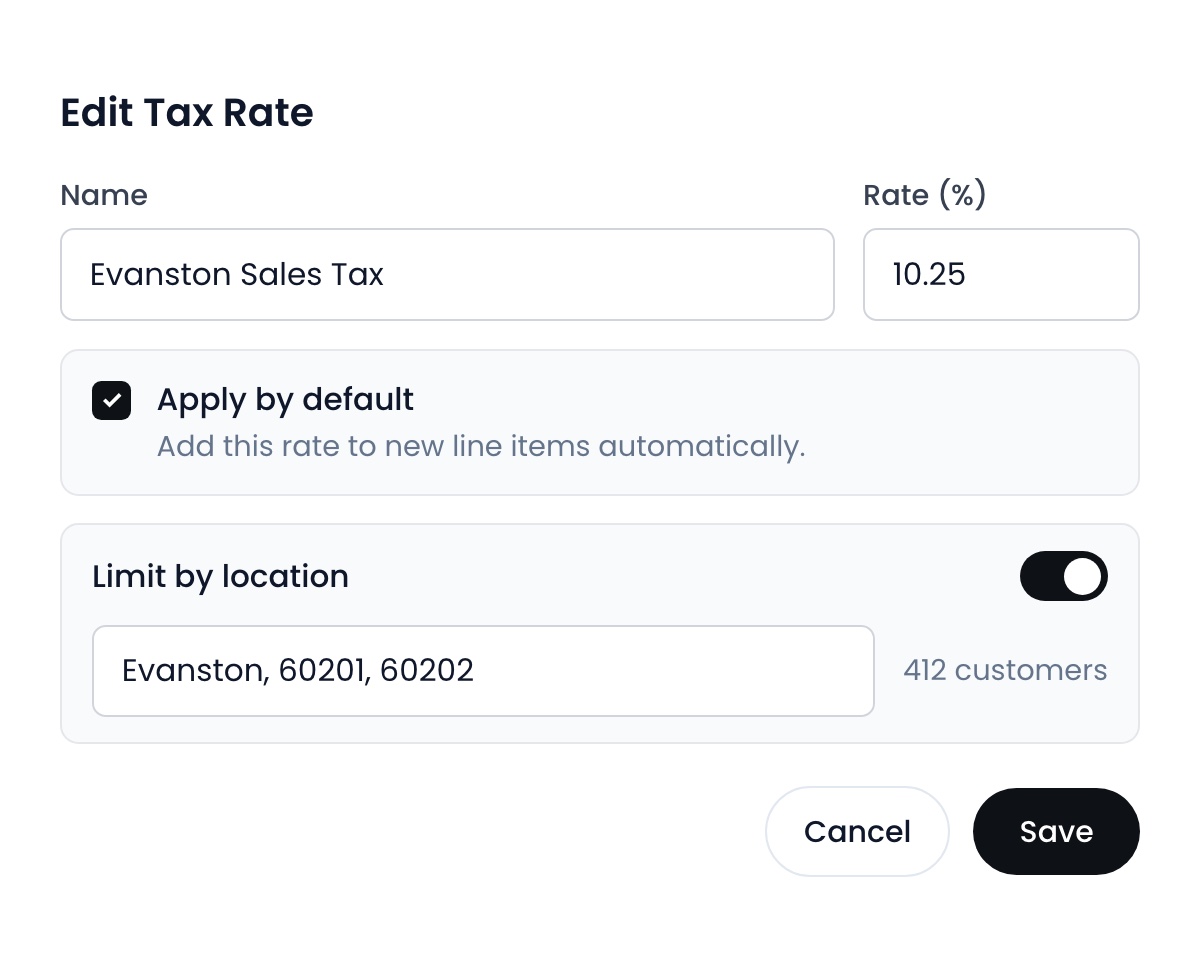
Auto apply tax rates
Reps picking the wrong sales tax quietly costs you thousands every year. Now you decide exactly where and when each rate applies, down to the state, city or ZIP.
August 17, 2026Learn more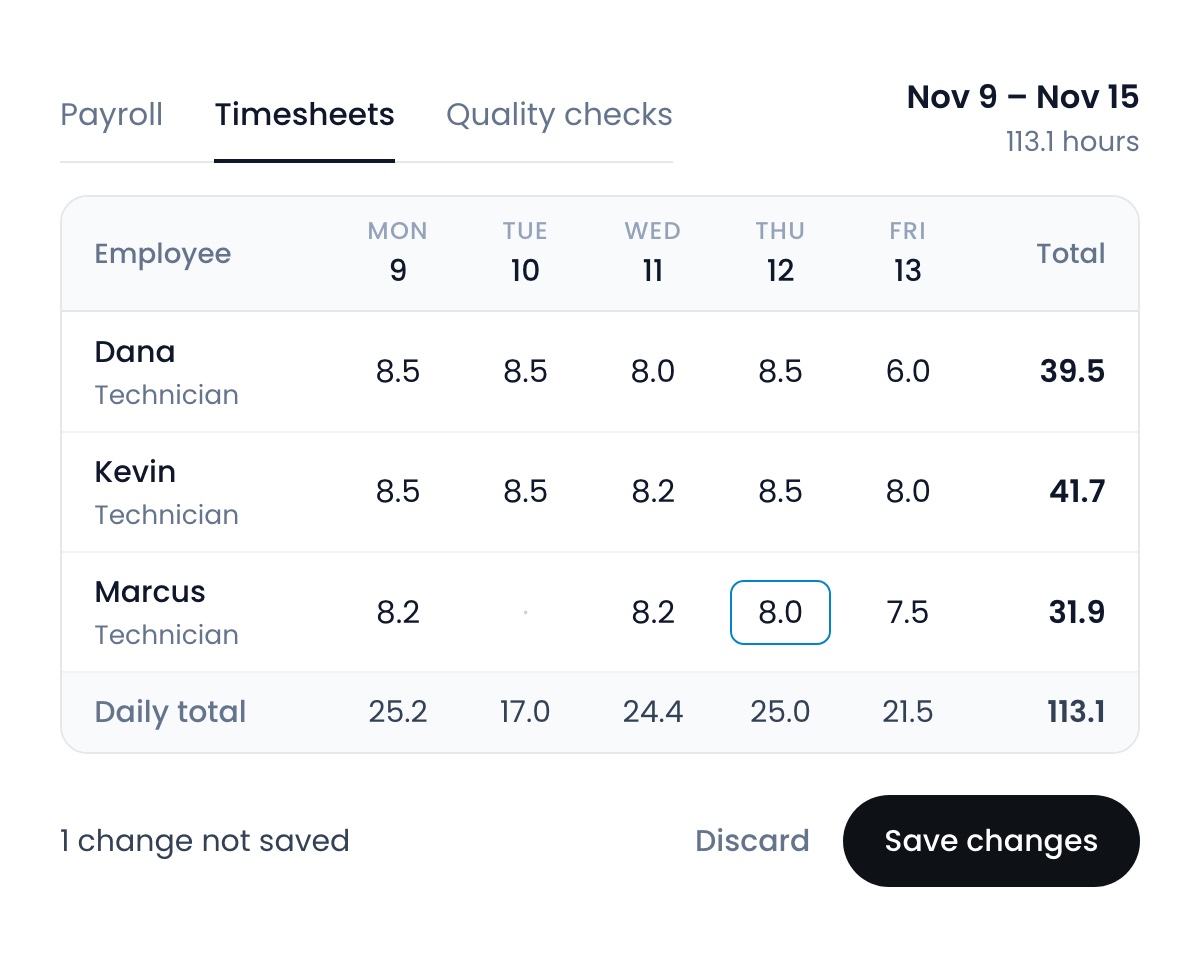
Timesheets, wired into payroll
View and edit every employee’s timesheet, and the hours land in Flyra payroll on their own.
August 17, 2026Learn more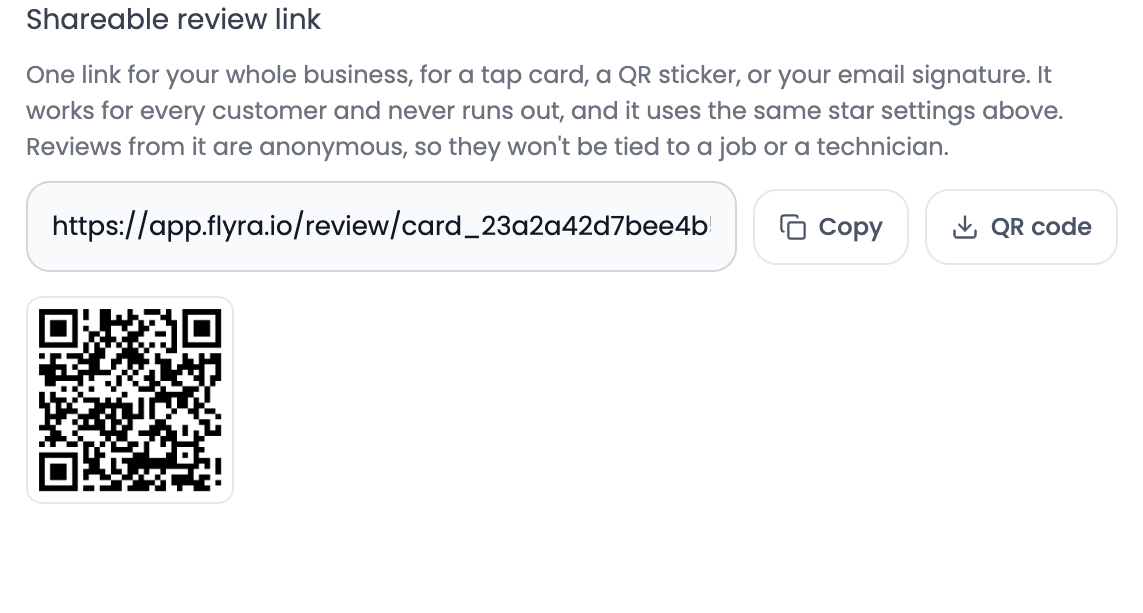
One review link, everywhere
A reusable review link for tap cards, QR codes and anywhere else you want reviews from, still wired through your review gate so your business profile stays clean.
August 17, 2026Learn more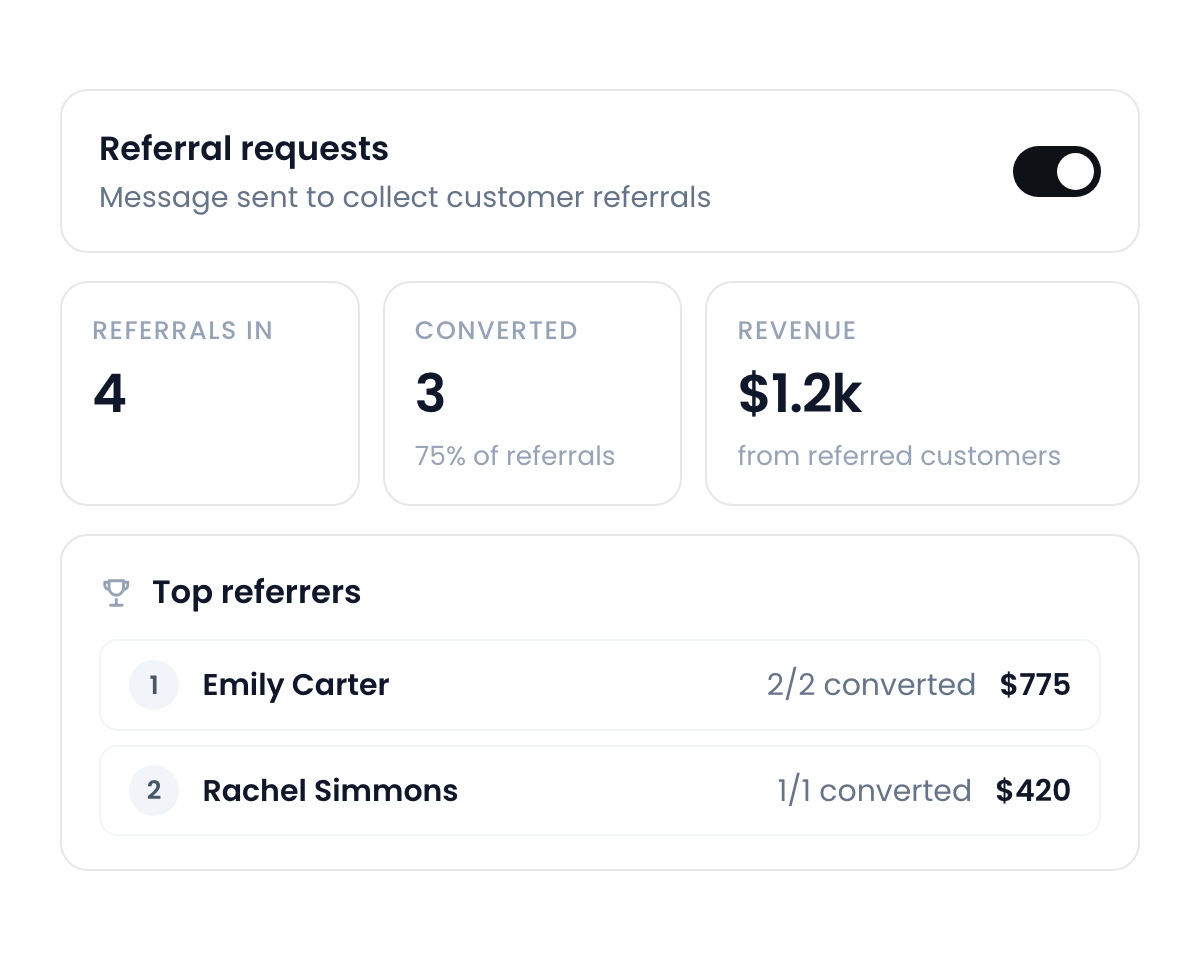
Your own referral program
Flyra automatically sends out referral requests to happy customers and tracks who they send you, allowing you to grow your business from happy clients.
August 10, 2026Learn more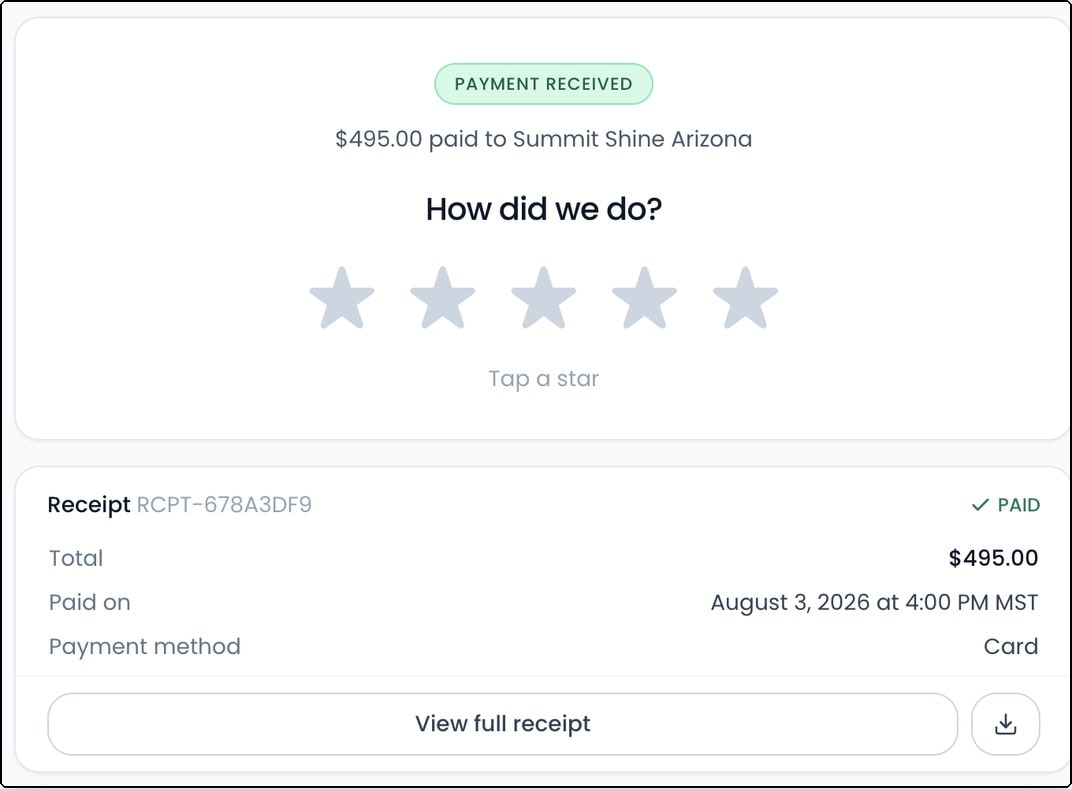
Ask for the review the second they pay
After a customer pays, they land on a receipt with the review ask right at the top. They’re already on their phone thinking about you. It’s the best moment you will ever get, and it’s already switched on.
August 10, 2026Learn more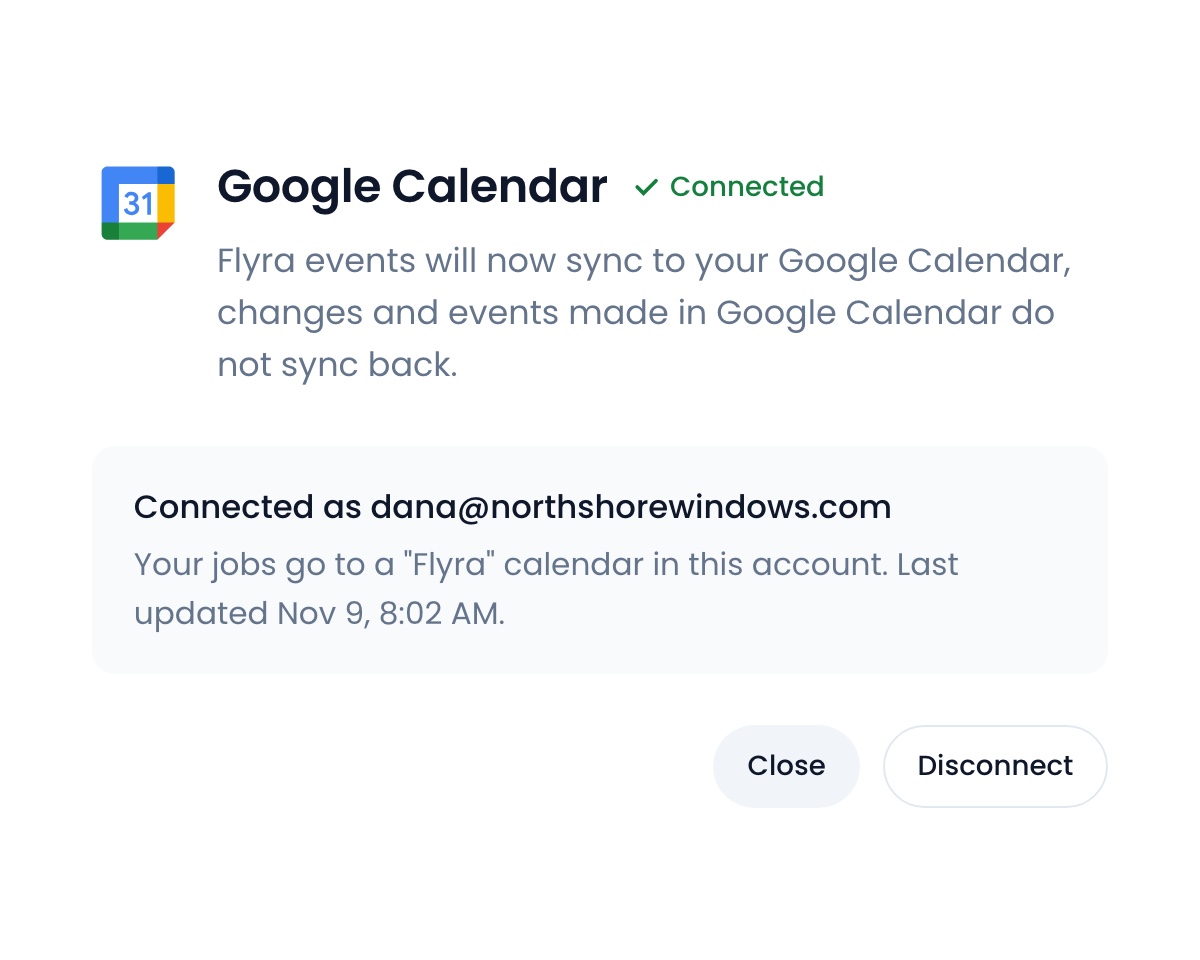
Your jobs, in Google Calendar
Connect Google Calendar once and every scheduled job syncs across automatically. Your crew sees the day’s work wherever they already look, and you choose which roles it applies to.
August 10, 2026Learn more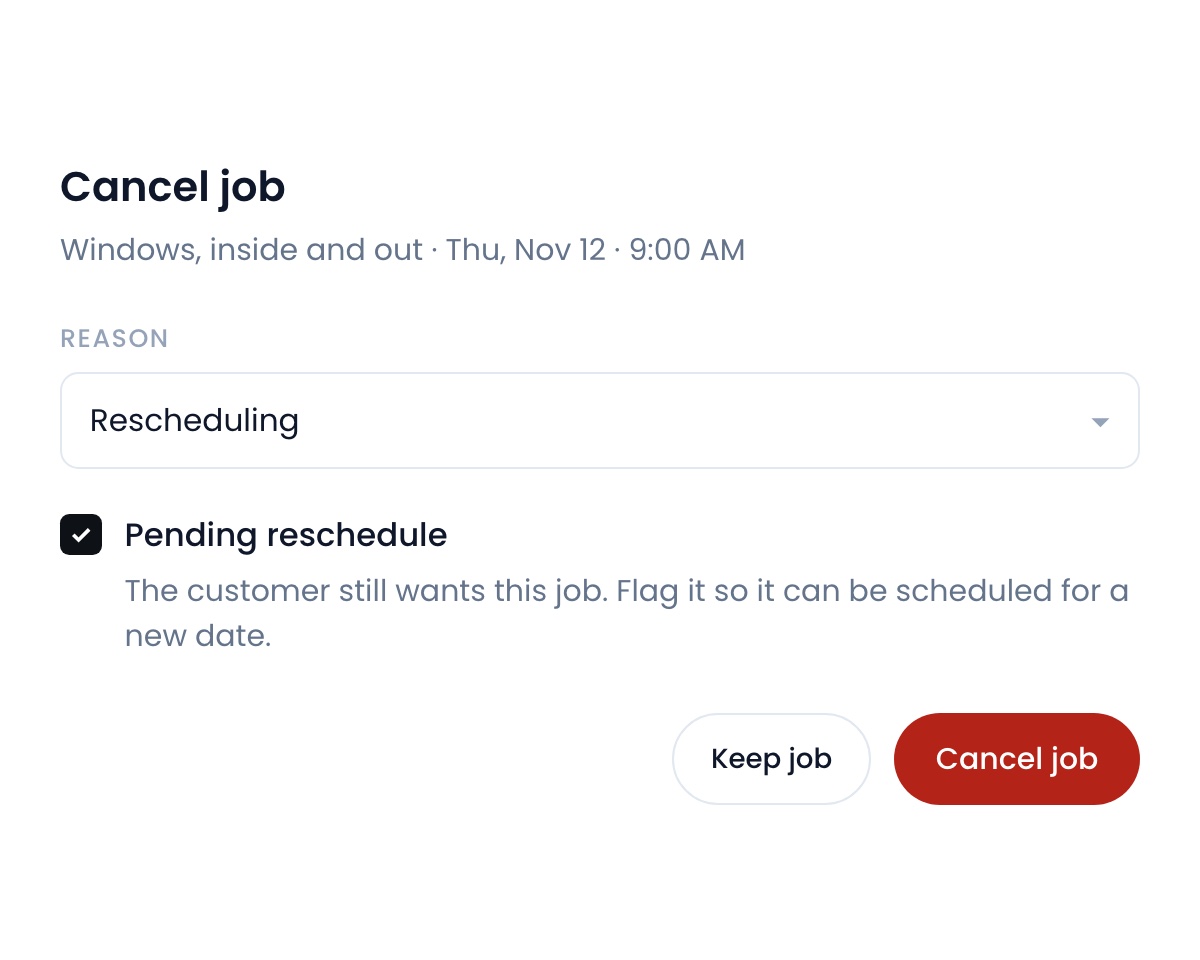
Nobody falls through the cracks on a cancel
Cancelling a job now lets you mark it pending reschedule. It stays pinned to your calendar until you rebook it, so the customer never quietly disappears.
August 10, 2026Learn more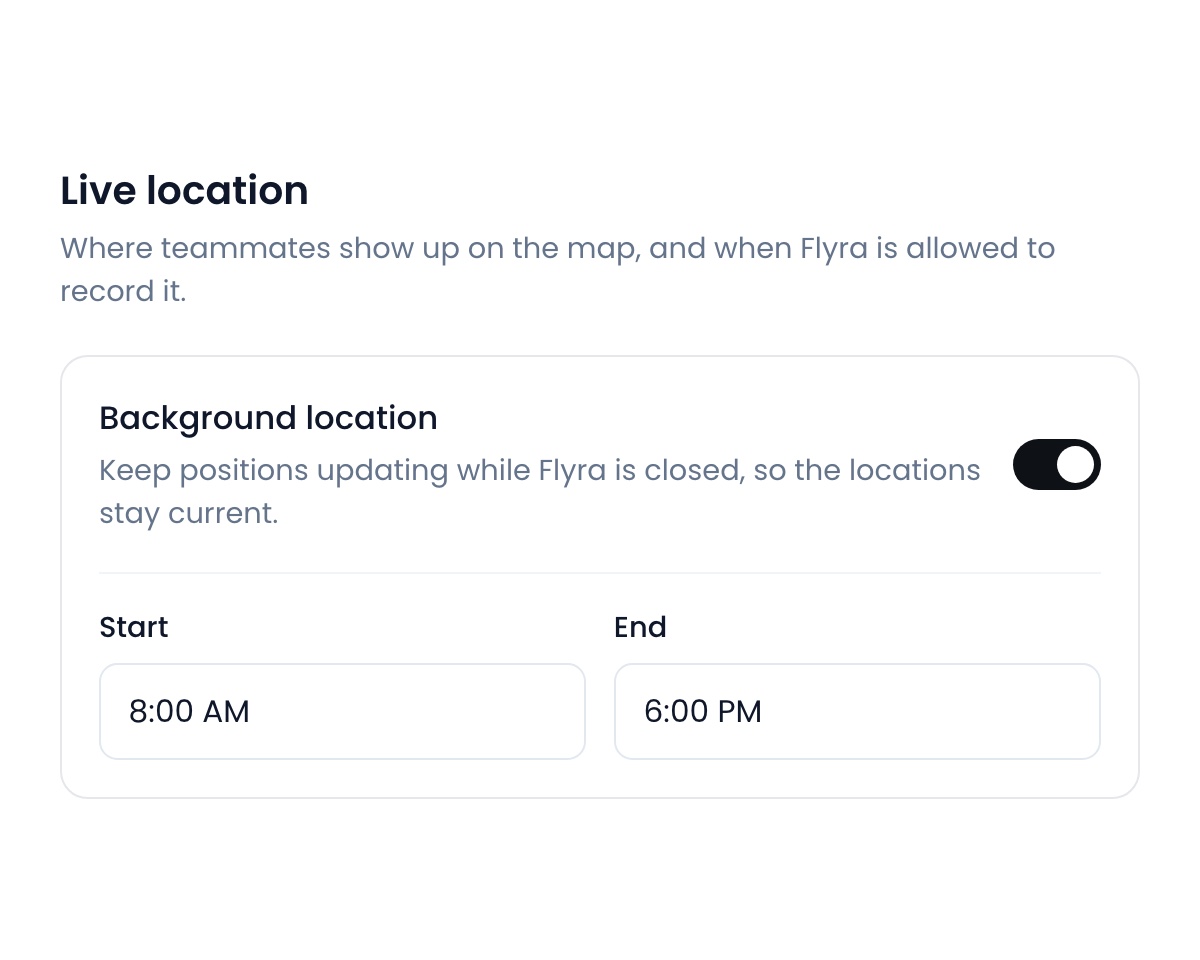
See where your team is, even off the app
Turn on background location and positions keep updating while Flyra is closed. Set the hours it applies to so it only ever runs while your crew is on the clock.
August 10, 2026Learn more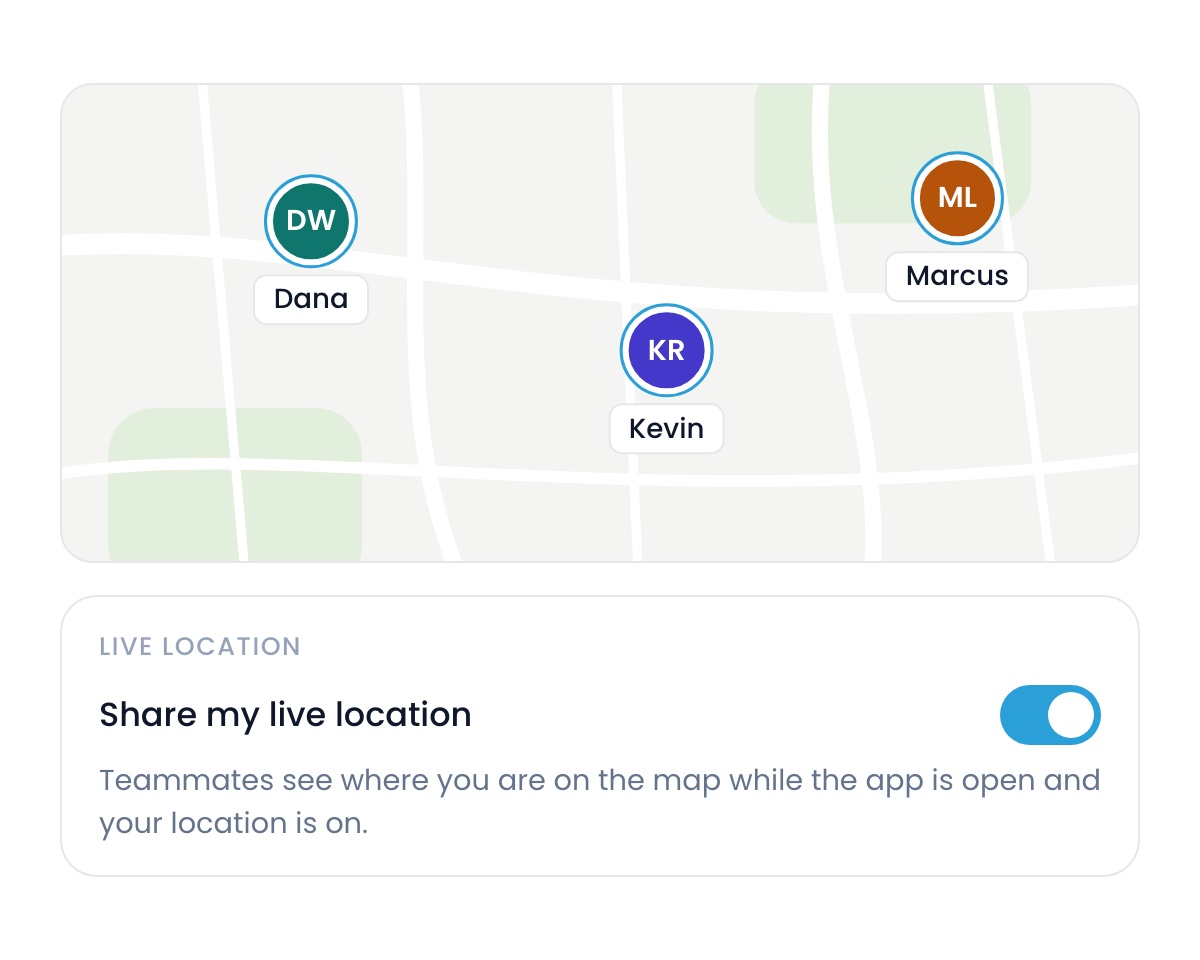
See your team on the map, live
The Flyra map now shows your whole team live. To turn it on, update the app to 7.1 on the App Store, then flip the toggle under Settings → Profile.
August 3, 2026Learn more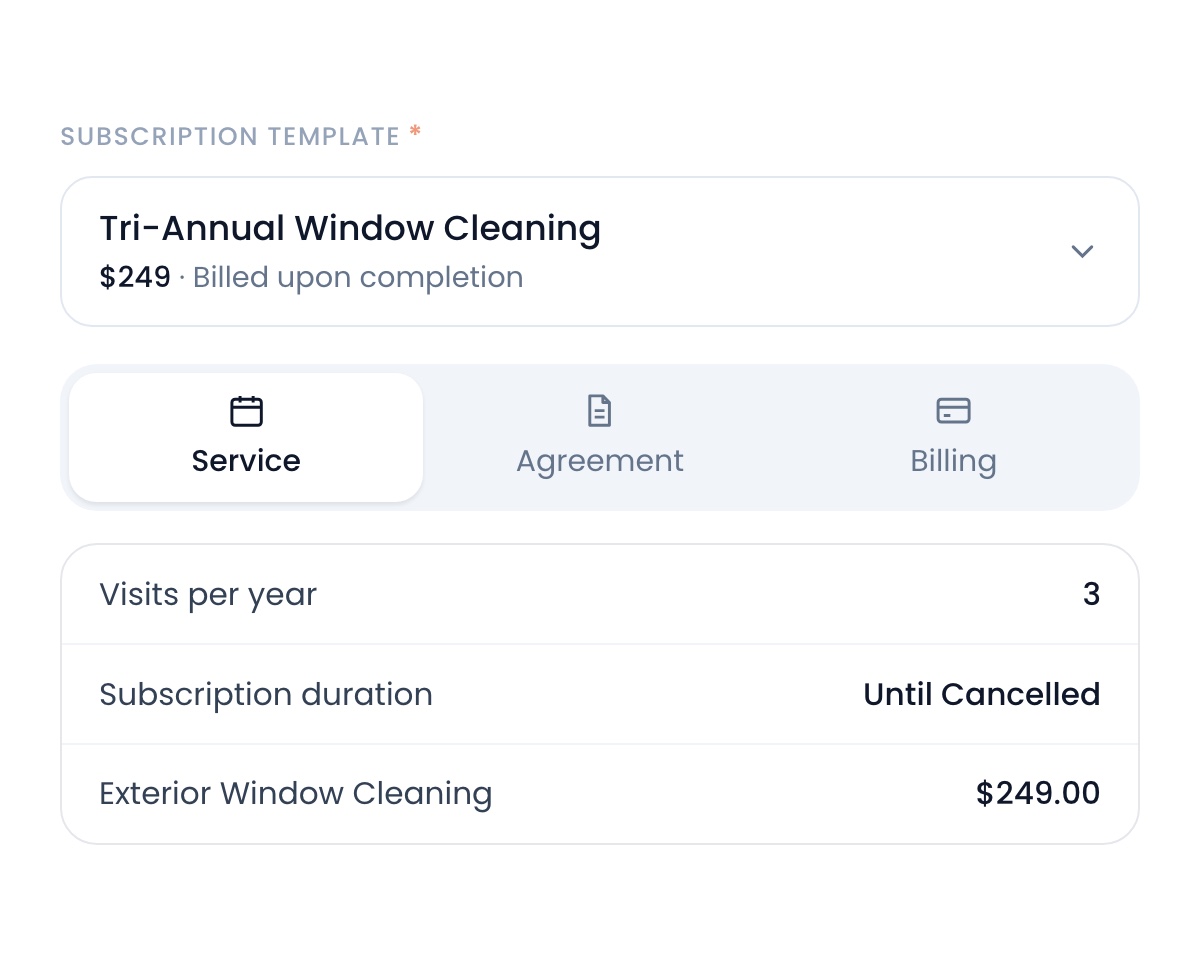
Subscriptions, without the friction
Pick a plan template and Flyra fills in the service, the agreement and the billing. Your customer signs and pays on one page.
August 3, 2026Learn more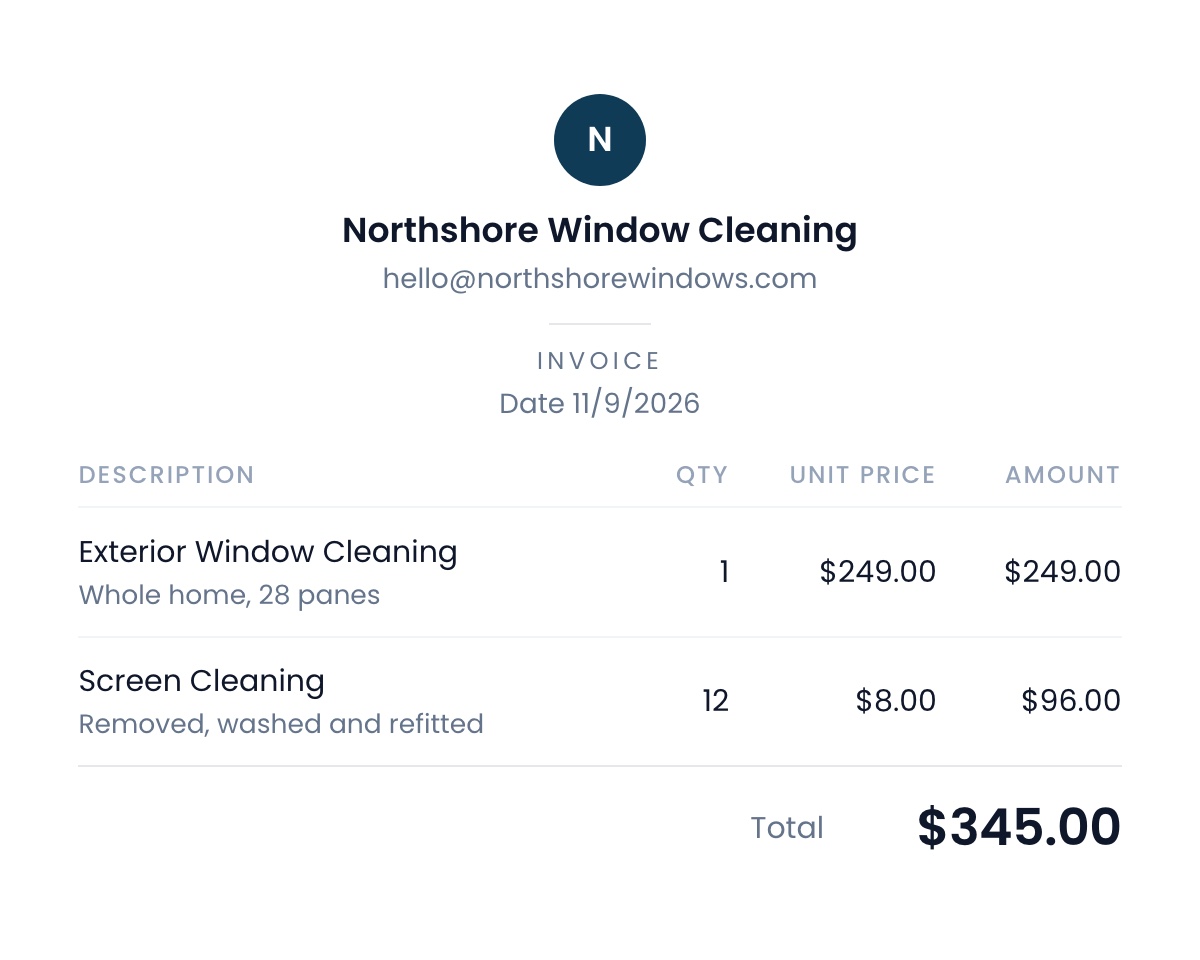
A redesigned client portal
Every invoice, estimate and subscription your customers open has a new look. Clean, consistent and built around your brand.
August 3, 2026Learn more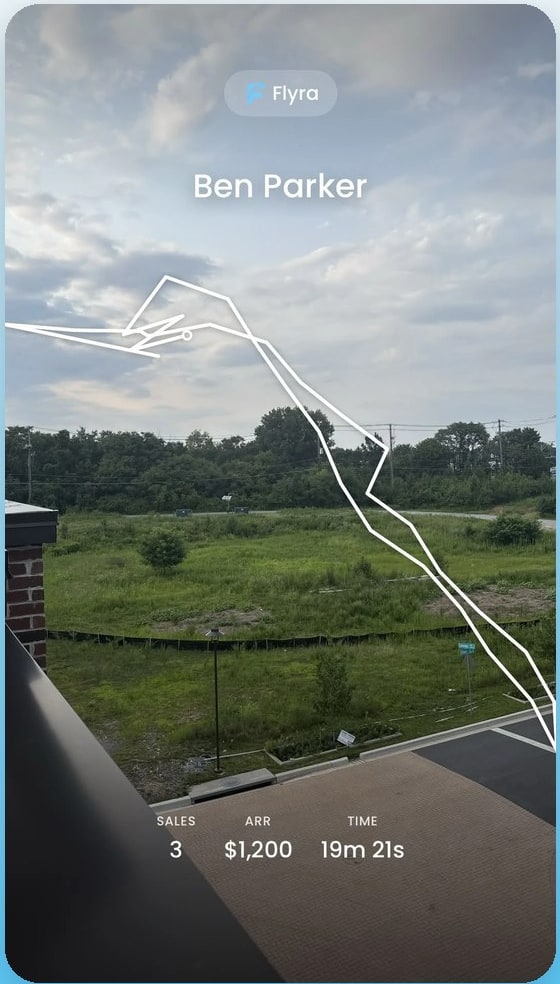
Knocking, recorded
Your rep sells. Flyra records the route, the doors, the sales, the ARR and the time on the field. End the session, take a photo, and the recap is ready to post.
July 27, 2026Learn more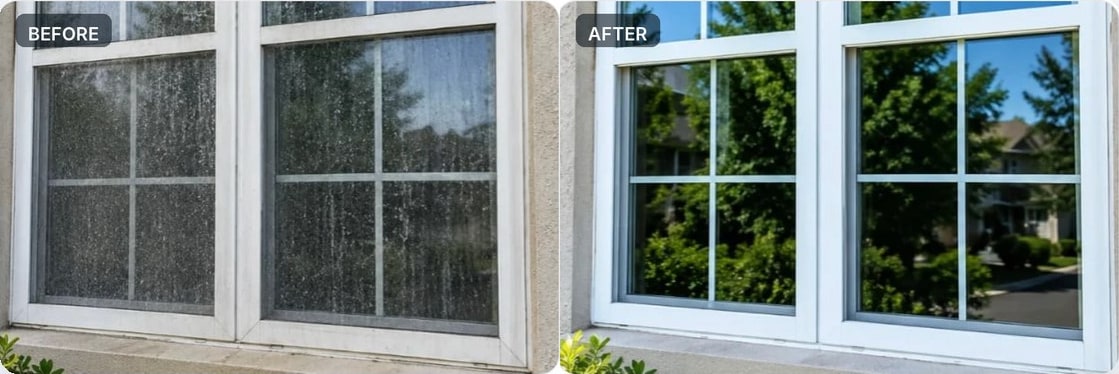
Visual before and after on estimates and subscriptions
Show your customers a visual of the work you will perform, so they can see the value of the service instead of only hearing about it.
July 27, 2026Learn more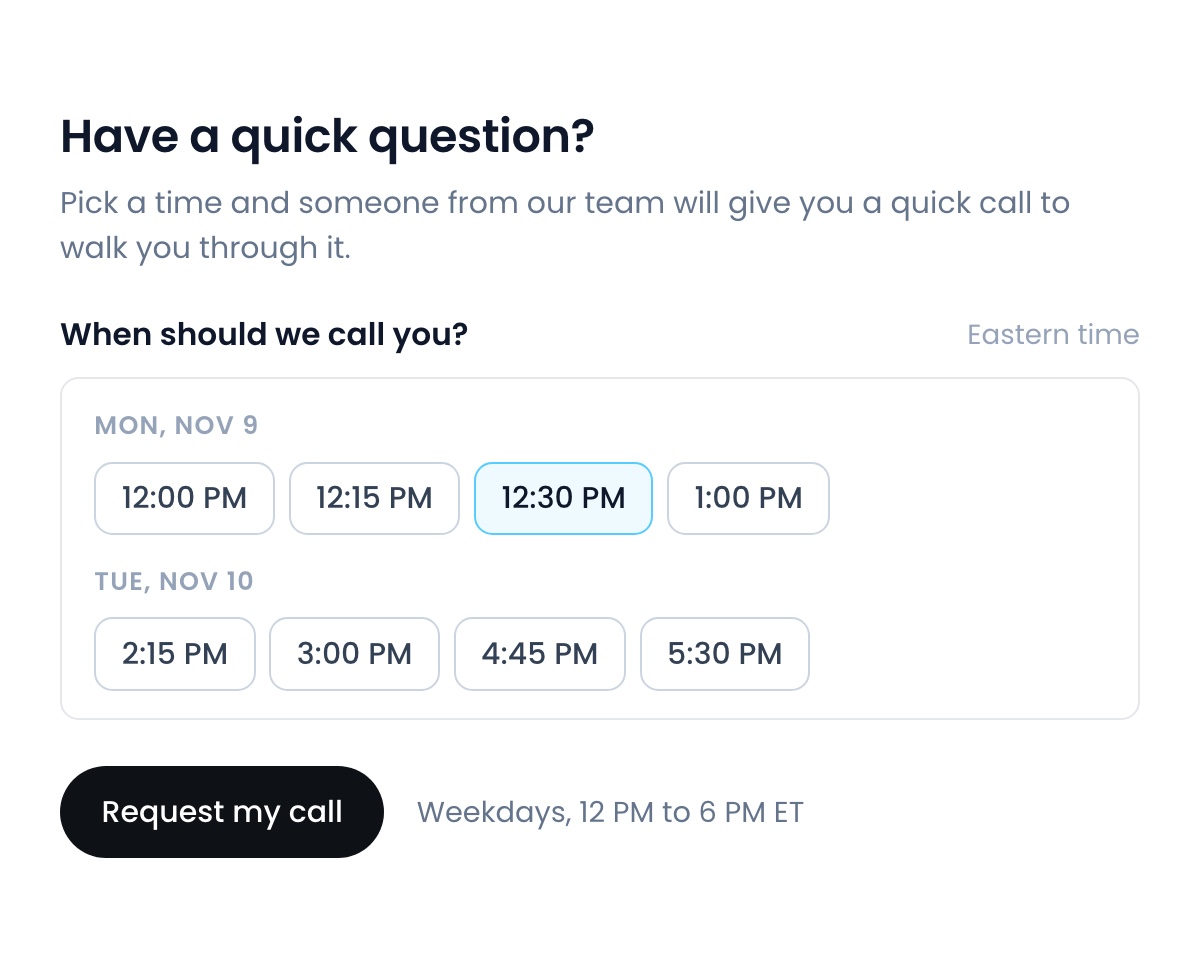
Help, on the phone
Need help walking through a part of Flyra? Use the Ask for help button on your sidebar to pick a time, and someone from our team will call you and walk you through it. Available weekdays, 12 PM to 6 PM ET.
July 27, 2026Learn moreSee why teams are switching to Flyra
Thirty minutes where we show you how Flyra will help your business.