The Save Center, a Retention report and receipts for every payment
The Save Center, a Retention report, receipts for every payment and more.
October 12, 2026 · 4 new featuresThe Save Center
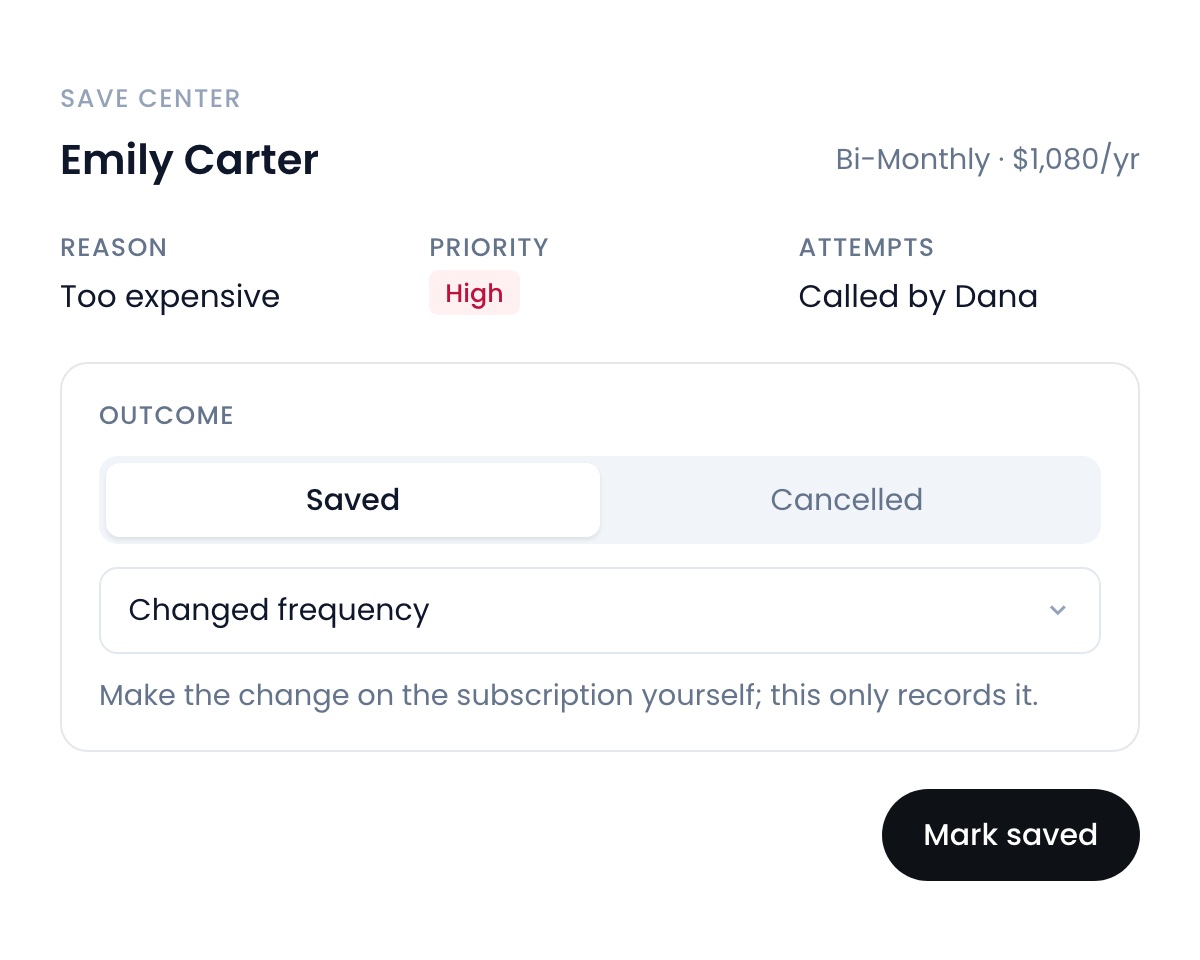
Instead of cancelling, your reps send cancellations to your team first. Your team reaches out, makes an offer, and records whether the customer stayed, before it comes off your ARR. Off until an admin turns it on.
Churn, ARR and LTV, all in one place
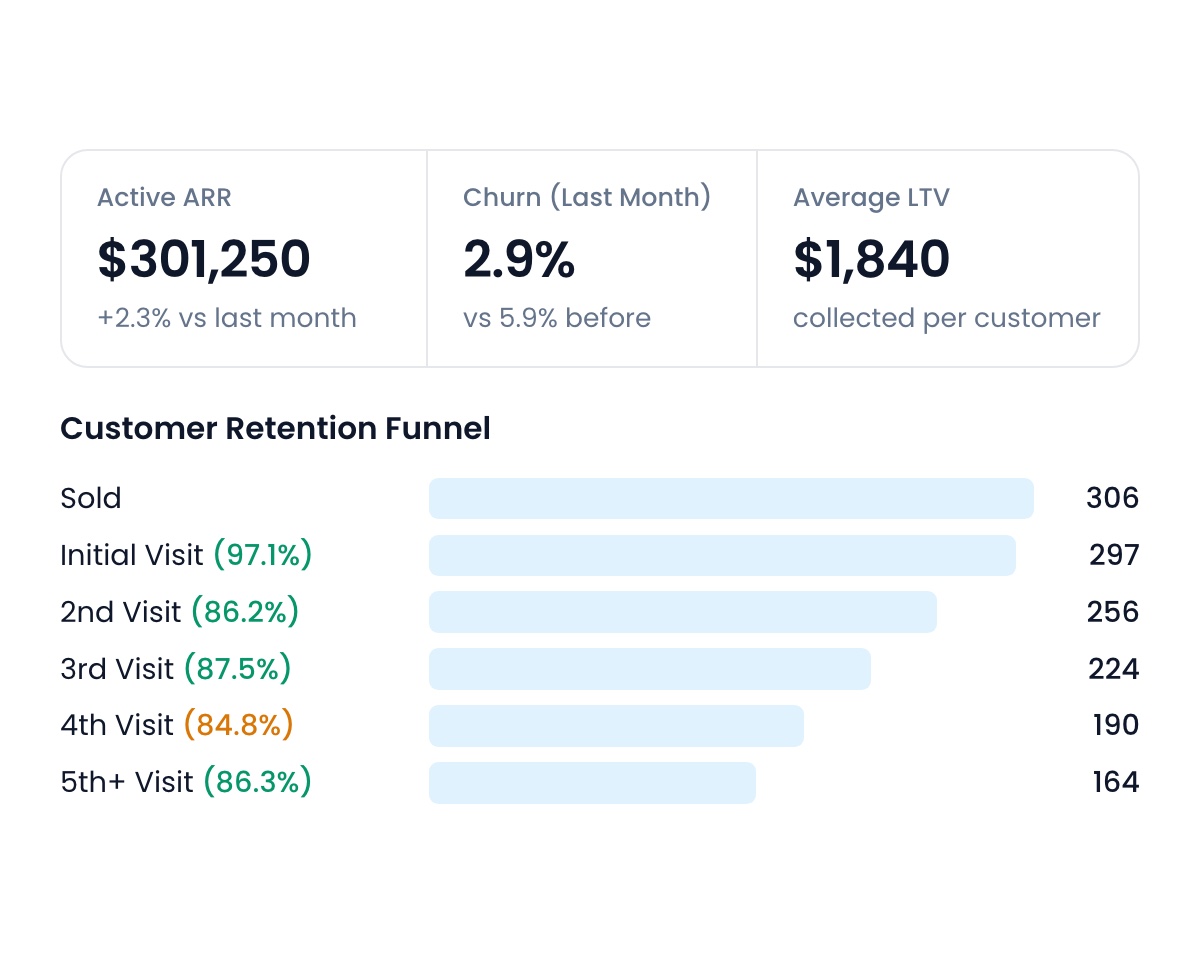
The new Retention report shows your active customers, ARR, churn and ARR lost each month, next visit retention, initial visit completion, average customer lifespan and LTV. Follow every subscription from sold to the 5th visit and see where customers drop off by sales rep, city and frequency.
A receipt for every payment
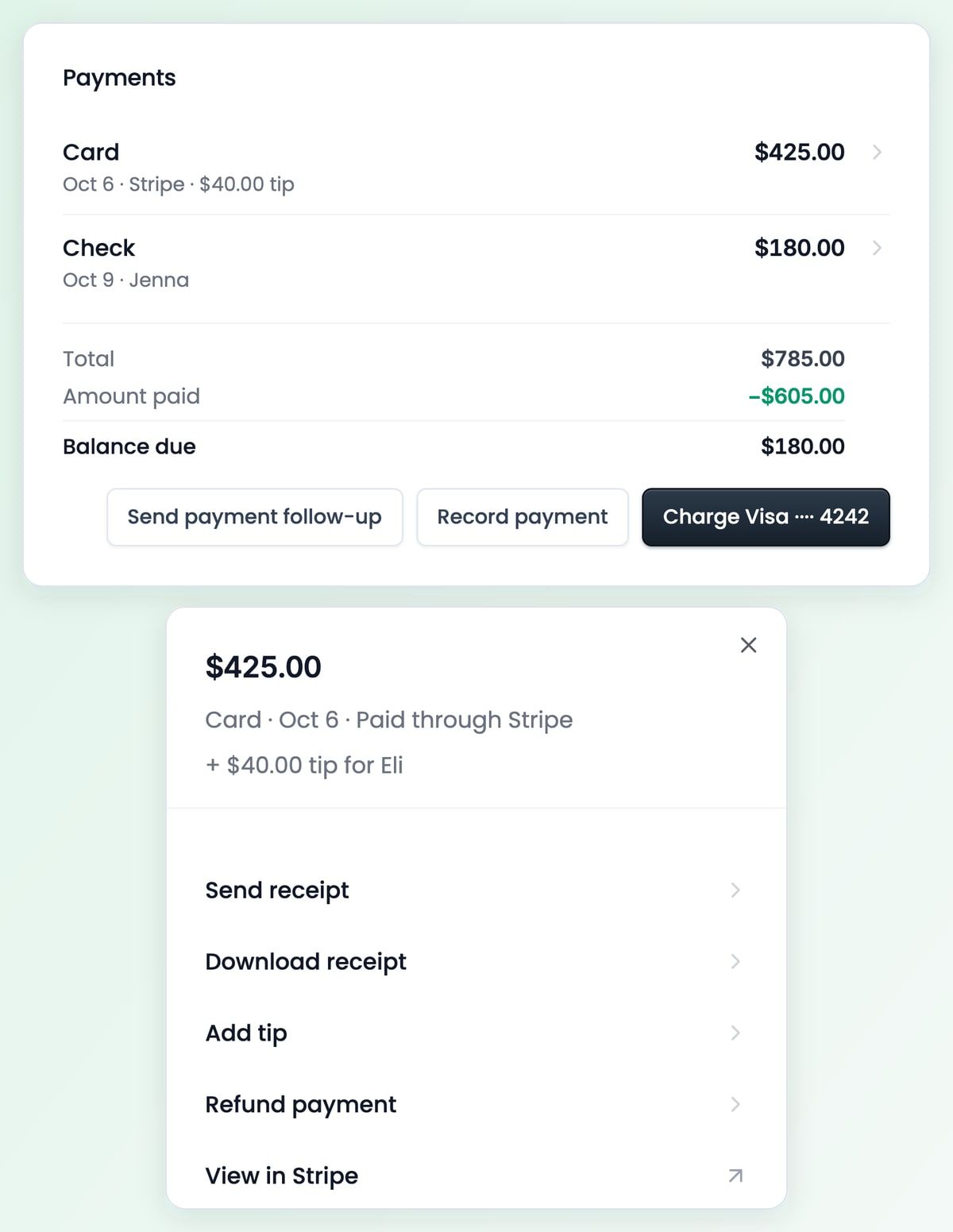
Click a payment to send or download its receipt, refund it, or add a tip. Cards, checks and cash all sit in one Payments list on the job, with the balance still due under them.
A new tab bar on iPhone
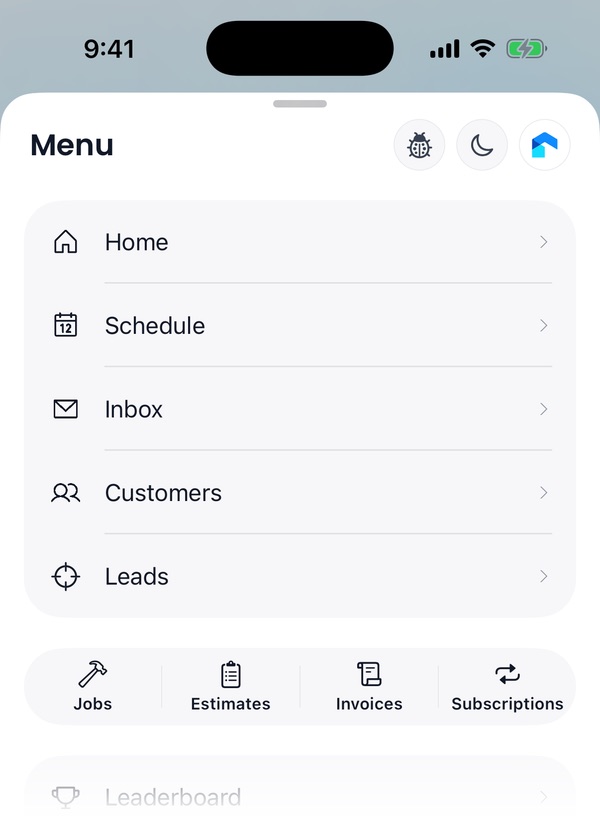
The iPhone app has a floating tab bar with Home, Schedule, Inbox, Customers and Menu, and a Create button beside it. Menu holds every other page, with your Jobs, Estimates, Invoices and Subscriptions lists one tap away.
Also new
- Cancellation reasons.Pick a reason every time a job or subscription is cancelled. You write the list and decide when one is required.Find it: Settings → Organization → Cancellation Reasons
- Lead attributions.A lead now opens on their lead journey: everything they sent you, filed by your custom field folders.Find it: Leads → a lead → Lead attributions
- Xero.Flyra now connects to Xero, not just QuickBooks.Find it: Settings → Payments → Accounting
- A default arrival window.Every new job starts with your arrival window instead of an exact time, and it shows on the job and your schedule.Find it: Settings → Preferences → Default arrival window
- Snooze a customer’s follow ups.Pause their automation until a day you pick.Find it: Customer page → Snooze
- Bonuses and pay per job.Give a one-off bonus, a set dollar amount on a job, or a different commission rate for each lead source.Find it: Payroll → an employee
New to Automations
- Ask for a review is now its own message step.
- Create lead can put a job’s customer back on the Leads board.
- Pick the pipeline a Create lead step files into.
New on the map
- Pins and clusters in the same look as the iPhone app.
- Your team’s knocking sessions on the web map.
New to Claude and ChatGPT
- Send an estimate for signature.
- Create recurring jobs.
- Read call transcripts and recordings.
- Your API key now does everything the connector does.
See why teams are switching to Flyra
Thirty minutes where we show you how Flyra will help your business.