Meet your technician, live tracking and a phone menu
Introduce your technician, share a live map, collect the review, and answer every call with a menu.
November 2, 2026 · 6 new featuresMeet your technician
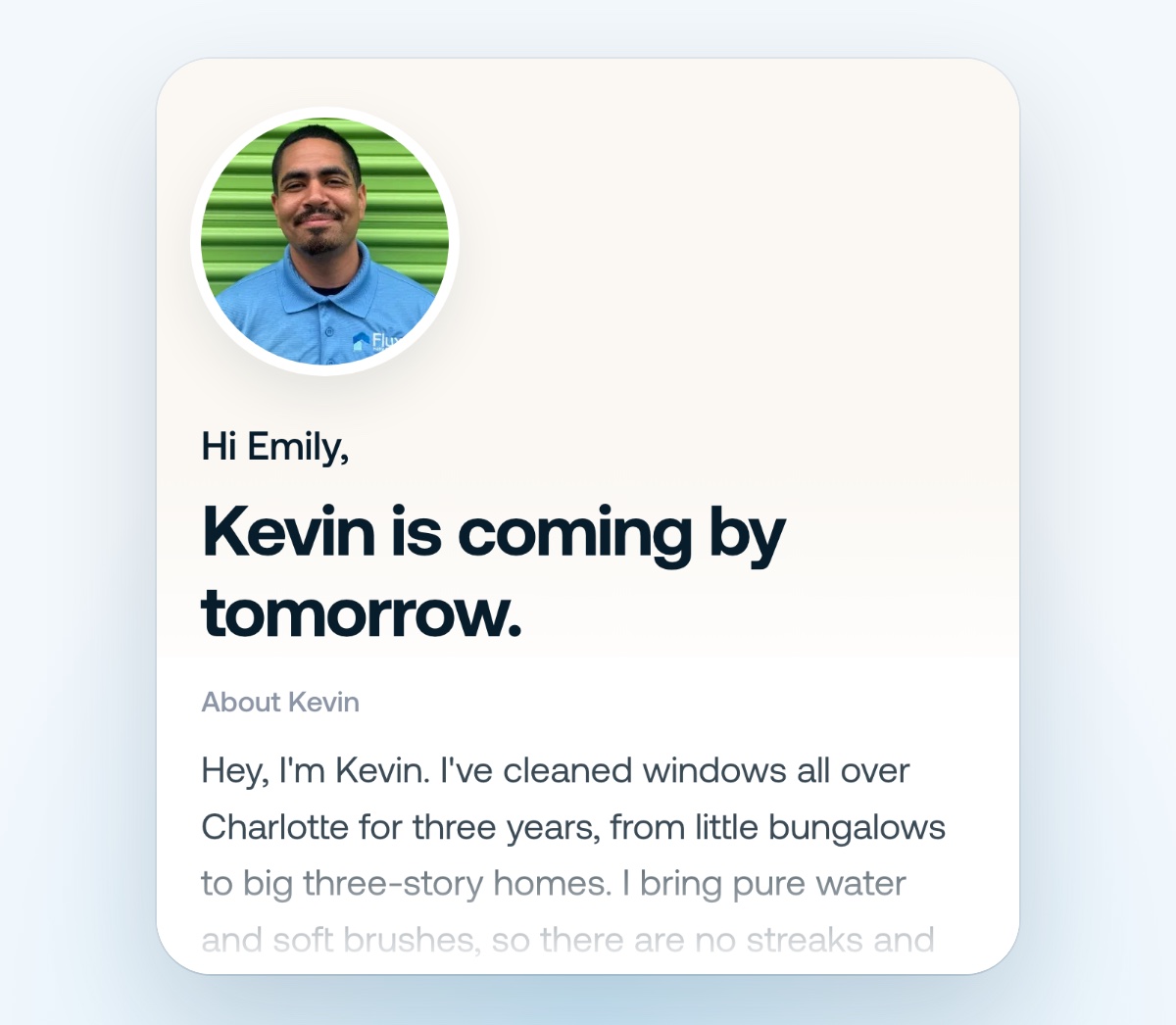
The day before, your customer sees exactly who’s coming: your technician’s face, their About me and your Google rating. They can say what matters most, and it lands on the job. Switch it on in Automations, then add an About me for each technician in Settings → Team.
Live tracking
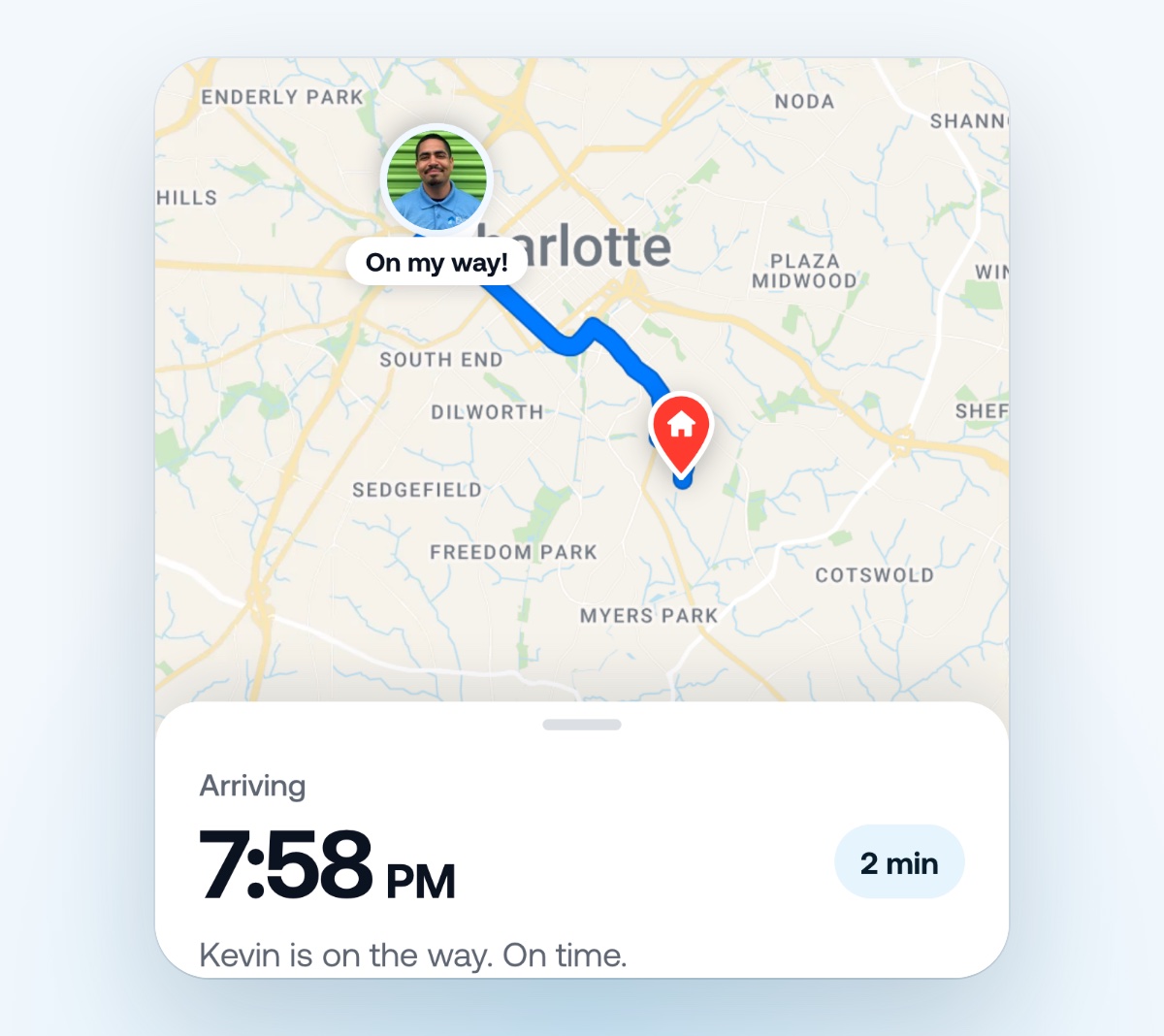
When your technician taps On my way, your customer gets a text with a link. It opens a live map of your technician on the way, with an arrival time that updates with traffic. Sharing stops the moment they arrive. Your technicians need the latest Flyra app and location on.
Running late, and thanks for having us
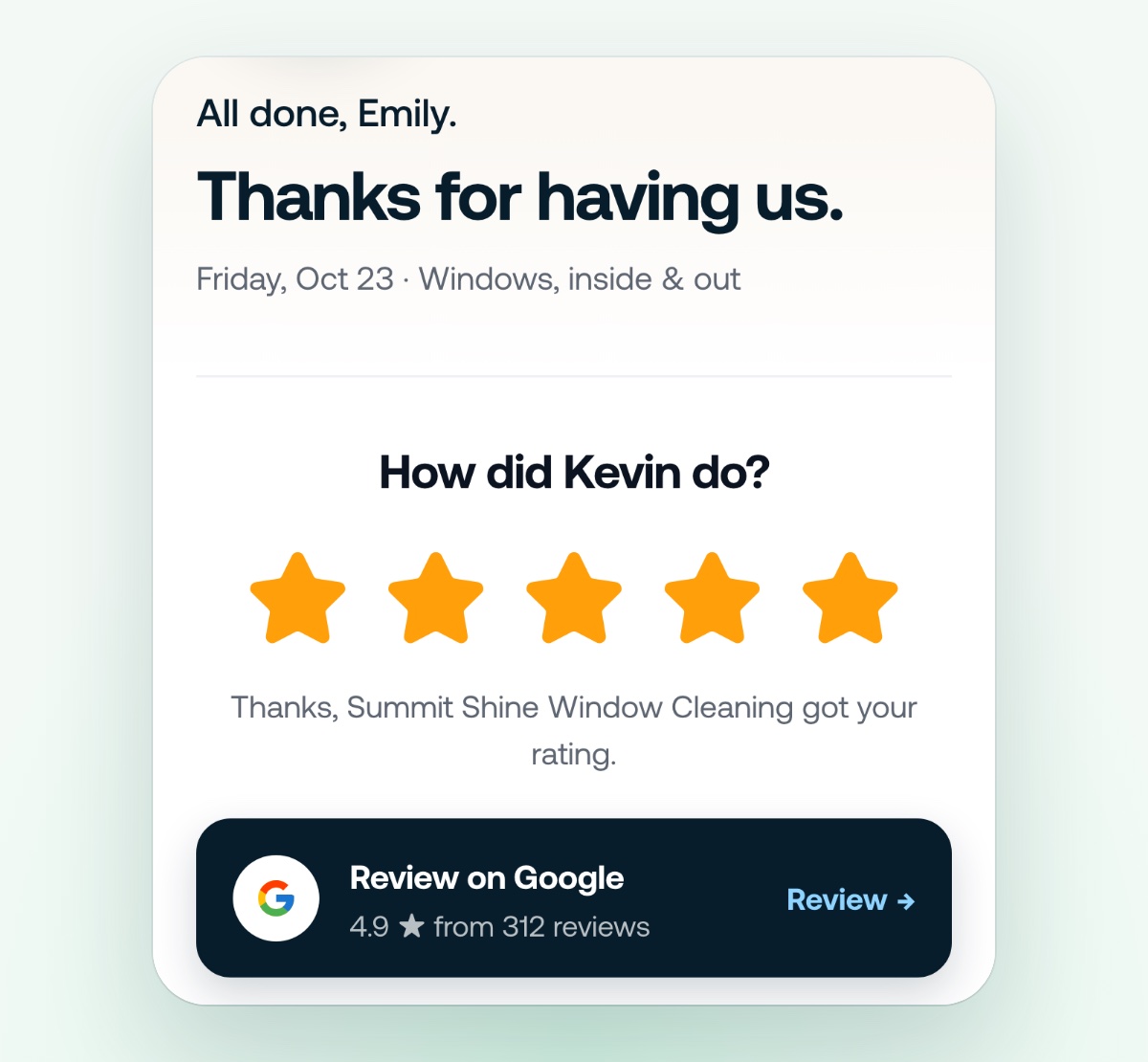
Running behind? Your customer gets the new arrival time before they have to ask, and the On my way sheet writes the text for your technician. When the job is done, your customer rates the visit in one tap and goes straight to your Google review, with a tip button if you take tips through Flyra.
Answer with a menu
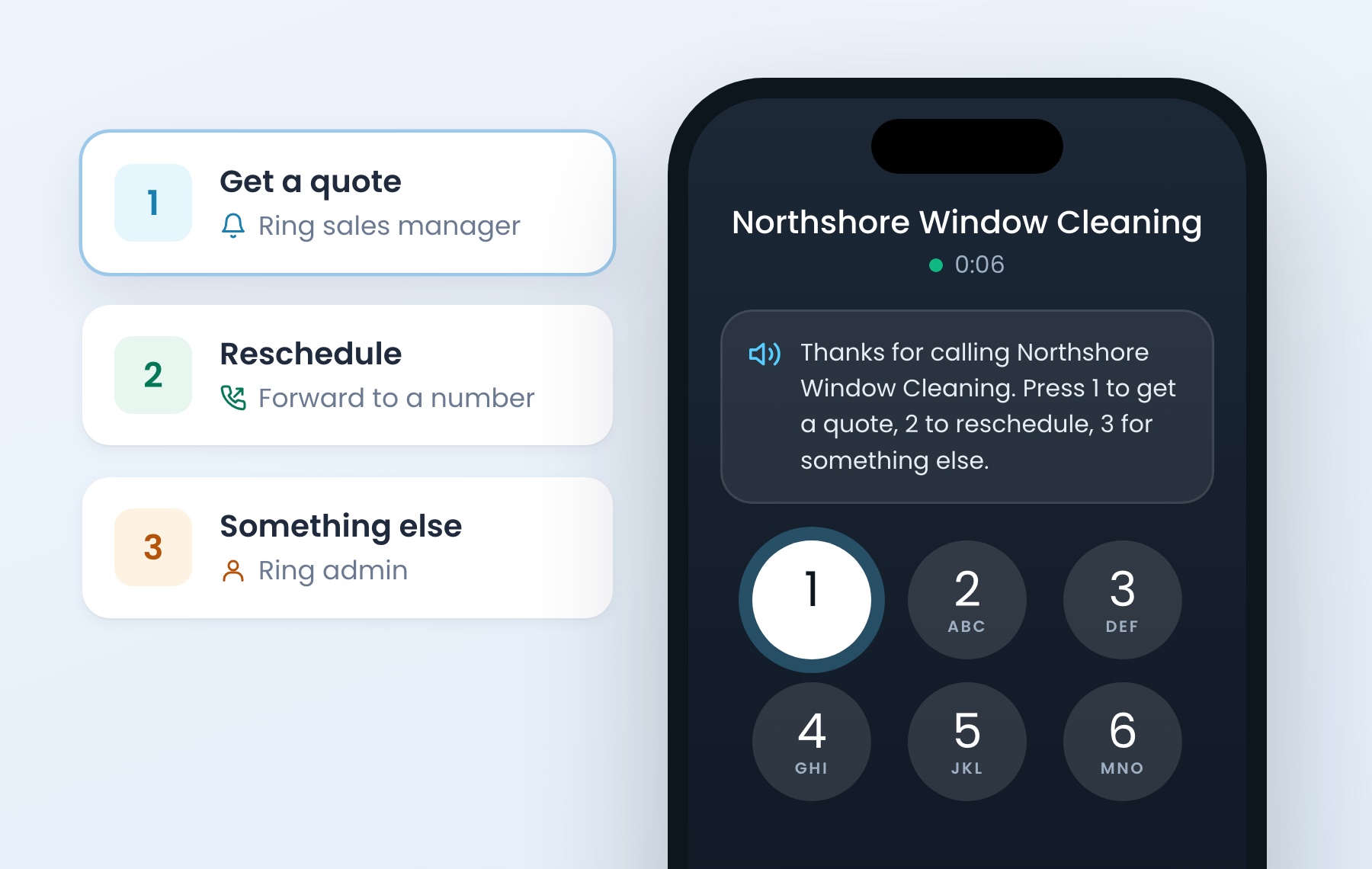
Callers hear your prompt and press a number. Each number goes where you choose: ring your sales manager, forward to a number or ring an admin. If they press nothing, every receiver rings, same as today. Turn on Answer with a menu, choose text to speech or your own recording, then add an option for each number.
Flyra is on Google Play
The Android app is live on the Google Play Store. Sign in the same way you do today.
Build your own emails
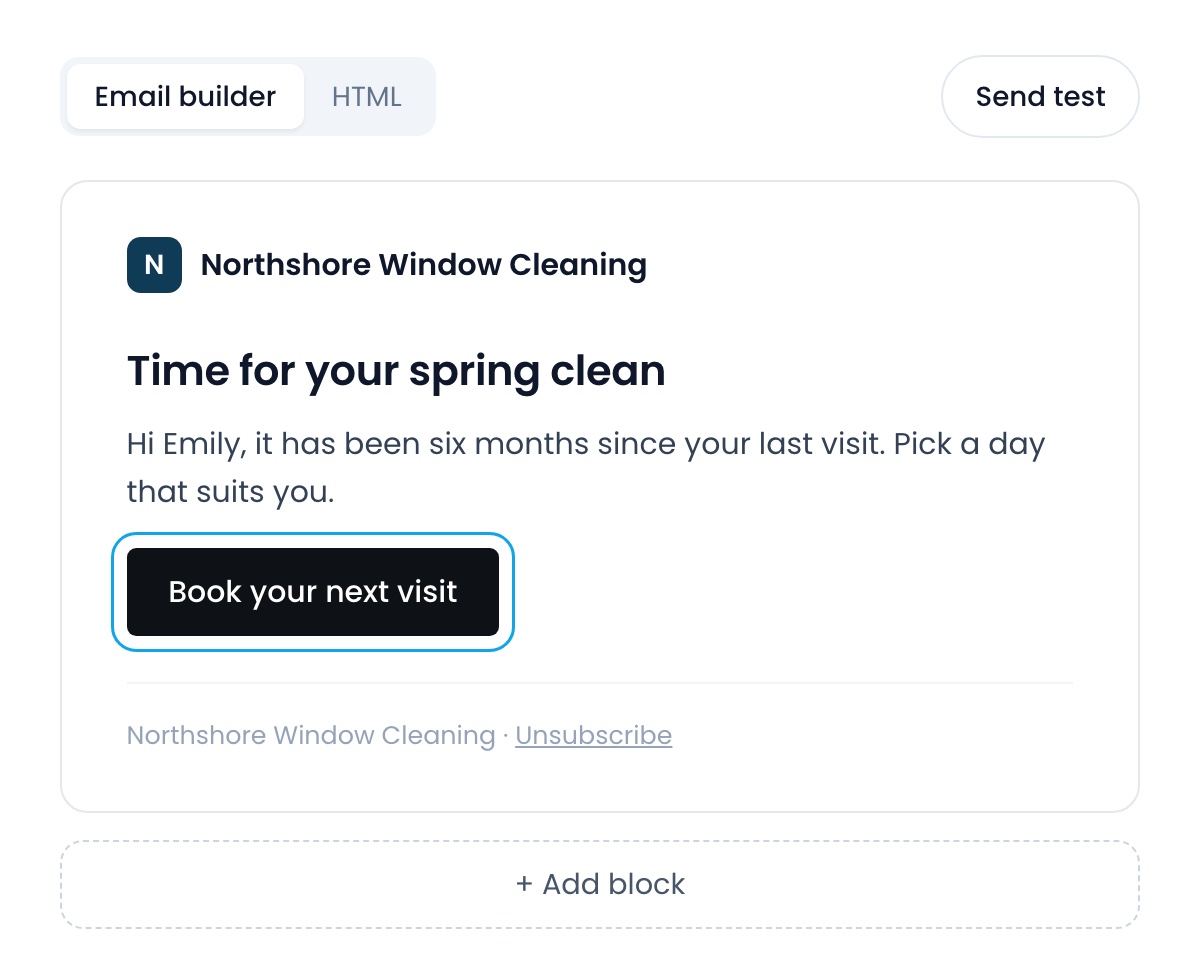
The Send email step has a block builder with a live preview and a test send. Start from a Flyra starter or one of your own templates, or paste your own HTML. Every email ends with an unsubscribe link that stops only your emails.
Also new
- Claude and ChatGPT can do a lot more.They can now send a tip request, list where your team is on the map, show who would be marked paid on Payroll before anyone is, and schedule a callback visit.Find it: mcp.flyra.io
- Send a tip request by hand.From a completed, paid job with no tip yet, text or email the customer their tip link.Find it: Job → actions
- Start a subscription from a job.Turn a one-time job into the first visit of a plan.Find it: A job
- A new contact card.Contacts and properties are edited in one place, and the inbox sidebar shows the customer’s records and share links.Find it: Customer page · Inbox
- Add a location from the header.Open the location switcher and add a branch.Find it: Header → location switcher
- Map settings live on the map.Territories and sessions sit next to the search, and the map remembers your date filter.Find it: Map
New on iPhone
- A Measure tool on the Map tab.
- Start a subscription from a job.
- The new contact card with properties.
- Before and after photos side by side.
See why teams are switching to Flyra
Thirty minutes where we show you how Flyra will help your business.