Team contracts, a rebuilt SMS blast and split payments
Here is what shipped: documents for your team to sign, SMS Blast rebuilt with pricing that makes a follow-up sequence worth running, plus split payments, notification controls and much more.
Team contracts
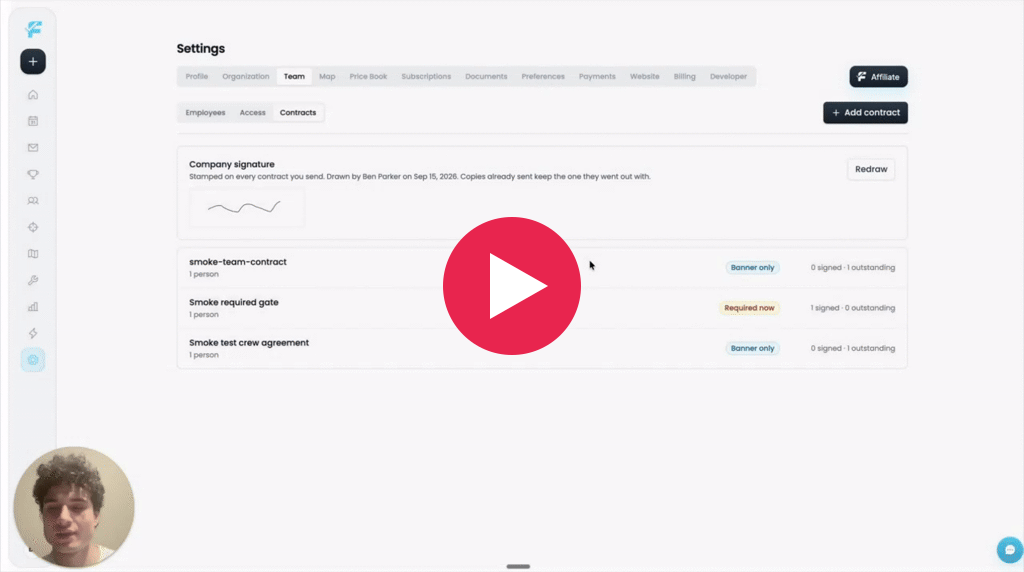
Upload a document, mark where each person signs, and choose who on your team has to sign it. Flyra sends it to your employees and can require them to sign before they carry on using Flyra.
SMS Blast: Rebuilt.
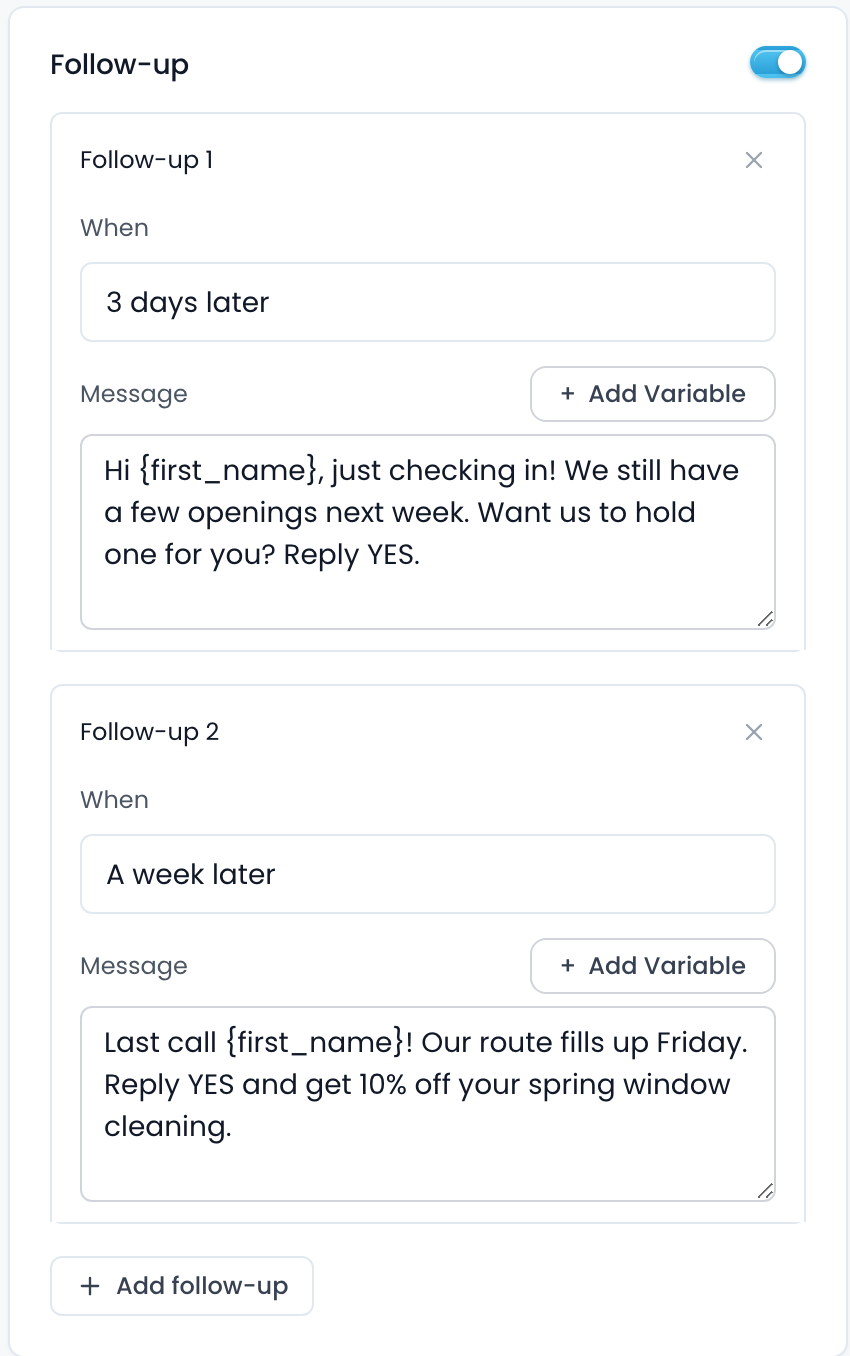
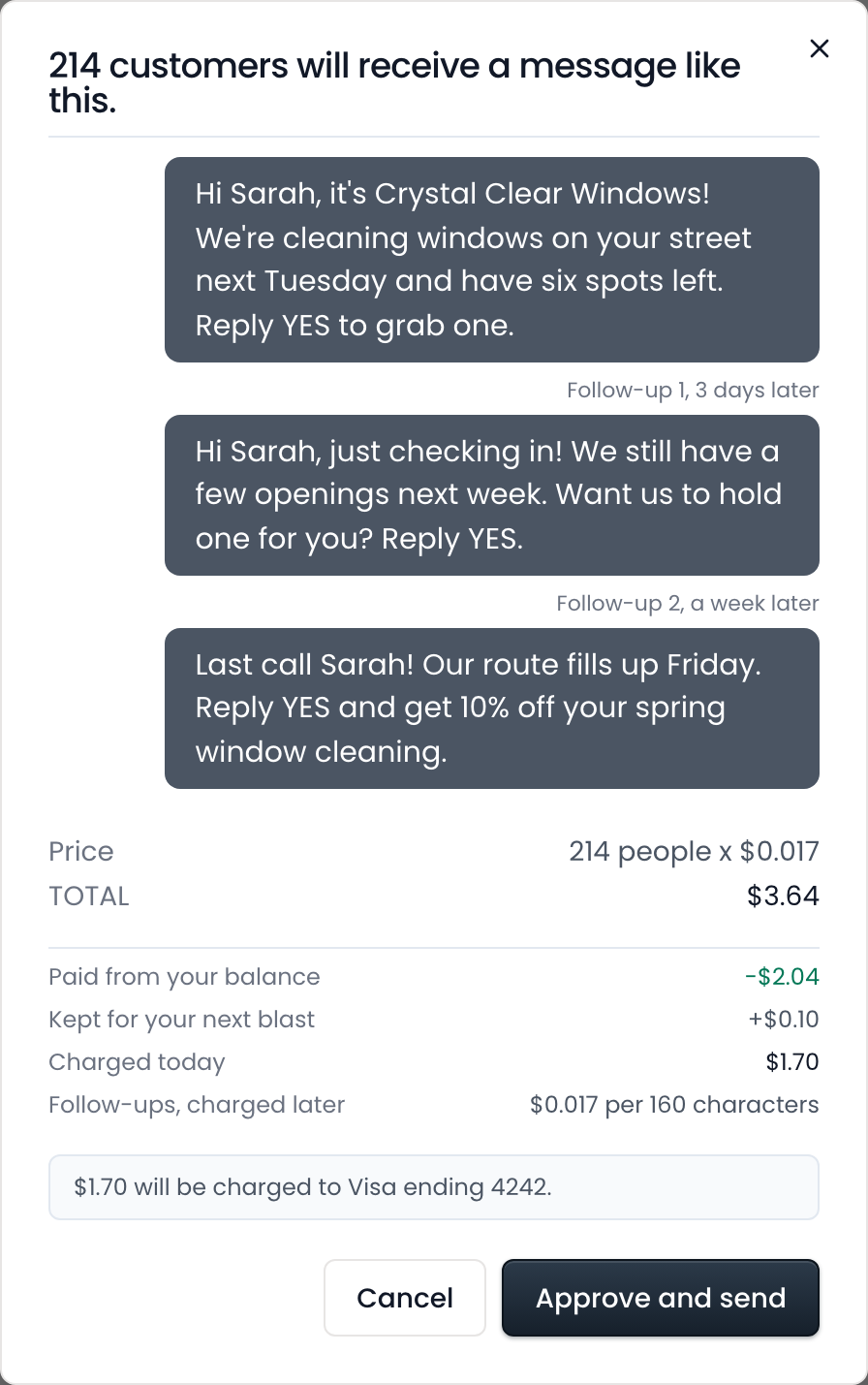
Send mass SMS to a list of contacts, with armed follow ups that chase the ones that haven’t replied.
Split payments

You can now split an invoice for your customer to pay in two separate payments, while your follow ups still chase both parts of the invoice.
Notifications
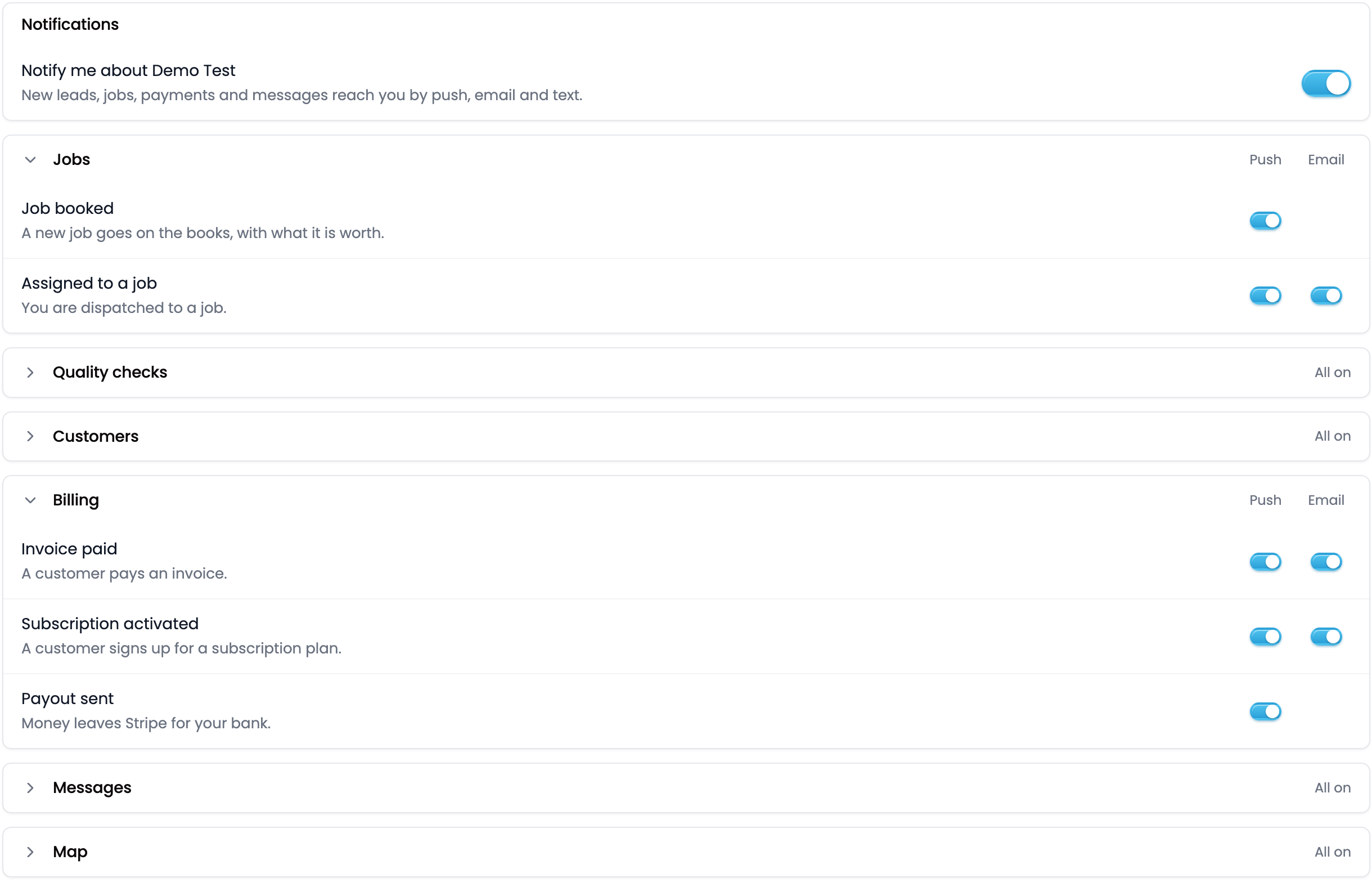
A switch for every notification Flyra sends you, and for whether it reaches you by email, on your phone, or not at all.
Also new
- Drag a job in month view.You can now drag jobs between days there, the last view where you could not. The job keeps its time of day.Find it: Schedule
- The schedule reads at a glance.Appointments now use the colour of the rep they are assigned to, and the week and month job cards have stronger colours.Find it: Schedule
New to Automations
- Paths can split on a lead score.
- Assign lead can assign to this month’s top rep.
- Add Variable on every step.
- Map an incoming webhook into your own fields.
- Book appointments from an automation.
New to MCP
- An agent can attach pictures to a text.
- Build a lead form with more than one step.
- Set the deal value on a lead that already exists.
- Cancel a subscription.
- View and manage customer tags.
- File the gap itself when Flyra cannot do something, for Flyra to improve the MCP.
Every one of these is in your account from day one.
Try all of it free. We ship something new every week.
Start your free trial